Best pvper skin by baku
BedrockSkin packPlayersby BakuMaps
About this skin pack
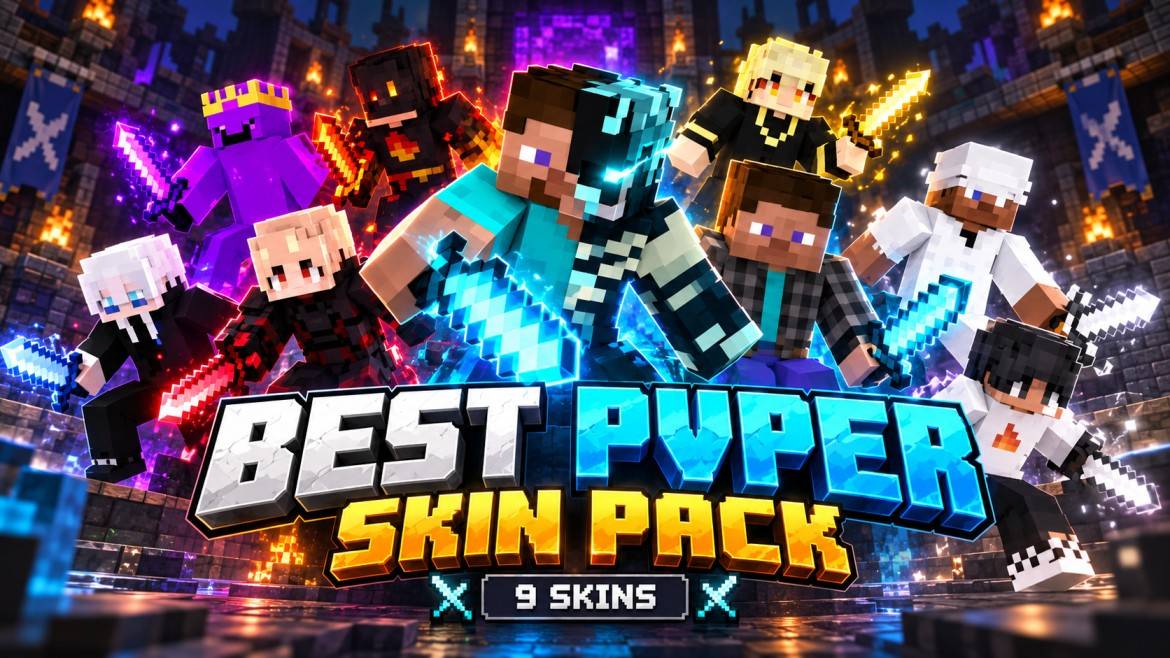
Best PvPer Skin Pack brings 9 stylish PvP skins for Minecraft Bedrock. Perfect for PvP, SMPs, survival and multiplayer. Easy to import, equip and play. All credits: Baku.
Read the author’s full description (171 words)
Written by BakuMaps.
⚔️ Best PvPer Skin Pack
Upgrade your Minecraft Bedrock experience with the Best PvPer Skin Pack — a collection of stylish PvP-focused skins made for players who want a clean, competitive and unique look.
📦 Pack Information
◆ 9 PvP Skins
◆ Unique Character Designs
◆ Clean & Competitive Style
◆ Ready to Use in Minecraft Bedrock
◆ Works in Survival, Creative & Multiplayer
◆ Easy Import with .mcpack
◆ Perfect for PvP, SMP & Minigames
🔥 Included Styles
⚡ Dark PvP Skins | 🔥 Fire-Themed Skins | ❄️ Clean White Skins
💜 Purple Style | 💎 Cyan PvP Style | 🖤 Black & Red Designs
🎮 How To Use
1. Download and open the .mcpack file.
2. Minecraft will automatically import the skin pack.
3. Open Dressing Room → Classic Skins.
4. Find Best PvPer Skin Pack.
5. Select your favorite skin and equip it.
✅ Features
✔ 9 Playable Skins
✔ Minecraft Bedrock Compatible
✔ Multiplayer Friendly
✔ Quick & Simple Installation
✔ No Extra Add-ons Required
✔ Suitable for PvP Players & Content Creators
👑 Credits
Pack Created & Compiled By: Baku
All pack credits belong to Baku.
⚔️ Choose your skin, enter the battlefield and show your PvP style with the Best PvPer Skin Pack!
Images
How to install
- Download the file below. On iOS or Android, open it from your Downloads with Minecraft; on Windows, double-click it.
- Minecraft imports the pack automatically. Enable it in your world’s settings under Behavior Packs or Resource Packs; an add-on usually needs both.
- Skin packs show up in the dressing room: Profile → Edit character → Owned.
- Playing on a Realm or server? Everyone needs the same packs, and the host has to enable them.
Advertisement