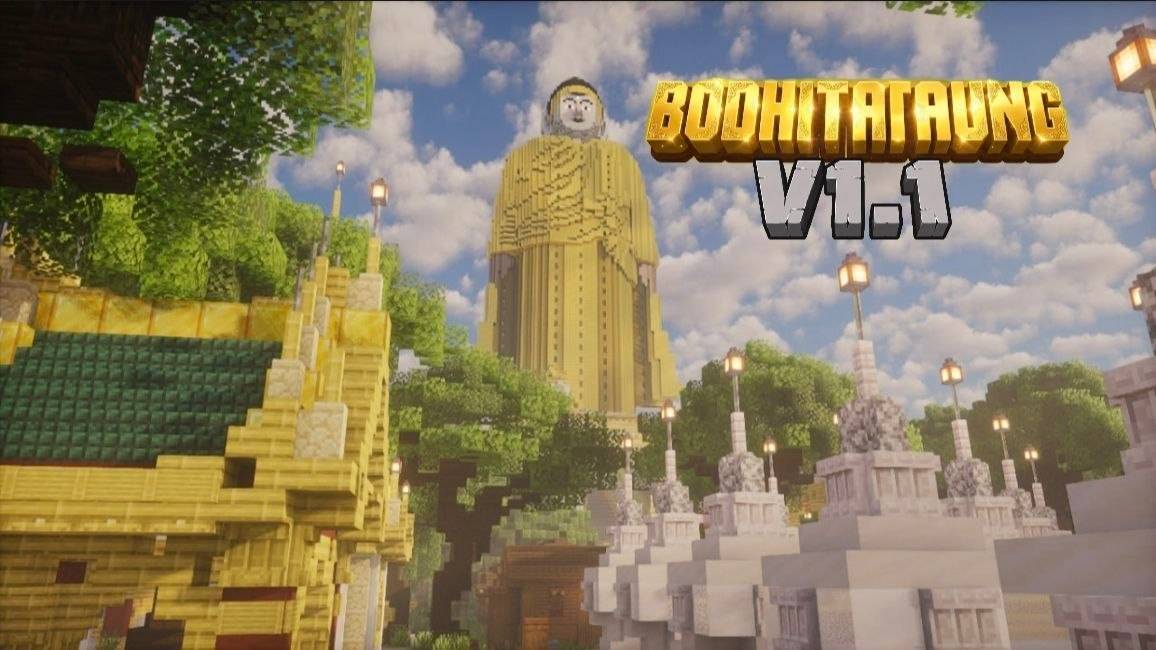
BodhiTahtaung V1.1 By M_Crafter
BedrockMapAdventureby MCrafter
About this map
Bodhi Tahtaung giant Buddha statues of Myanmar, built in rich historical detail.
Read the author’s full description (177 words)
Written by MCrafter.
Welcome to the Bodhi Tahtaung Minecraft Map! This map is a detailed recreation of the famous Maha Bodhi Tahtaung religious site located in Monywa, Sagaing Region, Myanmar. Built with careful attention to architectural scale and accuracy, this project brings one of Myanmar’s most majestic cultural landmarks into the world of Minecraft. Key Features: Laykyun Sekkya Standing Buddha: Recreated with accurate proportions, capturing the iconic grandeur of one of the world's tallest Buddha statues. Reclining & Seated Buddha Statues: Detailed builds of the massive Reclining Buddha at the foot of the hill and the Seated Buddha. Bodhi Tree Garden: Hundreds of carefully arranged Bodhi trees with sitting Buddha statues underneath, mimicking the real-life sacred grove. Aung Sakkyar Pagoda & Surrounding Landscape: Includes key pagodas, walkways, and the scenic hills surrounding the complex. Map Information: Minecraft Version: Minecraft Bedrock 1.21,130 Game Mode: Adventure / Creative Exploration Recommended Shader: BSL Shaders / Complementary Shaders / Photon / Bliss Shader(for realistic lighting and golden reflections) Feel free to explore, take screenshots, or use this map for your cultural showcase videos! Feedback and comments are greatly appreciated.
Images
What’s new in the latest update
The author’s notes for the file uploaded .
Changelog (v1.0.0) - Initial Release Initial Release: Update V1.1 public release of the Maha Bodhi Tahtaung Minecraft map. Main Statues Completed: Added the Laykyun Sekkya Standing Buddha, Reclining Buddha, and Seated Buddha with detailed scale and proportions. Landscape & Structures: Built the Aung Sakkyar Pagoda, surrounding hill terrain, and sacred Bodhi Tree garden featuring rows of sitting Buddha statues. Lighting & Navigation: Added pathway lighting, clear walkways, and spawn points optimized for exploration with or without shaders.
How to install
- Download the file below. On iOS or Android, open it from your Downloads with Minecraft; on Windows, double-click it.
- A .mcworld opens straight into your worlds list, ready to play.
- Playing on a Realm or server? Everyone needs the same packs, and the host has to enable them.
Advertisement