Camouflage and Trolling Skinpack (250+ Skins)
BedrockSkin packSkin packsby Loyallay
About this skin pack
Blend in and prank your friends with the Block Camouflage Skinpack! Featuring hand-edited skins that match blocks like trees and cacti, this pack lets you hide in plain sight. P...
Read the author’s full description (202 words)
Written by Loyallay for the MCPEDL post, shown as published.
Camoflauge Skinpack for Minecraft Bedrock Edition (versions 1.21 ) (Block Skins)
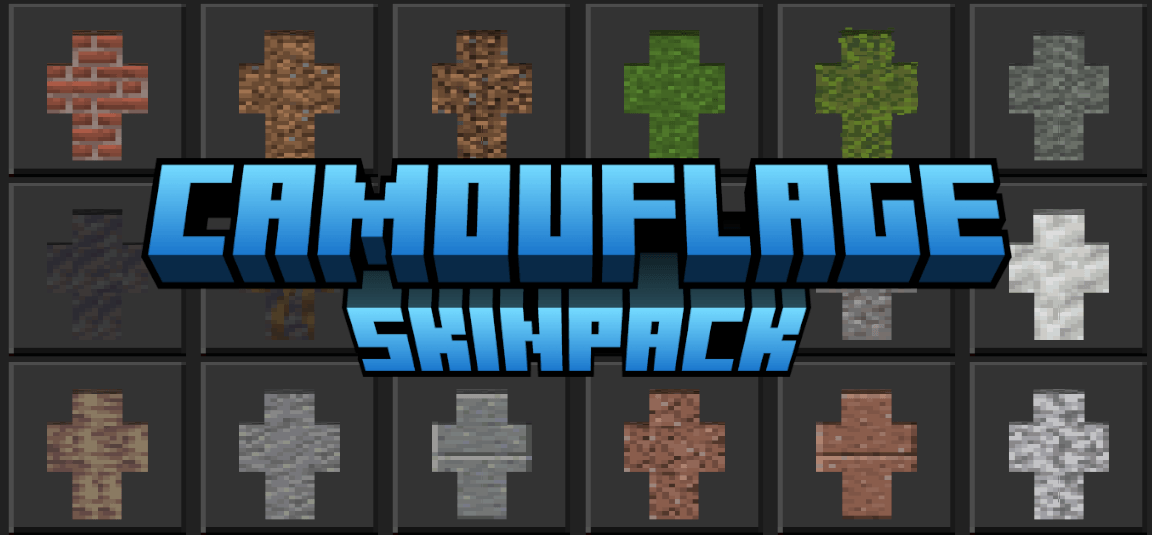
The Camouflage Skinpack is a collection of custom Minecraft skins designed to help players blend into their surroundings by mimicking the appearance of common in-game blocks. Each skin is carefully created to resemble specific blocks such as grass, leaves, stone, wood, and other natural or structural elements found throughout the Minecraft world. This allows players to explore different gameplay styles, including stealth-based strategies, roleplay, or creative world-building.
All skins in the pack are accurately matched to their block counterparts in terms of texture and color, and each one is hand-edited to ensure high quality and consistency. Whether used for fun, experimentation, or enhancing gameplay immersion, the Block Camouflage Skinpack offers a unique way to engage with the Minecraft environment. Ideal for players who enjoy creative expression or want to try a new approach to multiplayer interactions.
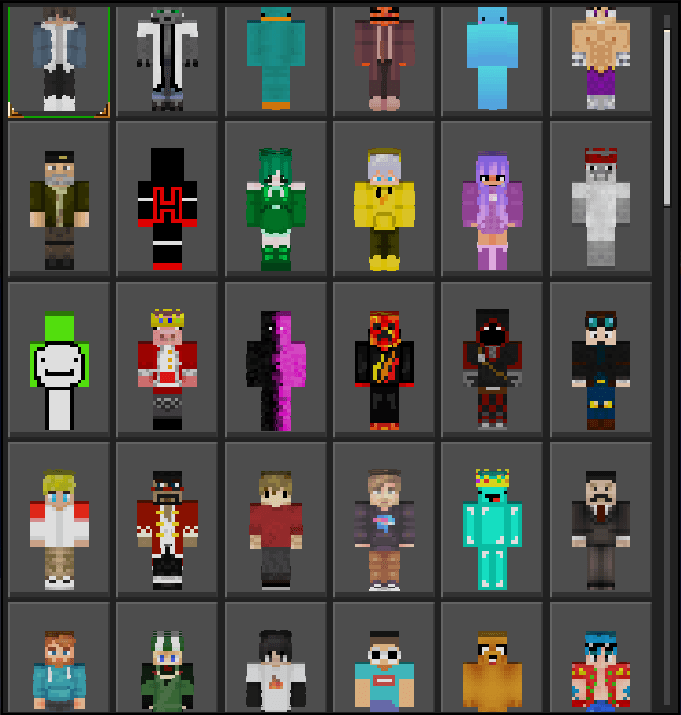
Here is a picture of the skins in this pack (some new skins not included):
To succesfully download the updated version of this pack, please delete the old version from your device via your Minecraft in-game settings!Be sure to check out my profile for other skinpacks, texture packs, addons, and worlds for Minecraft Bedrock Edition!
What’s new in the latest update
The author’s notes for the file uploaded .
v1.4 includes the following:
- Fixed spelling, capitalization, localization, internal-name, and filename inconsistencies.
- Standardized texture filenames to lowercase names with underscores.
- Reorganized the skin order and kept plants/flowers grouped at the end.
- Added new Poplar, Sulfur, Cinnabar, Coral, Quartz, Froglight, Copper, and other block skins.
- Added separate top/side orientation skins where needed.
- Reorganized copper skins by oxidation stage: Copper, Exposed, Weathered, Oxidized.
- Renamed placeholder copper entries to their proper Minecraft names.
- Increased the pack from 324 to 378 skins.
- Verified all skin references, localization entries, filenames, dimensions, and pack files.
How to install
- Download the file below. On iOS or Android, open it from your Downloads with Minecraft; on Windows, double-click it.
- Minecraft imports the pack automatically. Enable it in your world’s settings under Behavior Packs or Resource Packs; an add-on usually needs both.
- Skin packs show up in the dressing room: Profile → Edit character → Owned.
- Playing on a Realm or server? Everyone needs the same packs, and the host has to enable them.
Advertisement