Dragon Ball Goku Transformations Skins
BedrockSkin packPlayersby Davidelnoob05
About this skin pack
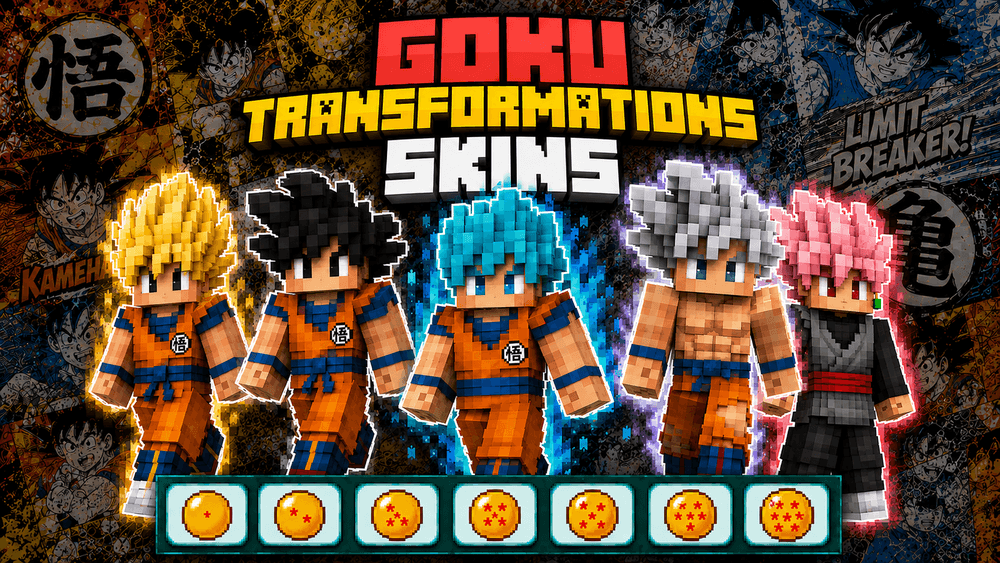
Play as Goku from Dragon Ball—in all his transformations SSJ—with this skin pack.
Read the author’s full description (159 words)
Written by Davidelnoob05.
GOKU TRANSFORMATIONS SKIN
ENGLISH
🐉 Goku Transformations brings together the most iconic forms of Goku in one place. Dress your character in skins inspired by the legendary Saiyan and unleash his incredible power in the world of Minecraft. Perfect for epic battles with your friends or showing off your favorite Goku transformations! ⚡🔥
Add transformations like Goku, Super Saiyan, Super Saiyan 3, Super Saiyan Blue, Ultra Instinct, and more 🐉💥
By @davidelnoob
ESPAÑOL
🐉 Goku Transformations reúne las formas más icónicas de Goku en un solo lugar. Viste a tu personaje con aspectos inspirados en el legendario Saiyan y desata su increíble poder en el mundo de Minecraft. ¡Perfecto para batallas épicas con tus amigos o para lucir tus transformaciones favoritas de Goku! ⚡🔥
Añade transformaciones como Goku, Super Saiyan, Super Saiyan 3, Super Saiyan Blue, Ultra Instinto y mucho más 🐉💥
By @davielnoob
Skins: - Goku /- Goku SSJ /- Goku SSJ3 /- Goku SSJ Blue /- Goku Ultra Instinct /- Goku SSJ2 / NEW: Goku SSJ4
MORE SKINS PROJECTS!!!:
Images
What’s new in the latest update
The author’s notes for the file uploaded .
NEW SKIN! Goku SSJ 4
How to install
- Download the file below. On iOS or Android, open it from your Downloads with Minecraft; on Windows, double-click it.
- Minecraft imports the pack automatically. Enable it in your world’s settings under Behavior Packs or Resource Packs; an add-on usually needs both.
- Skin packs show up in the dressing room: Profile → Edit character → Owned.
- Playing on a Realm or server? Everyone needs the same packs, and the host has to enable them.
Advertisement