GOJOOO| 3D SKIN |
BedrockSkin packPlayersby Mods Tabi
About this skin pack
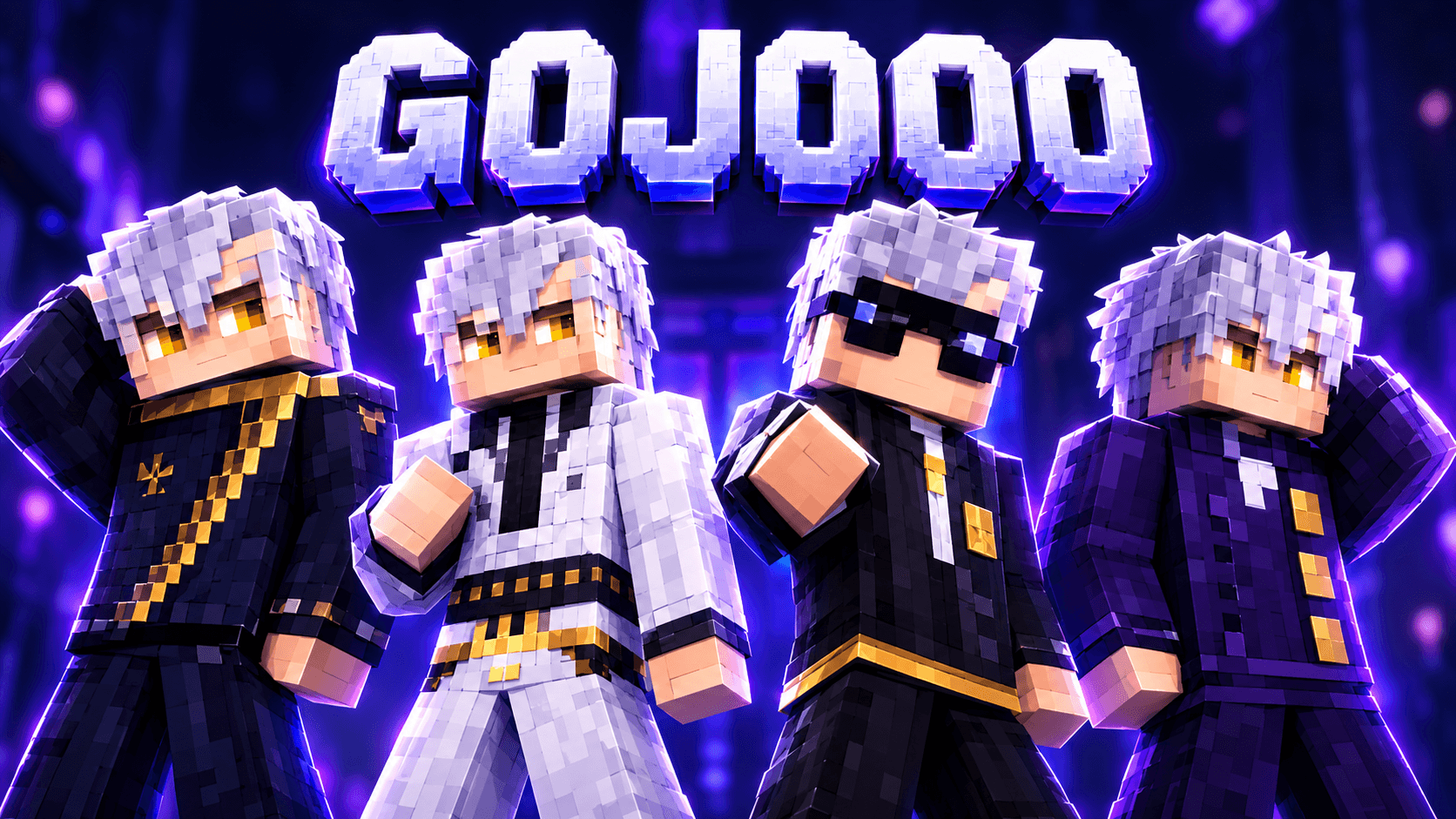
4 original HD outfits in one pack: dark uniform, layered robe, formal suit and long coat. 128x128, raised 3D overlay layers, Classic + Slim arms.
Read the author’s full description (306 words)
Written by Mods Tabi.
Created by: ModsTabi
Ashen Amber 3D is an original Minecraft Bedrock skin pack featuring one original character in 4 fully detailed outfits - 8 skins in total, with Classic (4px arms) and Slim/Alex (3px arms) versions of every outfit.
With ash-grey side-swept hair, striking amber eyes and a sharp jawline, this character brings a cool, confident dark-academy look to your world - in a high-collar uniform, an elegant layered robe, a sharp formal suit, or a dramatic long coat.
What's Included
- Obsidian Uniform - Dark high-collar uniform with a diagonal bronze closure, shoulder bar and an original diamond emblem.
- Moonlight Robe - Light layered robe over dark inner wear, with a braided sash, tassels, wide sleeves and a wave-pattern hem.
- Charcoal Suit - Charcoal pinstripe suit with shirt and tie, amber pocket square, gold belt detail and tinted round glasses.
- Dusk Long Coat - Long structured plum-navy coat with a stand collar, bronze clasps and a split-back coat tail.
Every outfit comes in Classic (Steve) and Slim (Alex) arm versions.
Features
- True 128x128 HD textures - fine pixel details, clean shading and no blur
- 3D-effect raised overlay layers - collars, sleeves, coat skirt, hair strands, belts and glasses stand out from the base skin in-game
- Base overlay layers on every skin for extra depth
- Same character face and hairstyle across all 4 outfits
- Includes front, back and side preview images
Installation
- Download the .mcpack file.
- Open it - Minecraft Bedrock will import the pack automatically.
- Go to Profile > Edit Character and select your favourite outfit.
Platform: Minecraft Bedrock Edition (HD skin supported versions)
Credits
- Author / Creator: ModsTabi
- Version: 1.0.0
This is a 100% original pixel-art skin pack created by ModsTabi. It is not affiliated with or endorsed by any anime, game, brand or existing character. Please do not re-upload this pack or claim it as your own without crediting ModsTabi.
Thanks for downloading - enjoy!
Images
How to install
- Download the file below. On iOS or Android, open it from your Downloads with Minecraft; on Windows, double-click it.
- Minecraft imports the pack automatically. Enable it in your world’s settings under Behavior Packs or Resource Packs; an add-on usually needs both.
- Skin packs show up in the dressing room: Profile → Edit character → Owned.
- Playing on a Realm or server? Everyone needs the same packs, and the host has to enable them.
Advertisement