Grox Skin by BedrockForge
BedrockSkin packPlayersby BedrockForge
About this skin pack
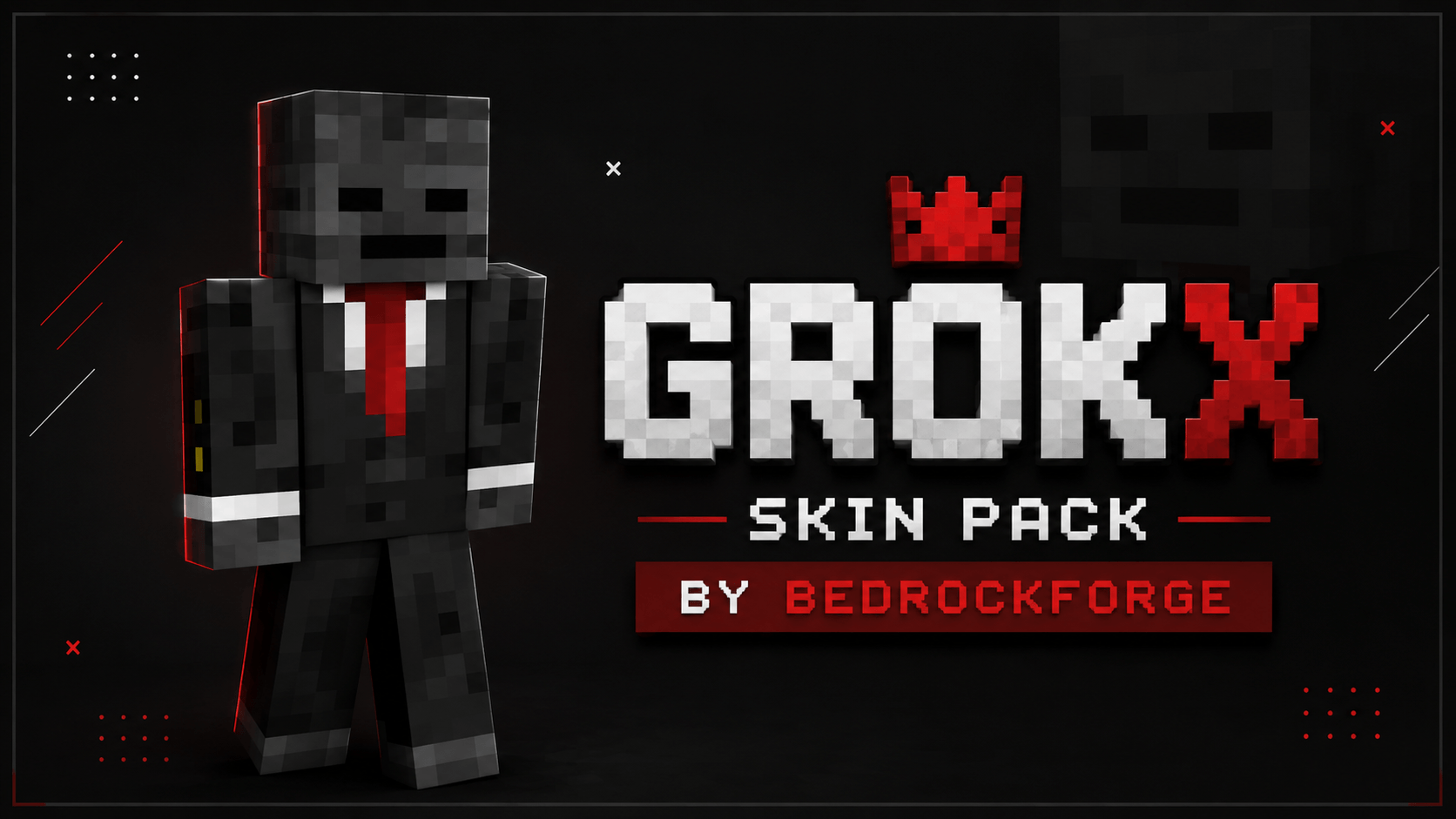
Become the legendary Grox in Minecraft Bedrock Edition! Inspired by the popular Minecraft YouTuber known for hilarious villager adventures and creative survival challenges, this...
Read the author’s full description (301 words)
Written by BedrockForge.
Grox Skin
Step into the world of one of Minecraft's most entertaining creators with the Grox Skin for Minecraft Bedrock Edition. Inspired by the popular YouTuber Grox, this skin recreates his iconic appearance, making it a perfect choice for fans who enjoy his hilarious villager adventures, over-the-top challenges, and action-packed survival videos. 0
Whether you're building your own empire, exploring survival worlds, playing on multiplayer servers, or creating exciting content, the Grox Skin lets you bring the look of your favorite creator into every Minecraft adventure. It's a fun way to stand out while paying tribute to one of the community's most recognizable personalities.
✦ Features
- Inspired by the popular Minecraft YouTuber Grox.
- Based on Grox's signature in-game appearance.
- Perfect for survival, roleplay, multiplayer, and creator-inspired gameplay.
- High-quality pixel-art design.
- Lightweight and performance-friendly.
- Easy installation process.
- Compatible with Minecraft Bedrock Edition.
✦ Why You'll Love This Skin
If you're a fan of Grox's creative Minecraft videos, this skin is a great way to represent your favorite creator while exploring your own worlds. From survival adventures and multiplayer servers to funny roleplay moments with friends, the Grox Skin delivers a recognizable look that every fan will appreciate. Grox is especially known for his unique Minecraft storytelling and humorous villager-themed content, making this skin a perfect companion for your next adventure. 1
✦ Installation Guide
- Scroll down and download the Skin Pack.
- Open the downloaded file using ZArchiver or any file manager app.
- Tap Open With and choose Minecraft.
- Wait for Minecraft to import the Skin Pack automatically.
- Open Dressing Room or Change Skin.
- Navigate to the imported Skin Pack.
- Select any skin you want to use.
- Start your adventure and enjoy your new look.
✦ Compatibility
- Minecraft Bedrock Edition Supported ✅
- Works on Android, iOS, Windows, and Console ✅
- Multiplayer Friendly ✅
- Easy To Install ✅
Made by BedrockForge
Images 👇🏻
How to install
- Download the file below. On iOS or Android, open it from your Downloads with Minecraft; on Windows, double-click it.
- Minecraft imports the pack automatically. Enable it in your world’s settings under Behavior Packs or Resource Packs; an add-on usually needs both.
- Skin packs show up in the dressing room: Profile → Edit character → Owned.
- Playing on a Realm or server? Everyone needs the same packs, and the host has to enable them.
Advertisement