Iron-Man SkinPack | 20+
BedrockSkin packPlayersby MrDavid13
About this skin pack
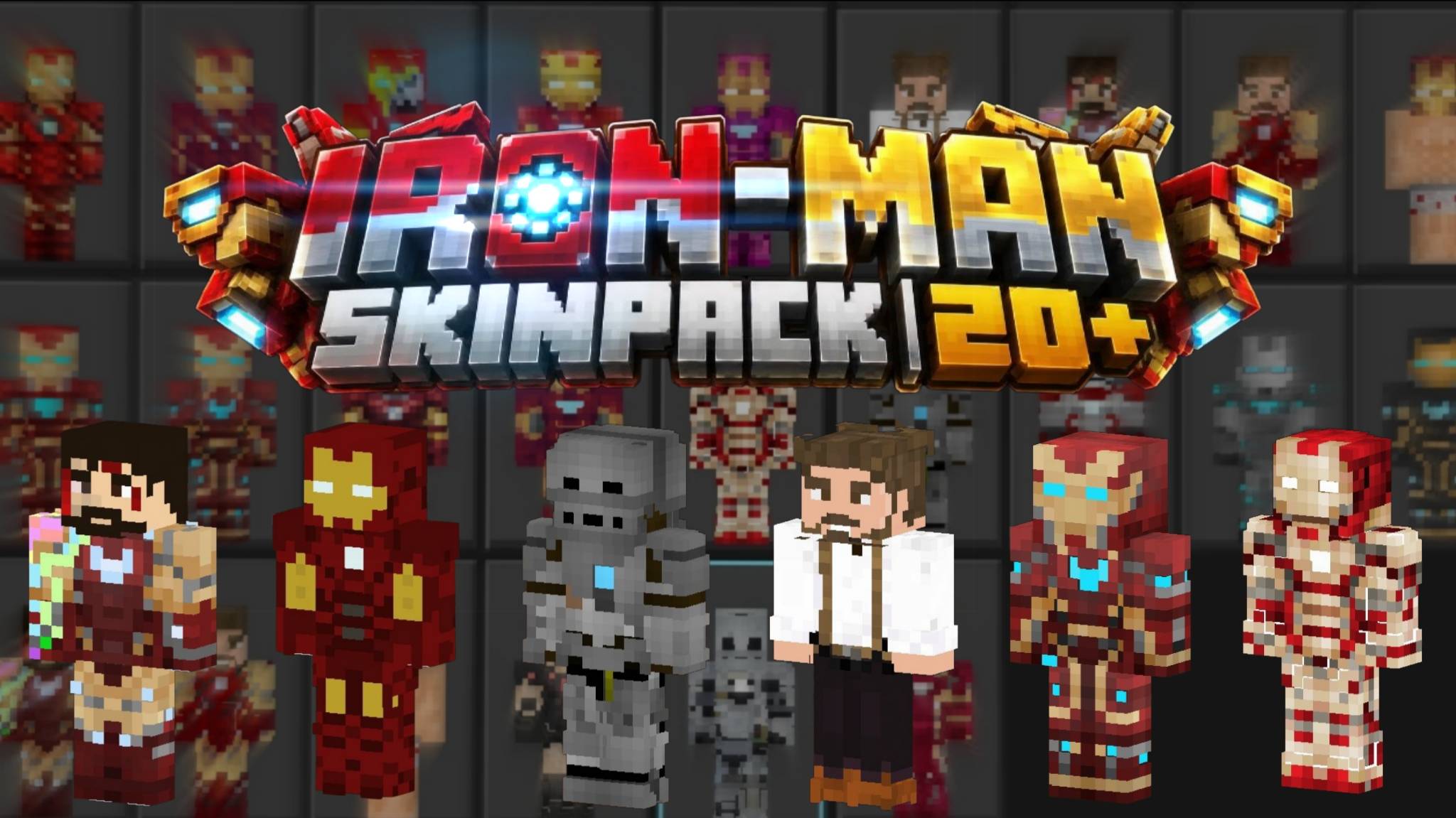
25 Iron-Man themed skins for Minecraft Bedrock, sorted into groups so they are easy to browse. Classic red and gold suits, nano suits, Tony Stark outfits, gray and silver armor,...
Read the author’s full description (198 words)
Written by MrDavid13.
Description
Iron-Man SkinPack | 20 adds 25 armored hero skins to Minecraft Bedrock Edition. The skins are arranged in groups, so similar suits sit next to each other in the Dressing Room.
What's Inside
Classic (6): Classic Red Gold, Bright Red Suit, Avengers Suit, Far From Home Suit, Chibi Iron Suit, Pink Suit
Nano and Modern (6): Nano Suit, Nano Suit Cyan, Nano Suit Blue Core, Dark Red Gold Suit, Maroon Gold Suit, White Red Suit
Tony Stark (5): Casual, Armored, Battle Damage, Shirtless, Black Armor
Gray and Silver (4): War Machine, Gray Armor, Silver Red Suit, Silver Cyan Suit
Dark and Special (4): Stealth Suit, Ender Suit, Pig Suit, Villager Suit
Details
All 25 skins use the classic (wide arm) model
All skins are free to use
All skins are in the standard 64x64 format
Pack icon included
English (US) language file
How to install
Download the .mcpack file.
Open it. Minecraft Bedrock imports it automatically.
In game, go to Dressing Room, then Owned / Classic Skins, then Iron-Man SkinPack | 20 .
Disclaimer
This is an unofficial fan-made skin pack. It is not affiliated with, endorsed by, or sponsored by Marvel, Disney or any related company.
CREATED BY: MrDavid13
Images
What’s new in the latest update
The author’s notes for the file uploaded .
Version 1.4.0 Changelog
v1.0.0-Initial Release
Added 50 spider-themed skins
Skins sorted into 9 groups Version (Classic, Movie-style, Game-style, Casual, Multiverse, Ghost-style, Other Heroes, Black Suits, Symbiotes and Villains)
Every skin has a clear name based on who or what it it's
Added pack icon
Added author credit: MrDavid13
Added English (US) language files
How to install
- Download the file below. On iOS or Android, open it from your Downloads with Minecraft; on Windows, double-click it.
- Minecraft imports the pack automatically. Enable it in your world’s settings under Behavior Packs or Resource Packs; an add-on usually needs both.
- Skin packs show up in the dressing room: Profile → Edit character → Owned.
- Playing on a Realm or server? Everyone needs the same packs, and the host has to enable them.
Advertisement