Pixel Legend's skin pack
BedrockSkin packPlayersby Hello_Gamer_95
About this skin pack
Minecraft skin pack
Read the author’s full description (229 words)
Written by Hello_Gamer_95.
Unleash the ultimate power of digital style with the Pixel Legends Skin Pack! Step into your next Minecraft adventure wearing ultra-modern, high-contrast designs that blend classic 8-bit nostalgia with futuristic neon aesthetics. Whether you want to glow in the dark caves, show off vibrant rainbow gradients, or rock a sleek cybernetic outfit, this pack has the perfect look for you.
Become a legend of the pixelated world and stand out on your favorite multiplayer servers!
What’s Included in This Pack:
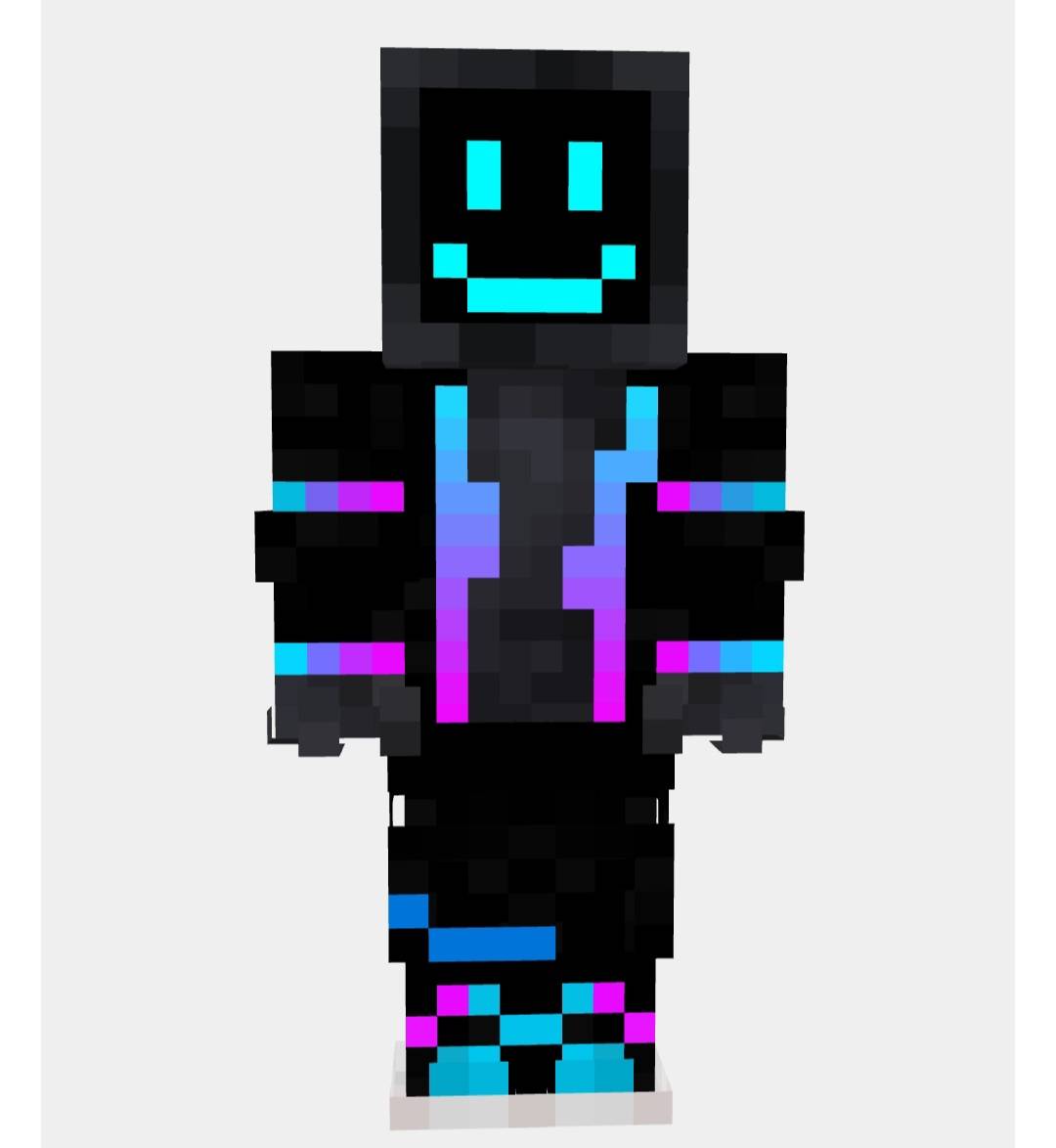
• 🌟 Cyber Neon Explorer: A sleek, dark cyber-suit featuring a glowing cyan smiley face mask and electric pink-to-blue neon accents down the limbs.
• 🌈 Chroma Master: A dazzling skin wrapped in a smooth, continuous rainbow gradient, complete with stylized glowing white digital eyes.
• 👾 Nether Catalyst: An unstable, neon-infused skin pulsing with fiery reds, toxic greens, and cybernetic armor plating.
• ⚡ Glow Overlord: A high-visibility outfit featuring sharp electric green details, glowing neon highlights, and custom matching futuristic gear.
• 🔮 Void Stalker: A mysterious, shadow-shrouded skin radiating deep cosmic purple energy, complete with a hidden Creeper face motif embedded into the armor.
• 🎨 And many more highly-detailed, neon-infused digital legends!
Features:
• 6 unique, premium HD-styled skins designed specifically for Minecraft Bedrock.
• Perfect for roleplay, PvP arenas, faction servers, or exploring survival worlds.
• High-contrast neon textures that look amazing in both daylight and dark environments.
Equip your favorite look and start your pixelated legacy today!
Images
How to install
- Download the file below. On iOS or Android, open it from your Downloads with Minecraft; on Windows, double-click it.
- Minecraft imports the pack automatically. Enable it in your world’s settings under Behavior Packs or Resource Packs; an add-on usually needs both.
- Skin packs show up in the dressing room: Profile → Edit character → Owned.
- Playing on a Realm or server? Everyone needs the same packs, and the host has to enable them.
Advertisement