SepWorks PvP Crosshair
BedrockTexture packPvpby Sepworks
- Rating
- 5.0 / 5
- Downloads
- 42 downloads
- Last update
- Updated
- Published on
- Published on MCPEDL
About this texture pack
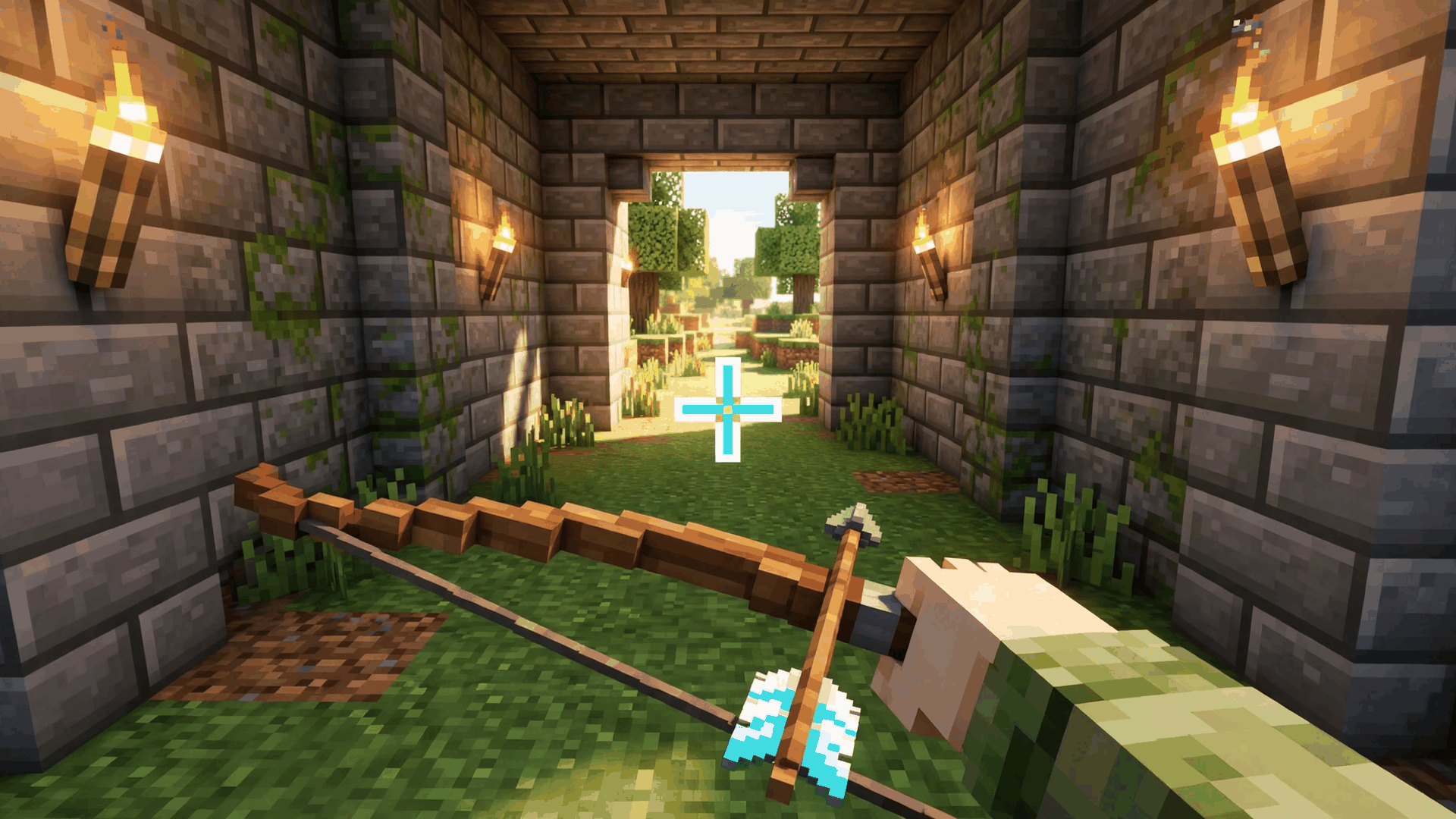
SepWorks PvP Crosshair is a resource pack for Minecraft Bedrock that replaces the default crosshair. The author says it has 12 PvP styles, each in a normal and an animated RGB version. You choose one from the pack's subpack list, which also has a None option.
What it adds
Crosshair options
The pack lists 23 subpack options: None, then each style in a normal and an RGB version. The table shows the full list.
| Option | Pack |
|---|---|
| None | SepWorks PvP Crosshair |
| Boxed Plus | SepWorks PvP Crosshair |
| Boxed Plus (RGB) | SepWorks PvP Crosshair |
| Dot | SepWorks PvP Crosshair |
| Dot (RGB) | SepWorks PvP Crosshair |
| Dotted Box | SepWorks PvP Crosshair |
| Dotted Box (RGB) | SepWorks PvP Crosshair |
| Dotted Circle | SepWorks PvP Crosshair |
| Dotted Circle (RGB) | SepWorks PvP Crosshair |
| Dotted O | SepWorks PvP Crosshair |
| Dotted O (RGB) | SepWorks PvP Crosshair |
| Dotted Plus | SepWorks PvP Crosshair |
| Dotted Plus (RGB) | SepWorks PvP Crosshair |
| Dotted X | SepWorks PvP Crosshair |
| Dotted X (RGB) | SepWorks PvP Crosshair |
| Gap X | SepWorks PvP Crosshair |
| Gap X (RGB) | SepWorks PvP Crosshair |
| Plus Gap | SepWorks PvP Crosshair |
| Plus Gap (RGB) | SepWorks PvP Crosshair |
| Reverted V | SepWorks PvP Crosshair |
| Reverted V (RGB) | SepWorks PvP Crosshair |
| X | SepWorks PvP Crosshair |
| X (RGB) | SepWorks PvP Crosshair |
Files in the pack
The download holds 44 files in one resource pack, with 1 texture in textures/gui and 13 in other textures folders.
- The author says the pack contains no scripts, so it is a pure resource pack.
Requirements and compatibility
- The manifest's minimum Minecraft version is 1.18.0.
- One resource pack only, with no behavior pack.
- The author states that no experimental toggles, Beta APIs or cheats are required.
- File size: 86.52 KB as one .mcpack, 102 KB unpacked.
- It replaces the vanilla UI files _ui_defs.json and sepworks.json, so another pack that changes the same screens will clash with it, and the pack higher in the list wins.
Get started
- Install it: how to install Minecraft Bedrock add-ons covers .mcaddon, .mcpack and .mcworld files on iOS, Android and Windows.
- Activate SepWorks PvP Crosshair as a resource pack in your world.
- Open the pack's gear icon and pick a style from the subpack list, normal or RGB.
- Choose None to hide the crosshair.
Version history
- sepworks-pvp-crosshair.1.0.0.mcpack (pack version 1.0.0) · The only file on the page, 86.52 KB. The author's changelog calls it the initial SepWorks release, based on an earlier PvP Crosshair pack.
Compared with similar packs
- Ultimate PvP by ZenXvedaZenXveda Ultimate PvP Pack (Pro) is a 316.95 KB pack whose subpacks are crosshair choices, and it needs 1.21.0 or newer. SepWorks PvP Crosshair has 23 subpack options and declares 1.18.0.
Questions and answers
- How do I change the crosshair in SepWorks PvP Crosshair?
- Use the gear icon on the pack and pick one of its subpacks. Each style has a normal and an RGB version.
- Does SepWorks PvP Crosshair need experimental toggles?
- The author states that no experimental toggles, Beta APIs or cheats are required.
- Which Minecraft version does SepWorks PvP Crosshair need?
- Its manifest sets a minimum of 1.18.0.
How we know
The numbers, names and commands on this page were read from the pack’s own files and from MCPEDL on . We did not play it, and we host no copy of it.
Read from: the publisher's page: page · the publisher's page: summary · the publisher's page: files · the publisher's page: changelog 2026-11-12 · the publisher's page: description · file:sepworks-pvp-crosshair.1.0.0.mcpack · manifest.json · textures/ · ui/
Advertisement