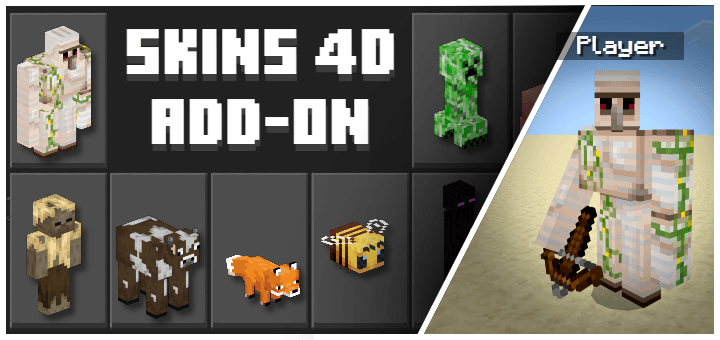
Verity 4D
BedrockSkin packPlayersby Armedpingu

About this skin pack
Hey, it's him it's... (Android Version Now Available!)
Read the author’s full description (201 words)
Written by Armedpingu.
Verity 4D
Ever wanted to play as Verity? With this skinpack you can!
(Unnoficial Skinpack)
Images
How To Import
IMPORTANT!
For Both iOS & Windows You MUST Have The Free Crafty Costumes Skinpack Or This Will Not Work!
Windows 11
1) Download The PC iOS Version Of The Skinpack
2) Rename The File From A .mcpack To .zip And Extract The Zip File
3) Press Win R On Your Keyboard And Paste This Directory:
%AppData%\Minecraft Bedrock\premium_cache\skin_packs
4) Delete Everything Inside of the skin_packs Folder
5) Move Your Extracted Zip File To The skin_packsDirectory
6) Start Minecraft And You Will Have The Skins
iOS & iPadOS
1) Download The PC iOS Version Of The Skinpack
2) Rename The File From A .mcpack To .zip And Extract The Zip File
3) Go To On My iPhone (Or iPad)/Minecraft/internal/premium_cache/skin_packs
4) Delete Everything Inside Of The skin_packs Folder
5) Move The Extracted Zip Folder To On My iPhone (Or iPad)/Minecraft/internal/premium_cache/skin_packs
6) Start Minecraft And You Will Have The Skins
Android
1) Download The ANDROID Version Of The Skinpack
2) Rename The File From .mcpack To .zip And Extract The Zip File
3) Follow This Tutorial: https://youtu.be/QiWm9PL4Lgg?si=rZuVOBBgq32p3hXu
Credits
All Credits Go To @ThatMob For Anything Verity Related!
Video
How to install
- Download the file below. On iOS or Android, open it from your Downloads with Minecraft; on Windows, double-click it.
- Minecraft imports the pack automatically. Enable it in your world’s settings under Behavior Packs or Resource Packs; an add-on usually needs both.
- Skin packs show up in the dressing room: Profile → Edit character → Owned.
- Playing on a Realm or server? Everyone needs the same packs, and the host has to enable them.
Advertisement