Actual WAILA
BedrockScriptUtilityby Studio 38
About this script
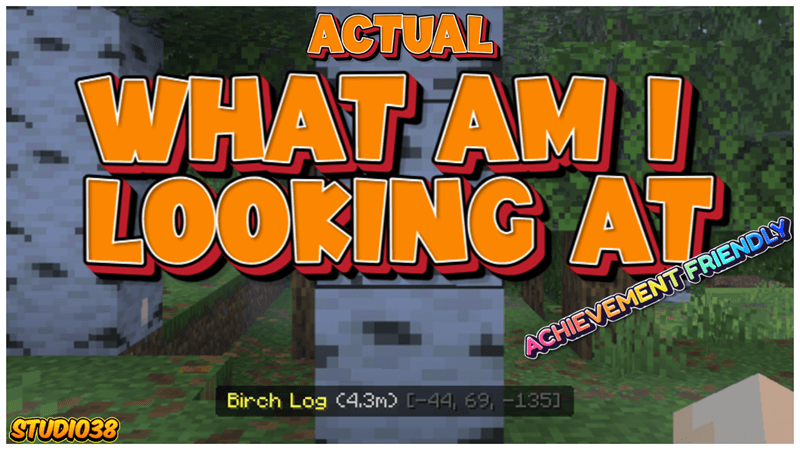
Ever wonder exactly what block you just stumbled across, or what that custom entity is? The Actual WAILA (What Am I Looking At) Add-On provides a sleek, unobtrusive on-screen to...
Read the author’s full description (185 words)
Written by Studio 38.
Project Description:
Ever wonder exactly what block you just stumbled across, or what that custom entity is? The Actual WAILA (What Am I Looking At) Add-On provides a sleek, unobtrusive on-screen tooltip that instantly identifies whatever is currently in your crosshairs. Designed for explorers, builders, and modpack creators alike, this add-on removes the guesswork from your gameplay. Whether you are sorting through hundreds of new blocks from various mods or trying to track down a rare custom mob in the dark, Actual WAILA keeps you informed without cluttering your interface.
Important Information:
- ✅No Experiments will need to be activated to play.
- 👨💼No Player files are used in this project.
- ⚡️Actual real-time WAILA features.
- 💡Shows you names of blocks and entities
- 👹Works for custom blocks and entities.
- 💻Have something to say? Join the Discord.
- 💯This Project is 100% achievement compatible.
Whether it's a block or an entity, whatever you look at can be instantly identified with a simple on-screen prompt. No more guessing names or checking item IDs—your interface adapts in real time to give you the exact details you need, right when you need them.
What’s new in the latest update
The author’s notes for the file uploaded .
- Change Log for V0.05
- Change all the colours so their is no Greys, Whites or Blocks on the action bar so it can be seen easier.
- Removed the icon from the entity WAILA so it stays the same format.
How to install
- Download the file below. On iOS or Android, open it from your Downloads with Minecraft; on Windows, double-click it.
- Minecraft imports the pack automatically. Enable it in your world’s settings under Behavior Packs or Resource Packs; an add-on usually needs both.
- Playing on a Realm or server? Everyone needs the same packs, and the host has to enable them.
- Starting a new world? Choose its seed first: the Seed Map shows villages, structures and biomes near spawn for any Bedrock seed.
Advertisement