Aurora Shaders
BedrockTexture packRealisticby Hyubi
About this texture pack
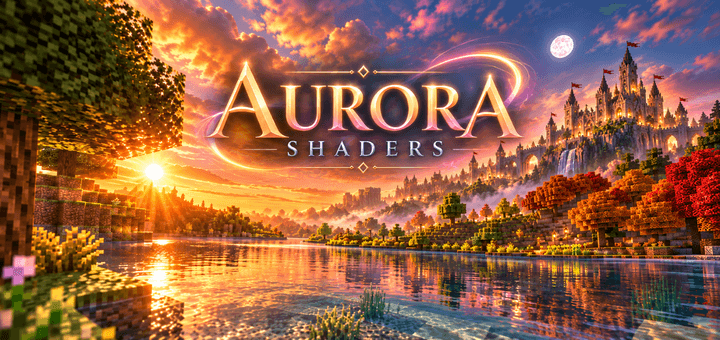
Aurora Shaders transforms your Minecraft world with beautiful lighting, vibrant skies, glowing sunsets, detailed shadows, and stunning aurora effects for a more immersive and ci...
Read the author’s full description (163 words)
Written by Hyubi.
Aurora Shaders
Transform the look of your Minecraft world with Aurora Shaders. This pack gives your game a more atmospheric and cinematic appearance with brighter lighting, richer colors, detailed shadows, and beautiful skies.
The shader is designed to make normal Minecraft environments feel more alive. Sunsets become warmer, mornings look softer, distant landscapes gain more depth, and the sky can feel much more dramatic. Aurora-inspired colors and glowing effects add an extra fantasy touch, making exploration and building feel more impressive.
Features
- Enhanced lighting and shadows
- More vibrant skies and sunsets
- Aurora-inspired visual effects
- Brighter and more atmospheric environments
- Improved depth and overall world appearance
- Great for screenshots and cinematic worlds
- Perfect for castles, fantasy builds, landscapes, and survival worlds
- Makes exploration feel more immersive
- Designed to give Minecraft a cleaner and more beautiful visual style
Whether you are exploring mountains, building a huge castle, walking through forests, or simply watching the sunset, Aurora Shaders gives your world a fresh and cinematic atmosphere. ✨🌌
What’s new in the latest update
The author’s notes for the file uploaded .
I added better graphics!!!
How to install
- Download the file below. On iOS or Android, open it from your Downloads with Minecraft; on Windows, double-click it.
- Minecraft imports the pack automatically. Enable it in your world’s settings under Behavior Packs or Resource Packs; an add-on usually needs both.
- Playing on a Realm or server? Everyone needs the same packs, and the host has to enable them.
- Starting a new world? Choose its seed first: the Seed Map shows villages, structures and biomes near spawn for any Bedrock seed.
Advertisement
More texture packs
- Texture packs
Dark Fantasy Visuals (Bedrock Resource Pack)
by Starfish Studios Inc
- Downloads
- 1.4M
- Rating
- 4.0





