Baku X RTX Shader
BedrockTexture packRealisticby Baku Studio
About this texture pack
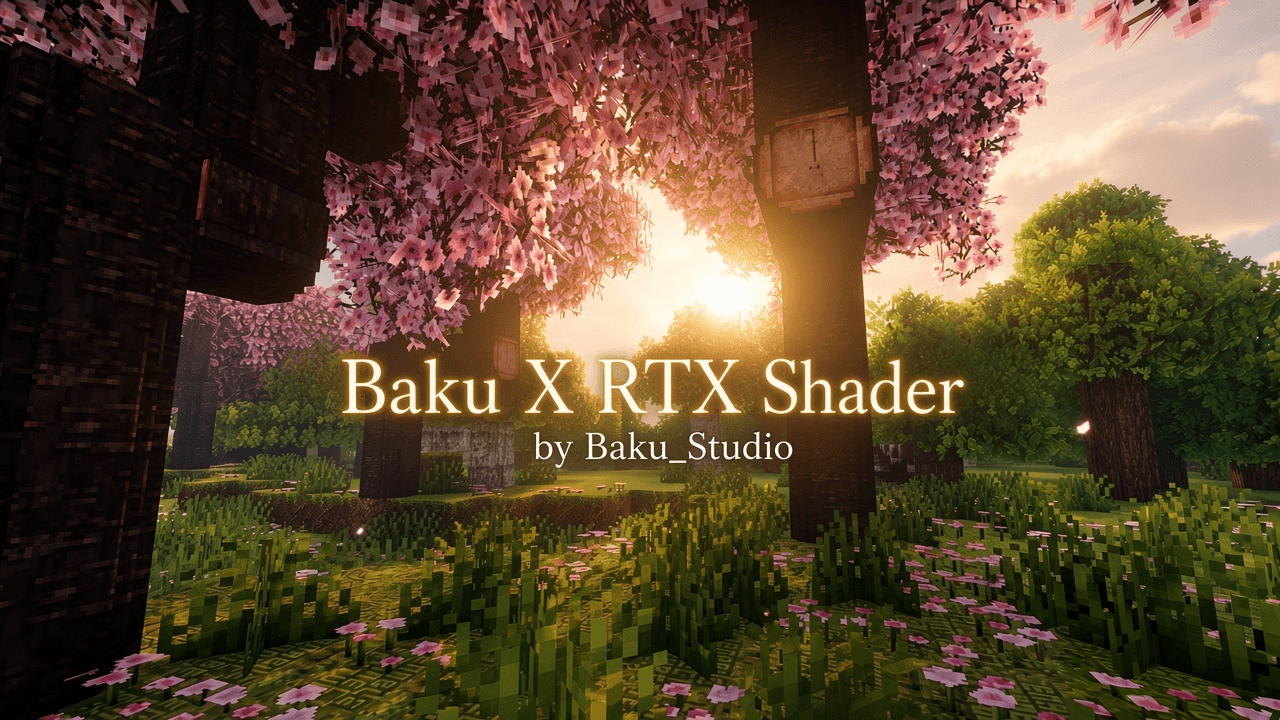
Baku X RTX Shader by Baku_Studio — Ultra-bright high-key Vibrant Visuals with extreme daylight exposure, pale luminous sky, vivid green grass, soft shadows and deep cyan underwa...
Read the author’s full description (312 words)
Written by Baku Studio.
Author: Baku_Studio
Baku X RTX Shader is an original Minecraft Bedrock Edition resource pack built for the official Vibrant Visuals graphics mode. It delivers an ultra-bright, high-key cinematic look with extreme daylight exposure, pale luminous skies, vivid green vegetation and a deep cyan underwater atmosphere while fully preserving Minecraft’s classic block style.
Pack Information
- Pack Name: Baku X RTX Shader
- Author: Baku_Studio
- Type: Vibrant Visuals / PBR Resource Pack
- Supported Versions: Minecraft Bedrock & Pocket Edition 1.21.120 and newer (1.21 – 1.26 generation)
- Required Mode: Vibrant Visuals
- Platforms: Android, iOS, Windows, Xbox, PlayStation (devices that support Vibrant Visuals)
Visual Style
The pack focuses on a clean, extremely bright and luminous atmosphere. Expect high-key daylight with pale white horizons, soft blue upper skies, vivid fresh green grass, soft lifted shadows and a strong cyan-blue underwater look. The overall mood feels premium and cinematic while still looking unmistakably like Minecraft.
Note: This is a Vibrant Visuals pack. It is not a true hardware RTX / ray-tracing pack.
Features
Daylight
- Extreme high-key exposure
- Pale luminous white horizon
- Soft light-blue upper sky
- Bright white Minecraft clouds
- Vivid fresh green grass and foliage
- Soft shadows with lifted detail
- Strong ambient sky fill
Underwater
- Deep saturated blue/cyan atmosphere
- Soft volumetric-looking light scattering
- Depth-dependent blue haze
- Soft caustics
- Readable geometry with progressive blue attenuation
Color Grading & Post
- High-key filmic tone mapping
- Soft shadow lift
- Controlled highlight compression
- Natural but vivid greens
- Controlled cinematic bloom
Materials
- Default PBR material response
- Original Minecraft textures and geometry fully preserved
Installation
- Import the .mcpack file
- Activate Baku X RTX Shader in Resource Packs (place near the top)
- Go to Settings → Video → Graphics Mode → Vibrant Visuals
- Enter any world
Performance
Lightweight configuration-only pack. Runs well on mobile and higher-end devices that support Vibrant Visuals.
Credits
Created by Baku_Studio.
Original implementation inspired by the visual characteristics of the reference screenshots.
No proprietary shader source was used or copied.
Images
How to install
- Download the file below. On iOS or Android, open it from your Downloads with Minecraft; on Windows, double-click it.
- Minecraft imports the pack automatically. Enable it in your world’s settings under Behavior Packs or Resource Packs; an add-on usually needs both.
- Playing on a Realm or server? Everyone needs the same packs, and the host has to enable them.
- Starting a new world? Choose its seed first: the Seed Map shows villages, structures and biomes near spawn for any Bedrock seed.
Advertisement
More texture packs
- Texture packs
Dark Fantasy Visuals (Bedrock Resource Pack)
by Starfish Studios Inc
- Downloads
- 1.4M
- Rating
- 4.0





