BetterChatRanks
BedrockScriptUtilityby GreegmonMC
About this script
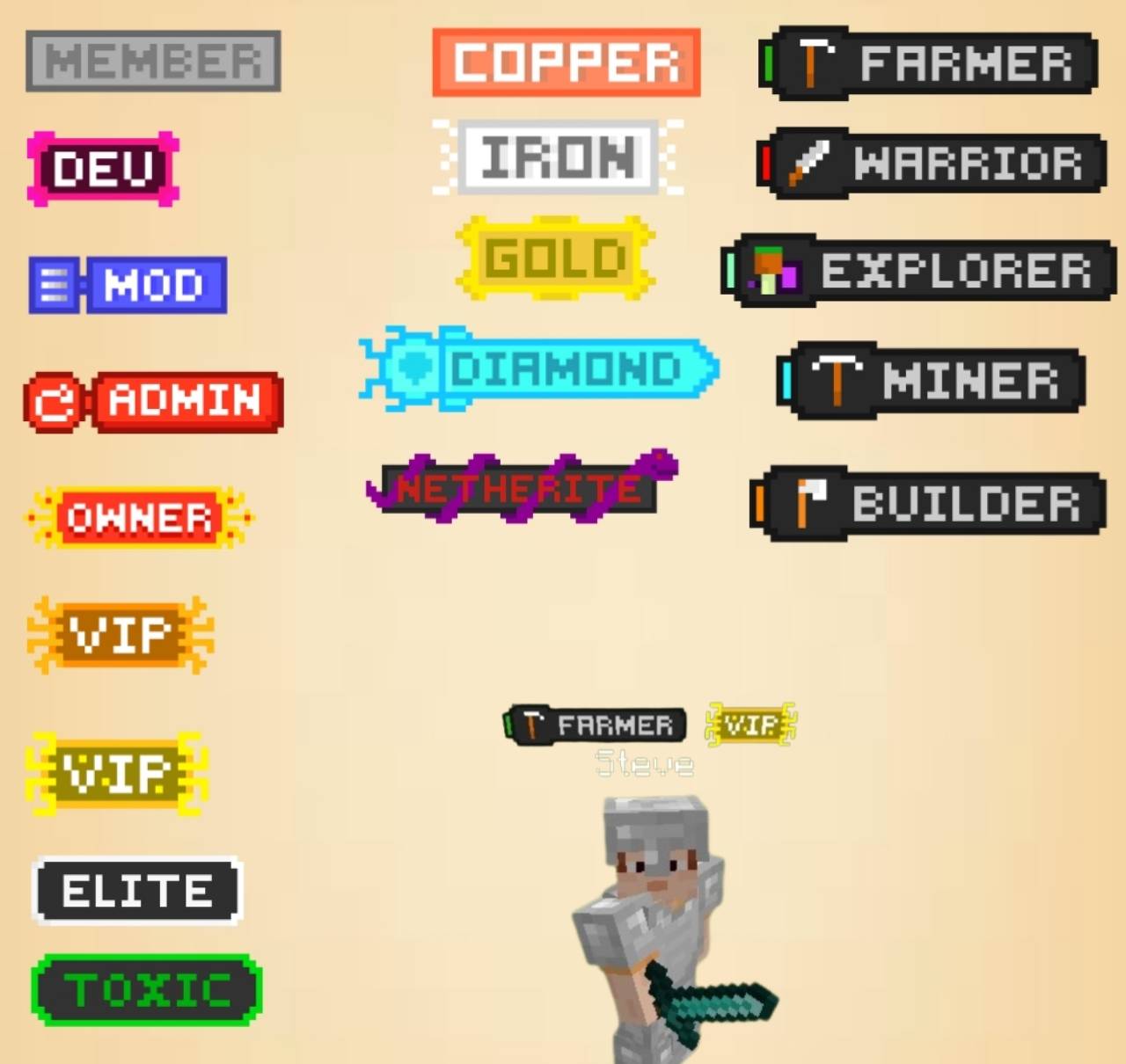
add Customizable player ranks that appear in chat messages and next to player names. Perfect for servers, the ranks help distinguish roles like Admin, Mod, or VIP directly in chat!
Read the author’s full description (126 words)
Written by GreegmonMC.
BetterChatRanks adds Customizable player ranks that appear in chat messages and next to player names. Perfect for servers, the ranks help distinguish roles like Admin, Mod, or VIP directly in chat!
Features
• Chat Tags: Ranks are displayed next to player names in chat, with stylish formatting.
• Dimension Indicators: Chat messages show an icon depending on which dimension the player is in: overworld, nether, the_end
How to Use?
1. Enable BetaAPIs in Experimental settings
2. Add `admin` tag by typing this command: `/tag @s add admin`
3. After that, you can now use the `/admin:ranks` or `/ranks` command
Images
💵 Donate/Sponsor
If you enjoy this project and would like to support its development or simply show your appreciation with a donation I'd be truly grateful. Donate Here...
Images
How to install
- Download the file below. On iOS or Android, open it from your Downloads with Minecraft; on Windows, double-click it.
- Minecraft imports the pack automatically. Enable it in your world’s settings under Behavior Packs or Resource Packs; an add-on usually needs both.
- Playing on a Realm or server? Everyone needs the same packs, and the host has to enable them.
- Starting a new world? Choose its seed first: the Seed Map shows villages, structures and biomes near spawn for any Bedrock seed.
Advertisement