BrineFlash OffHand
BedrockAdd-onUtilityby BrineFlashYT
About this add-on
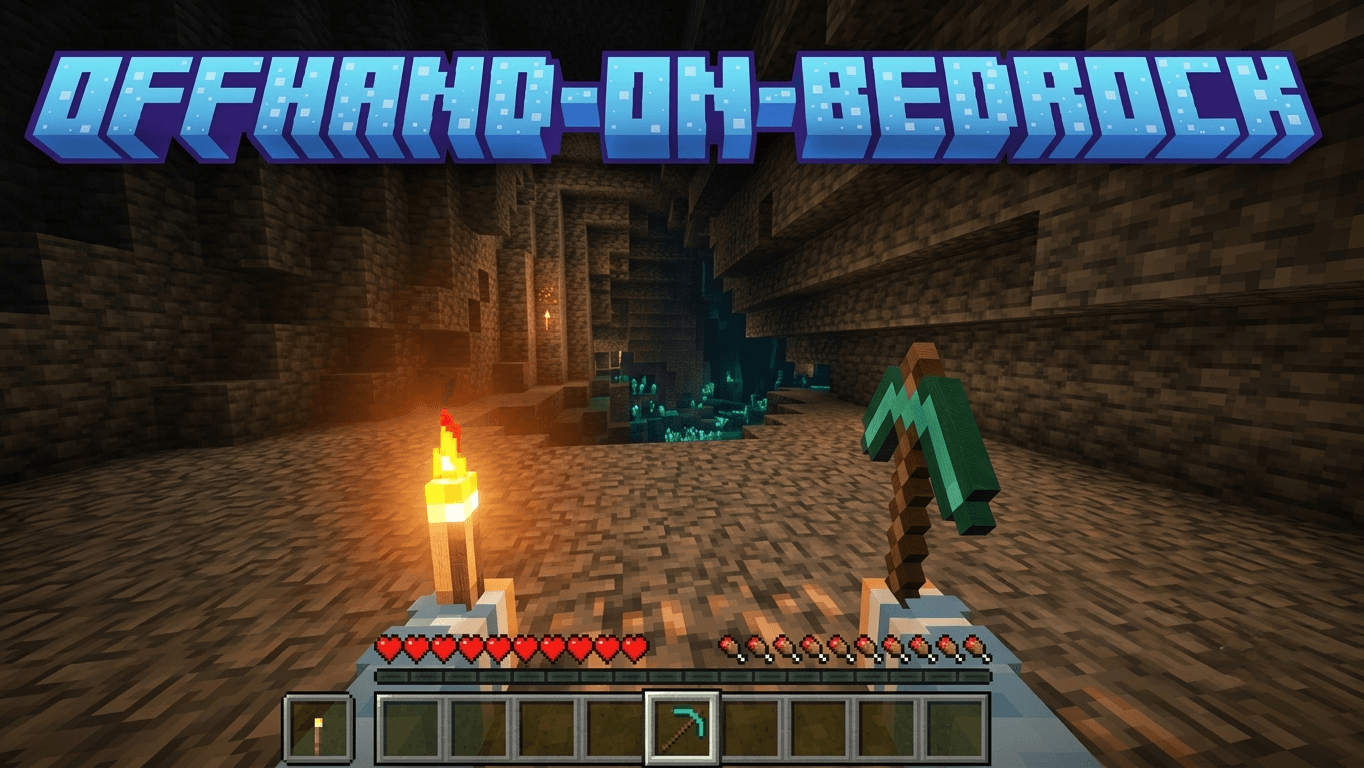
Java-style offhand for Bedrock: eat, throw, place and swap items with a custom offhand HUD.
Read the author’s full description (1,103 words)
Written by BrineFlashYT.
OffHand-On-Bedrock
Java-style offhand for Minecraft Bedrock. Use your offhand to eat, throw, place, drink, bone meal and more, with a custom OffHand HUD. Works on touch, controller and PC keyboard. Over 1,400 items are supported.
Requires Minecraft Bedrock 1.26.50 or later.
Achievement friendly: this addon does not disable achievements, and /f works without cheats.
The download includes 3 packs. Make sure the Assets Pack is also activated.
What's new in V1.1.0
- PC / keyboard support with the new /f command, no cheats needed
- Controller support: swap hands by double-pressing Sneak
- Java-style use priority: the offhand works whenever your main hand isn't busy
- Third-person eating animation
- Bone meal from the OffHand, with growth particles and sound
- Axe stripping and hoe tilling from the OffHand
- Bridging assist, place blocks in mid-air beside a supporting block
- All 10 banner patterns and all 22 music discs as OffHand items
- Left Handed Inventory option
- New HUD icons: wool and concrete slabs and stairs, poplar blocks, glass panes
- Many fixes (block duplication on swap, Nether water placement, projectile speed, and more)
See the Files tab for the full changelog.
Installation
- Download the latest OffHand-On-Bedrock-V1.1.1.mcaddon and open it. It imports 3 packs: Behavior Pack, Resource Pack and Assets Pack.
- Create or edit a world.
- Under Behavior Packs, activate the OffHand Behavior Pack.
- Under Resource Packs, activate the OffHand Resource Pack and the Assets Pack.
- Put a supported item in your OffHand and use it.
Make sure all 3 packs are activated, or the HUD icons and visuals will not work.
Features
- Usable OffHand slot with one-tap Main Hand / OffHand swap
- Swap on touch, controller and PC keyboard
- Java-style use priority between Main Hand and OffHand
- Custom OffHand HUD: item icon, stack count, durability, cooldowns
- Scripted cooldowns for items without a native cooldown
- Custom first-person and third-person OffHand visuals
- Dynamic lighting for supported light-emitting items
- Left Handed Inventory option
- Localization support
- Achievements stay enabled
Swap items with the OffHand slot
Touch (mobile)
Tap the OffHand slot while playing to swap your Main Hand and OffHand items.
When the OffHand is empty: the slot is hidden, but the invisible swap button is still there. Hold an item in your Main Hand and tap the spot to the left of hotbar slot 1 to move it into the OffHand.
Controller (Xbox, PlayStation and others)
Double-press Sneak to swap your hands (B on Xbox, Circle on PlayStation). It turns on automatically while a controller is in use, and the mobile swap button is hidden until you go back to touch.
PC / keyboard (OTG)
Use the /f command to swap your Main Hand and OffHand. It works for every player and does not need cheats. The full name /offhand:f also works.
For one-key swapping, bind /f to a Command Macro:
- Open Settings → Controls → Keyboard & Mouse.
- Find Command Macro 1.
- Set the key you want (for example F) and set the command to /f.
You can also use key combinations, for example ALT a key. Example setup:
Left-handed players
In the OffHand-On-Bedrock Resources pack settings, select the Left Handed Inventory subpack. This moves the OffHand slot and the swap control to the other side of the hotbar.
Select the subpack in the pack settings:
The result, with the OffHand slot on the other side of the hotbar:
Using the OffHand
Java-style use priority
The OffHand is not limited to holding a Sword, Axe or Pickaxe anymore. If your Main Hand has nothing to do in the current situation, the OffHand item works, just like Java Edition. For example: Main Hand holds a block, OffHand holds a Wind Charge, and you look at the air. The Wind Charge is thrown.
More examples with a block in the Main Hand:
If your Main Hand can act on the block you are looking at (an axe on a log, a hoe on dirt), or you are interacting with a block that has priority (doors, chests, beds, buttons and similar), the Main Hand wins and the OffHand action is blocked.
Normal hunger rules still apply: ordinary food can't be eaten at full hunger.
Foods
Eat from your OffHand while your main hand stays ready. Includes a third-person eating animation.
You can also eat from the OffHand with an empty Main Hand:
Projectiles
Wind Charge, Ender Pearl, Snowball, Egg, Firework Rocket, XP Bottle and more. You can also throw them when looking at the air with an empty hand, and use a Firework Rocket while gliding.
Splash Potions
47 vanilla splash potion variants. The exact potion effect is kept when you swap back to your main hand.
Potions
Drink supported potions from the OffHand.
Bone meal
Use Bone Meal from the OffHand on crops, stems, cocoa, sweet berries, saplings, grass blocks, short grass and ferns, with the growth particles and sound.
Axe stripping and hoe tilling
Strip logs with an axe or till dirt with a hoe straight from the OffHand.
Bridging assist
Place blocks in mid-air beside a supporting block, just like Bedrock Edition bridging.
Banner patterns and music discs
All 10 banner patterns and all 22 music discs can now be held in the OffHand.
Block rendering in first person
Blocks in your OffHand are rendered in first person. Vanilla vs OffHand-On-Bedrock:
Vanilla
With Addon
New HUD icons
The Assets Pack adds HUD icons for wool and concrete slabs and stairs (all 16 colors), poplar blocks, and Glass Panes with all 16 Stained Glass Pane colors.
See the Gallery for screenshots.
Supported items (1,400 )
- Consumables: foods, potions, splash potions
- Throwables: projectiles
- Utility: flint and steel, torches, lanterns, cobwebs, bowl, bone meal
- Blocks and buckets: placeable blocks, buckets
- Gear: tools and weapons (including maces), armor and elytra
- Collectibles: banner patterns, music discs
- Other: spawn eggs, boats, rafts, minecarts, and more
Not added yet (WIP)
- Spears, Bow, Crossbow, Trident, Spyglass
- Goat Horn, Harness, Nautilus Armor
- Clock, Compass, Shield, Fishing Rod, Shears
- Lead, Name Tag, Saddle, Lingering Potions
- Brush, Bundle, Fire Charge, Ender Eye
- Banners, Dyes, Pottery Sherds, Maps, Books
- Horse Armor, Wolf Armor, Paintings and Item Frames
- Trial Keys, Ominous Bottle and more
See Not-Added-Yet.md inside the addon packs for the full list.
Notes
- Some rare vanilla interactions may be limited by Bedrock or the Script API.
- Main Hand use and interactable blocks can take priority over an OffHand action.
- Spawn eggs use their own handling instead of the generic projectile animation.
Credits
- Created by BrineFlashYT
- Food use inspired by BlurryFace (Blurry Java PVP)
- Assets Pack textures derived from McIcons by ccLeaf (ccvaults.com)
- Wool and concrete slab and stair icons, and Stained Glass Pane icons, rendered by BrineFlashYT
Independent community project. Not affiliated with or endorsed by Mojang Studios or Microsoft.
Images
What’s new in the latest update
The author’s notes for the file uploaded .
V1.1.1
- Fixed Movement And Camera Being Blocked When Using Keyboard / Mouse / OTG On Mobile. (The invisible swap button no longer opens while a keyboard or mouse is in use. It comes back automatically when you switch back to touch.)
Video
How to install
- Download the file below. On iOS or Android, open it from your Downloads with Minecraft; on Windows, double-click it.
- Minecraft imports the pack automatically. Enable it in your world’s settings under Behavior Packs or Resource Packs; an add-on usually needs both.
- Playing on a Realm or server? Everyone needs the same packs, and the host has to enable them.
- Starting a new world? Choose its seed first: the Seed Map shows villages, structures and biomes near spawn for any Bedrock seed.
Advertisement