Buildmatica
BedrockTexture packUtilityby voxenMC2
About this texture pack
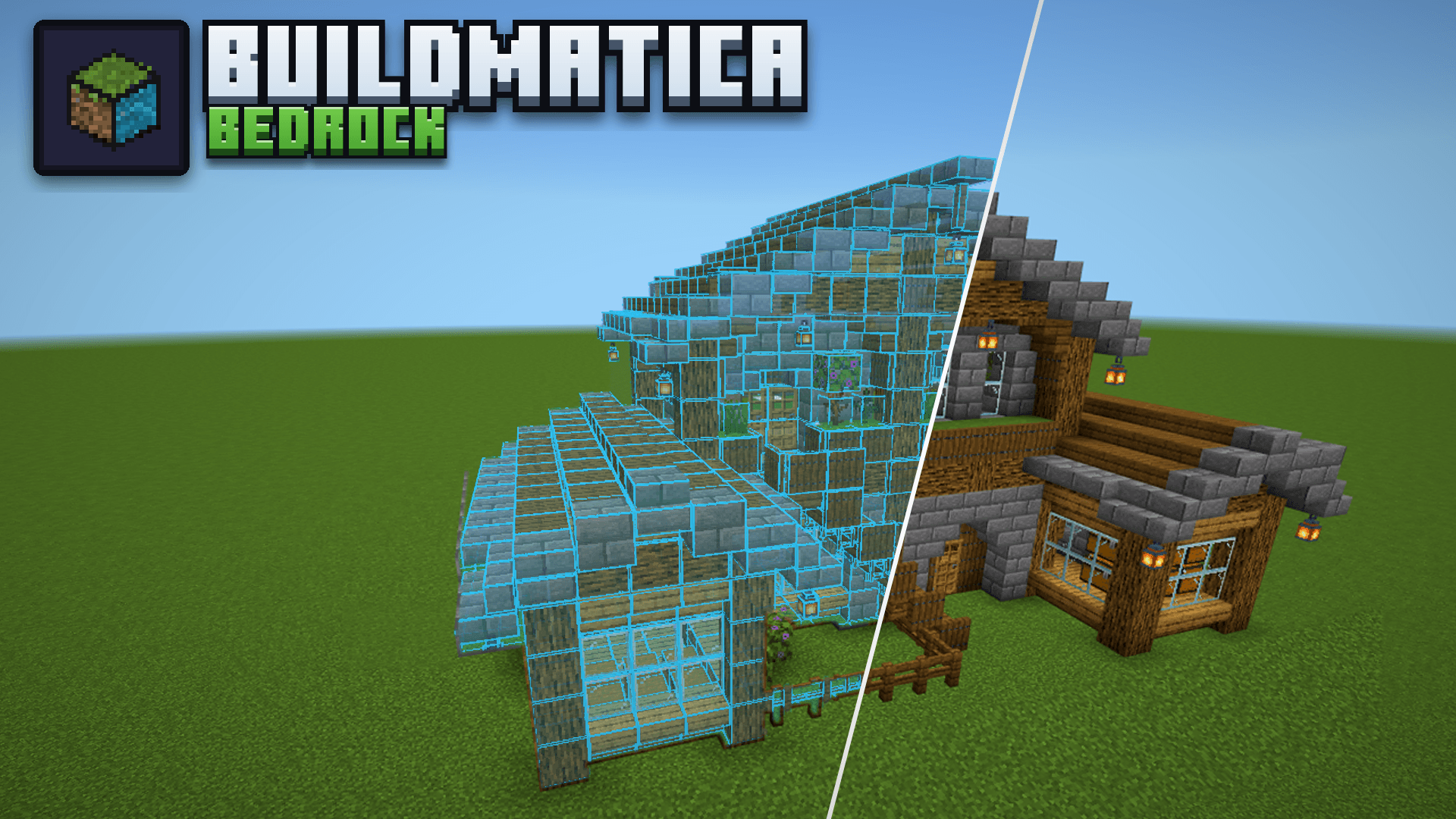
Litematica for Bedrock: shows builds as hologram blueprints so you can build them block by block.
Read the author’s full description (447 words)
Written by voxenMC2 for the MCPEDL post, shown as published.
Are you a builder? This pack is for you!
Buildmatica turns any build or farm into a see-through hologram in your world, so you can build the exact same thing block by block.
It's like the Litematica mod, but made for Minecraft Bedrock. It's a texture pack, so it works on servers and Realms too.
Features
Hologram on an armor stand
Give an armor stand your build's item, and the hologram shows up.
Turn with the projector
Tap the projector to turn the build.
Buildmatica buttons
Open the Buildmatica menu or Adjust right from the pause screen.
Turn in Adjust
Turn the build left or right.
Pick a build in Adjust
Switch to any build in your pack without changing the armor stand's item.
Layer by layer
Show one layer at a time, or the layers below or above it.
Height
Move the build up or down.
Move
Push the build left, right, far or near.
Look
Make the hologram more or less see-through, or hide the armor stand.
Grid
Change the grid lines and their color.
Buildmatica menu
See all your builds and the item that shows each one.
Material list
Open a build to see every block it needs: how many in total, how many are missing and how many you have.
Block list on screen
Press Show on screen and the list stays on your screen while you play. Get blocks and the list counts them. When you have enough of a block, it turns green.
How to make custom builds
Make your builds pack here: voxenmc.com/buildmatica
On Windows, you can export a build with a Structure Block. On mobile, the Export button often doesn't work, so use this tool instead: voxenmc.com/structure-extractor
Just load the world your build is in, select the build and export it.
Good to know: Java Bedrock servers
On Java Bedrock (Geyser) servers, your builds don't show on the armor stand. You need a small fix pack for this.
Get it here: voxenmc.com/buildmatica/java-servers
Starter Builds
The Starter Builds pack is only there so you can test Buildmatica.
Turn it on above the main pack, then give an armor stand one of these items.
Click the spoiler below to see pictures of all the Starter Builds.
Spoiler Give the armor stand Build Oak Planks Starter House Spruce Log Log Cabin Cherry Sapling Cherry Blossom House Block of Quartz Modern House Sandstone Desert House Brick Medieval House Iron Sword Stone Castle Wheat Barn Farm Bread Windmill Totem of Undying Totem Statue Gunpowder Creeper Statue Diamond Sword Sword in StoneWant your own builds? Make them here: voxenmc.com/buildmatica
Found a bug or have an idea? Join my Discord server and let me know.
What’s new in the latest update
The author’s notes for the file uploaded .
Performance
- Fixed the lag that happened on mobile devices.
- Big builds now make lighter packs, so they load faster.
New Adjust Panel
- Change the hologram right inside the game. No need to go back to the pack settings.
- Open it from the pause menu or the chat screen.
- Place: go up or down layer by layer, turn the build left or right, move it up, down, left, right, far or near.
- Look: show or hide the hologram, hide the armor stand, change the opacity, and switch to another build.
- Grid: turn the grid lines and the box on or off, and change the grid opacity, line width and color.
- Reset button to put everything back to normal.
- Changes made here reset when you go far away or leave the world. To keep them, change them in the pack settings.
Huge Builds in Parts
Huge builds are now supported! Bedrock has a limit on how far a hologram can be seen from one armor stand, so a very big build can not show fully from a single stand. To fix this, the website now splits huge builds into parts by itself.
- Each part goes on its own armor stand, and all the parts join up into one full build.
- A red glass block and a red label show where to place the next stand, and which item it needs.
- Turn and layer settings move all parts of a build together. The stands stay where they are.
- Builds of any shape can now be turned all 4 ways.
- Parts builds show as one card in the menu, with a dropdown that lists its parts.
Pack Settings
- New option to hide the armor stand.
- "Center the build" is now on by default.
Video
How to install
- Download the file below. On iOS or Android, open it from your Downloads with Minecraft; on Windows, double-click it.
- Minecraft imports the pack automatically. Enable it in your world’s settings under Behavior Packs or Resource Packs; an add-on usually needs both.
- Playing on a Realm or server? Everyone needs the same packs, and the host has to enable them.
- Starting a new world? Choose its seed first: the Seed Map shows villages, structures and biomes near spawn for any Bedrock seed.
Advertisement