Cromos GG — PvP
BedrockSkin packPlayersby Cromos GG
About this skin pack
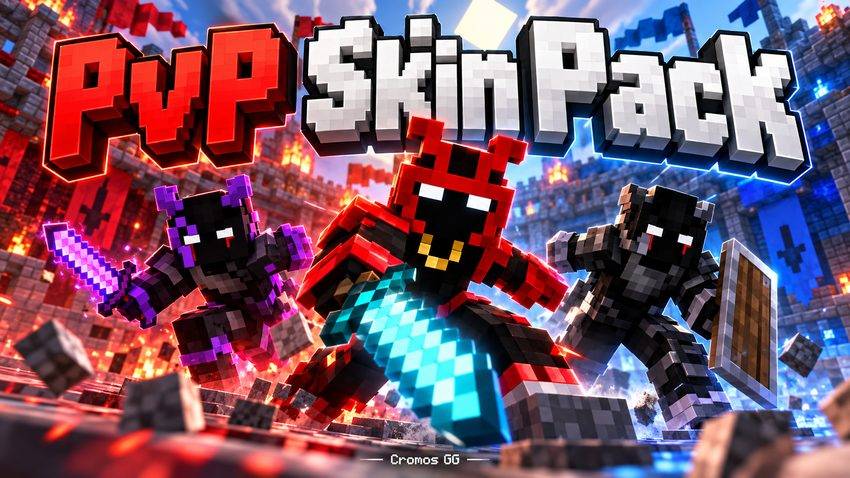
11 bold PvP-style skins for Minecraft Bedrock, featuring dark outfits, masked characters, and colorful details. Created by Cromos GG.
Read the author’s full description (108 words)
Written by Cromos GG for the MCPEDL post, shown as published.
Choose your style with the Cromos GG PvP Skinpack!
Give your character a fresh look with a collection of 11 skins for Minecraft Bedrock Edition. From dark, masked designs to colorful accents and casual outfits, this pack offers different styles for your next adventure.
Features:
• 11 skins to choose from.
• Dark outfits, masked faces, and striking color accents.
• Classic Minecraft pixel textures.
• All included skins are free to use.
• Packaged as a single .mcpack file.
Whether you enjoy PvP battles, survival adventures, or playing with friends, pick the look that suits you. This pack changes your character’s appearance only and provides no gameplay advantages.
Created by Cromos GG
What’s new in the latest update
The author’s notes for the file uploaded .
Choose your style with the Cromos GG PvP Skinpack!
Give your character a fresh look with a collection of 11 skins for Minecraft Bedrock Edition. From dark, masked designs to colorful accents and casual outfits, this pack offers different styles for your next adventure.
Features:
• 11 skins to choose from.
• Dark outfits, masked faces, and striking color accents.
• Classic Minecraft pixel textures.
• All included skins are free to use.
• Packaged as a single .mcpack file.
Whether you enjoy PvP battles, survival adventures, or playing with friends, pick the look that suits you. This pack changes your character’s appearance only and provides no gameplay advantages.
Created by Cromos GG.
How to install
- Download the file below. On iOS or Android, open it from your Downloads with Minecraft; on Windows, double-click it.
- Minecraft imports the pack automatically. Enable it in your world’s settings under Behavior Packs or Resource Packs; an add-on usually needs both.
- Skin packs show up in the dressing room: Profile → Edit character → Owned.
- Playing on a Realm or server? Everyone needs the same packs, and the host has to enable them.
Advertisement