Italian Youtubers Skin Pack
BedrockSkin packPlayersby Sodvic
About this skin pack
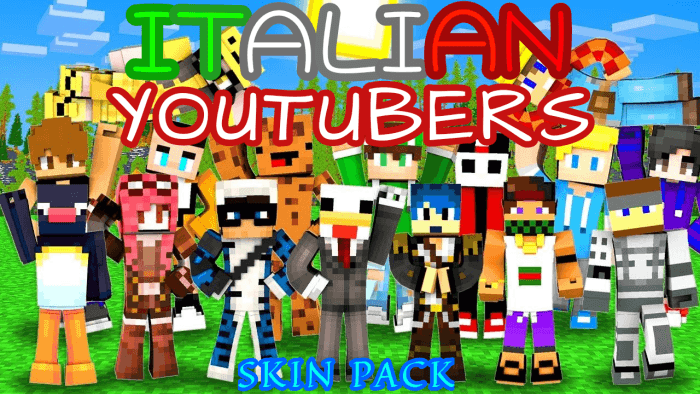
Have you ever dreamed of using your favorite Italian YouTuber's skin in Minecraft? Nice! In this Pack you can find 40 Skins of Famous Italian Creators! In this skin pack you wil...
Read the author’s full description (162 words)
Written by Sodvic for the MCPEDL post, shown as published.
Have you ever dreamed of using your favorite Italian YouTuber's skin in Minecraft? Perfect! In this Skin Pack you can find over 40 Skins of Famous Italian Content Creators! In this skin pack you will also find some skins of American YouTubers who are very well known in Italy!
All Skins:
Complete List of all Skins:
- 50ShadesOfPing
- Anima
- Baddy
- BellaFaccia
- Carpyy
- CiccioGamer89
- CristoIsPurple
- Daquavis
- DatEco
- Dream
- Echecarly
- Ennesimo
- ErenBlaze
- ErmakZane
- Favij
- Fierik
- Gabby16bit
- GulaGG
- Hemerald
- ItsNico
- Kendal
- Kenoia
- Leutum
- Locolochis
- Lokk1
- Lollolacustre
- LorenzIST
- LyonWGF
- Marcy
- Mark3s
- MrDomi
- MrJake
- Nico3005
- Parrins
- PhereNikePew
- Sbriser
- SpJockey
- St3pNy
- StefilMagnifico
- Surry
- TearlessRaptor
- Technoblade
- TheMark
- Xiao
- Zeyxon24
Most Famous Skins:
Kendal
Surry
St3pny
LolloLacustre
LyonWGF
If you want to share the skin pack, be sure to send the MCPEDL or CURSEFORGE skin pack link.
You can also find this content on the official ADDONS UNIVERSE App!
Remember, this content is strictly exclusive to these 3 platforms.
Thanks and have fun! :D
|- Download Other Incredible Skin Packs: HERE -|
What’s new in the latest update
The author’s notes for the file uploaded .
- Added 3 new skins: CristoIsPurple, Ennesimo, GulaGG.
How to install
- Download the file below. On iOS or Android, open it from your Downloads with Minecraft; on Windows, double-click it.
- Minecraft imports the pack automatically. Enable it in your world’s settings under Behavior Packs or Resource Packs; an add-on usually needs both.
- Skin packs show up in the dressing room: Profile → Edit character → Owned.
- Playing on a Realm or server? Everyone needs the same packs, and the host has to enable them.
Advertisement