Default642172's Military Skins
BedrockSkin packPlayersby Default642172
About this skin pack
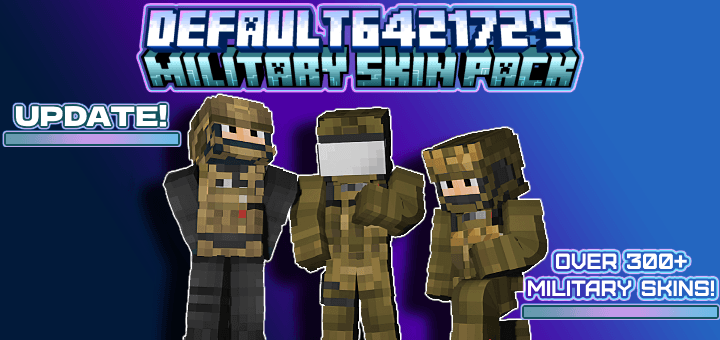
This pack has LOTS of Skins and With multiple variants between these skins! These Skins aren't the usual copy and pasted skins like on other websites! (MORE SKINS COMING SOON!!)
Read the author’s full description (294 words)
Written by Default642172 for the MCPEDL post, shown as published.
Have you Ever wanted to find the best military skins! well Look No further than me! these skins are from real world militaries and video games! This pack has more than 300 SKINS!! With multiple variants between these skins!
-
All skins were created by me by hand and i am proud of my work! These Skins aren't the usual copy and pasted skins like on other websites! if YOU want to customize these skins to your liking just head to PMC and search for
my name!
(MORE SKINS COMING SOON!!)
-
So.. HERES my Skin Pack With OVER 300 Skins! This Skin Pack Provides Skins That..
Are From Certain Military| Armed Forces | Defense Forces and so on From The Real World!
There Is Some Video Game Skins Included ASWELL!
All Of these Skins Were Made By Me! By Hand In the SkinDex Editor. I have Been Improving My Work For The Past 3 YEARS!
More Skins Will Be Added To This Pack In the FUTURE!
-
Disclaimer: I do not support any political ideologies, I just make these skins as I enjoy history, I do not mean to be political.
plus i am the owner / maker of these skins..
-
Installing The Skin Pack
Download The file
Open Your File Explorer
Double Click the file to Import the (.MCPACK) into Bedrock
And Then Let It Import
Enjoy!!
-
For Replacing The Old Version of the Skin Pack For an Up to Date Version of the Skin Pack
Download the Newest File
Open File Explorer
-
Head to.. | This PC > Users > (Your Username) > AppData > Local > Packages > Microsoft.MinecraftUWP_8wekyb3d8bbwe > LocalState > Games > com.mojang > Skin Packs |
-
Delete the “Default642” folder in "Skin Packs"
Then Go to Downloads
Double Click the file to Import the (.MCPACK) into Bedrock
And Then Let It Import
Enjoy!!
Images
What’s new in the latest update
The author’s notes for the file uploaded .
added more skins to the pack
also removed / updated some skins...
now 388 total skins! (364 skins was the previous total)
How to install
- Download the file below. On iOS or Android, open it from your Downloads with Minecraft; on Windows, double-click it.
- Minecraft imports the pack automatically. Enable it in your world’s settings under Behavior Packs or Resource Packs; an add-on usually needs both.
- Skin packs show up in the dressing room: Profile → Edit character → Owned.
- Playing on a Realm or server? Everyone needs the same packs, and the host has to enable them.
Advertisement