Cromos Realistic – Caribbean Water & Sun Rays | Vibrant Visuals Shaders
BedrockTexture packRealisticby Cromos GG
About this texture pack
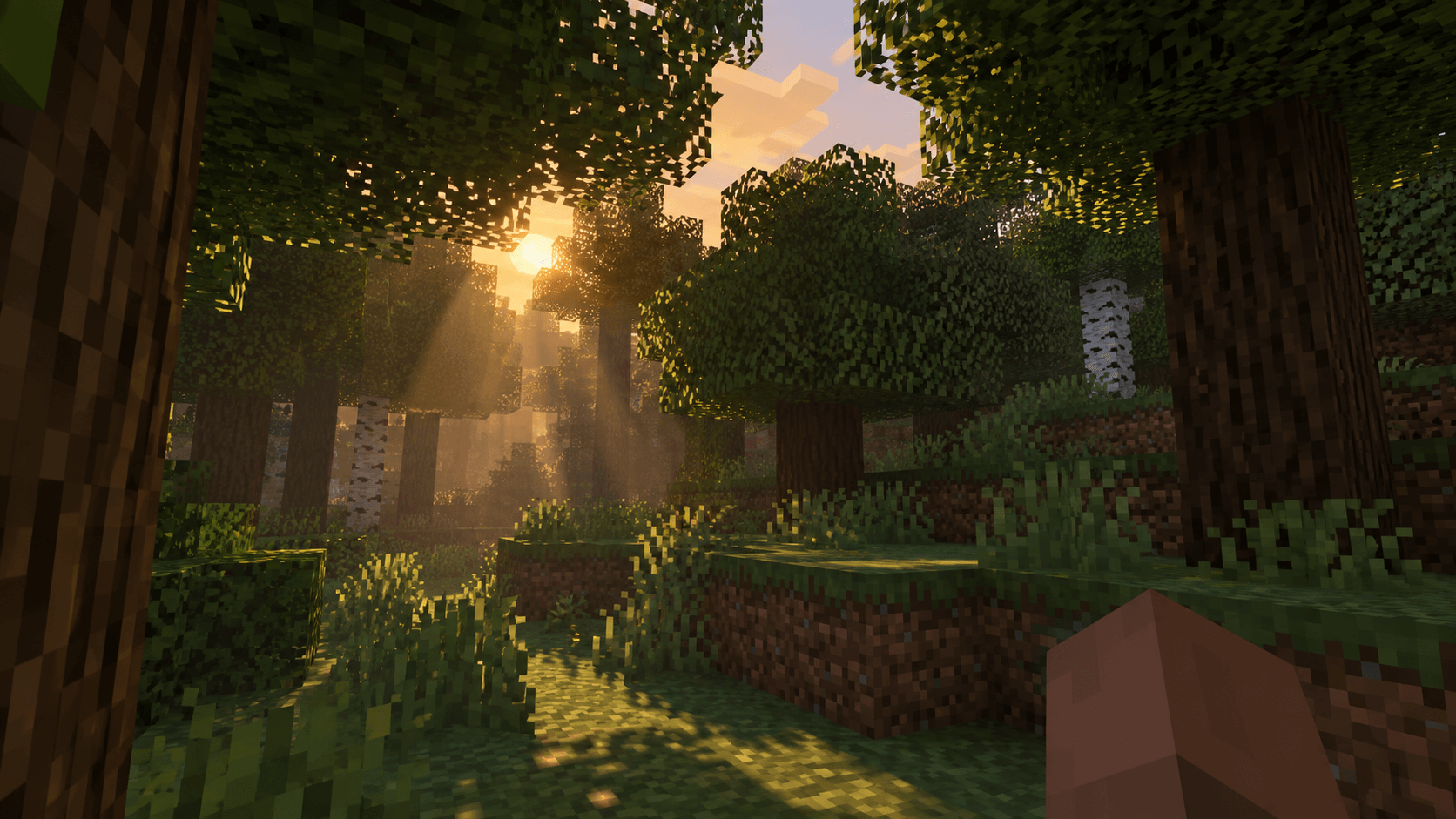
A Vibrant Visuals pack for Minecraft Bedrock featuring crystal-clear Caribbean water, animated ripples, and sunlight filtering through trees.
Read the author’s full description (187 words)
Written by Cromos GG.
Cromos Realistic is a Vibrant Visuals resource pack for Minecraft Bedrock Edition. It gives water a clearer, turquoise look, adds more noticeable animated ripples, and tunes volumetric fog to highlight sunlight between trees. It also includes underwater visibility adjustments, soft shadows, and custom colors for light sources.
Choose one preset: LOW, MEDIUM, or HIGH. Enable Vibrant Visuals in the game’s video settings, then activate only one Cromos Realistic preset.
Created by Cromos: https://www.youtube.com/@cromosg
Note: The ripples are a visual effect; they do not physically raise or lower water blocks. The pack does not add handheld torch lighting or glowing mob eyes.
Changelog — v0.1.7:
- Added a custom Cromos Realistic pack icon.
- Added the creator’s YouTube channel to the pack description.
- Kept the Caribbean-style water, animated ripples, and sunlight settings introduced in earlier versions.
Minecraft version: Select Minecraft Bedrock 1.26.0 or newer. That is the minimum declared in the pack’s manifest. The Dappled Forest settings are intended for Bedrock 26.50 or newer; I haven’t tested the pack in-game across every version. For CurseForge, publish it under Minecraft Bedrock → Texture Packs; similar Vibrant Visuals packs also use the Shaders catego
What’s new in the latest update
The author’s notes for the file uploaded .
# Maintenance Update — Metadata & Package Review
Cromos Realistic V0.1.20 (from V0.1.19)
- Updated the package release name and header/module versions to V0.1.20.
- Added explicit Creator: CROMOS.GG attribution to the pack description and administrative credits.
- Retained YouTube: Cromos GG and CurseForge: CromosGG attribution and existing creator links.
- Preserved Mojang attribution and the original license notice.
- Updated administrative documentation for this maintenance release.
- Reviewed JSON syntax, manifest consistency, archive integrity and effective preset resource references.
- Verified SHA-256 equality for all 291 protected files. Water, lighting, materials, textures, fog, shadows and presets remain unchanged.
Only manifest.json, ASSET_CREDITS.txt and LEIA-ME.md changed. No files were added to or removed from the resource pack. Original UUIDs, identifiers, engine minimum and dependency declarations were preserved.
Static validation only. No Minecraft client testing, performance benchmark, runtime bug fix or world-compatibility guarantee is claimed. Test on a copy of an existing world before publication.
**Creator:** CROMOS.GG
**YouTube:** Cromos GG
**CurseForge:** CromosGG
How to install
- Download the file below. On iOS or Android, open it from your Downloads with Minecraft; on Windows, double-click it.
- Minecraft imports the pack automatically. Enable it in your world’s settings under Behavior Packs or Resource Packs; an add-on usually needs both.
- Playing on a Realm or server? Everyone needs the same packs, and the host has to enable them.
- Starting a new world? Choose its seed first: the Seed Map shows villages, structures and biomes near spawn for any Bedrock seed.
Advertisement
More texture packs
- Texture packs
Dark Fantasy Visuals (Bedrock Resource Pack)
by Starfish Studios Inc
- Downloads
- 1.4M
- Rating
- 4.0





