Dreamscape Visuals
BedrockTexture packRealisticby udgamer
About this texture pack
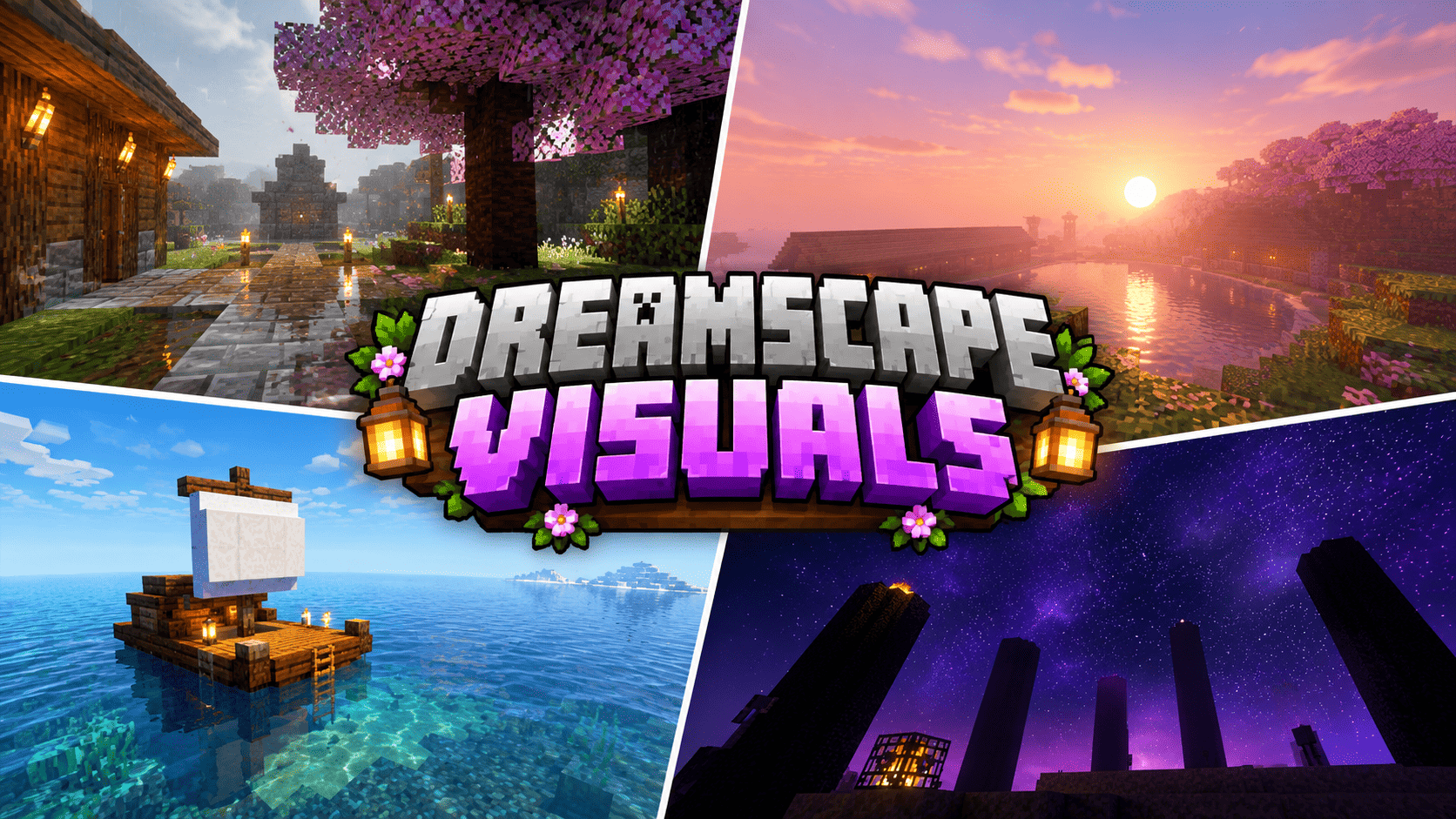
Original reference-calibrated Vibrant Visuals pack by UDGAMER with pink cinematic sunsets, white-blue ocean mist, navy aurora nights, clear water, soft lighting, and dark fantas...
Read the author’s full description (708 words)
Written by udgamer.
🌌✨ DREAMSCAPE VISUALS V3 ✨🌌
🌈 A DREAMY CINEMATIC EXPERIENCE FOR MINECRAFT BEDROCK & POCKET EDITION
Created by UDGAMER
━━━━━━━━━━━━━━━━━━━━
🌅 OVERWORLD ATMOSPHERE
Dreamscape Visuals is an original Minecraft Bedrock and Pocket Edition resource pack created by UDGAMER for players who want a colorful cinematic atmosphere while keeping Minecraft's familiar block artwork readable.
Built for the Vibrant Visuals pipeline, this reference-calibrated edition focuses on lighting, atmosphere, volumetric fog, water, soft shadows, color grading, environmental artwork, local lights, and carefully designed particles.
🌄 Sunrise & Sunset
Pale lavender, blush pink, peach, and soft magenta blend beautifully across the horizon.
☀️ Daytime Atmosphere
Pearl-blue skies move toward gentle white haze, creating a bright and dreamy environment.
🌙 Nighttime Atmosphere
Deep navy skies, cool moonlight, scattered stars, and original teal, green, and violet aurora artwork create a magical nighttime experience.
Warm torches and lanterns add beautiful contrast against the colder sky.
━━━━━━━━━━━━━━━━━━━━
🌸 CHERRY GROVE EXPERIENCE
Cherry groves receive a dedicated visual treatment featuring:
- 🌸 Pink atmospheric scattering.
- ✨ Soft directional lighting.
- 🍃 Drifting petal effects.
- 🌫️ Subtle atmospheric mist.
This creates a peaceful blossom setting without replacing Minecraft's installed cherry textures.
🎆 Optional Festival Effects
Festival lantern and white sparkle effects are included as optional command-spawned particles, perfect for screenshots, celebrations, adventure maps, and cinematic scenes.
━━━━━━━━━━━━━━━━━━━━
🌊 OCEAN & UNDERWATER VISUALS
Explore beautiful oceans with carefully balanced underwater atmosphere and water clarity.
- 💧 Low sediment values.
- 🌊 Transparent biome colors.
- ✨ Controlled waves.
- 🌫️ Underwater fog.
- ☀️ Carefully designed caustic settings.
🌴 Ocean Color Variations
- Warm Oceans – Luminous turquoise.
- Cold Oceans – Deep blue tones.
- Normal Oceans – Balanced blue-green water with white-blue surface mist.
Perfect for docks, islands, underwater builds, and peaceful exploration.
━━━━━━━━━━━━━━━━━━━━
🌲 BIOME-SPECIFIC ATMOSPHERE
Every major environment receives its own coordinated atmospheric treatment.
🌳 Forests: Warm sunlight and cool shade.
❄️ Taigas: Cleaner blue air and restrained colors.
🌿 Jungles: Fresh green and teal scattering with lush light rays beneath dense vegetation.
🌾 Plains: Balanced atmospheric lighting and natural visibility.
These variations strengthen biome identity while maintaining consistent exposure and material readability.
━━━━━━━━━━━━━━━━━━━━
🔥 NETHER DIMENSION
Experience a deliberately dark, red, and high-contrast Nether.
Deep red-black fog suppresses distant geometry while lava, fire, glowstone, shroomlights, and other emissive sources produce intense warm accents.
🔥 Individual Environment Settings
- Crimson Forest
- Warped Forest
- Basalt Deltas
- Soul Sand Valley
- Nether Wastes
Each environment receives individual fog choices for a more immersive atmosphere.
━━━━━━━━━━━━━━━━━━━━
💜 THE END DIMENSION
Enter a mysterious fantasy atmosphere with:
- 💜 Violet-black shadows.
- 🌌 Dark magenta color grading.
- ⭐ Sparse starlight.
- ✨ A beautiful purple horizon.
The result is an alien fantasy mood without distributing copied artwork.
━━━━━━━━━━━━━━━━━━━━
✨ VANILLA-FRIENDLY EXPERIENCE
Dreamscape Visuals changes presentation only.
It does NOT alter:
- World generation.
- Recipes or crafting.
- Achievements.
- Saved terrain.
- Mobs.
- Combat.
- Player progression.
All distributed icons, environmental textures, particle sprites, cubemap faces, and configuration files were produced specifically for this project.
No third-party shader-pack textures, screenshots, logos, or copyrighted resource files are included.
━━━━━━━━━━━━━━━━━━━━
⚙️ INSTALLATION & RECOMMENDED SETTINGS
For the intended visual presentation:
1. Enable Vibrant Visuals.
2. Activate Dreamscape Visuals above conflicting resource packs.
3. Begin with default brightness.
4. Reload the world.
5. Remove older Dreamscape versions first to prevent cached settings from overriding the latest release.
📱 MOBILE PERFORMANCE TIP
Mobile players may use a moderate render distance for smoother performance.
━━━━━━━━━━━━━━━━━━━━
🎆 OPTIONAL PARTICLE EFFECTS
Festival lantern and white sparkle effects are available as optional command-spawned particles.
These effects require a command or scripted trigger, allowing creators to decide when decorative effects appear during gameplay or cinematic recording.
━━━━━━━━━━━━━━━━━━━━
📸 VISUAL TESTING & COMPATIBILITY
Visual results depend on device support, game version, graphics settings, render distance, weather, time, camera direction, and world geometry.
Recommended Testing Scenes:
- 🌅 Sunrise
- 🌇 Sunset
- ☀️ Noon
- 🌙 Midnight
For the best visual comparison, test different biomes, weather conditions, and all three dimensions.
━━━━━━━━━━━━━━━━━━━━
👑 CREATOR & CREDITS
Project Name: Dreamscape Visuals V3
Creator: UDGAMER
Author: UDGAMER
Visual Direction: UDGAMER
Publisher: UDGAMER
Copyright © 2026 UDGAMER. All Rights Reserved.
All distributed pack icons, environmental textures, particle sprites, cubemap faces, and configuration files were created specifically for Dreamscape Visuals.
No textures, cubemaps, logos, or configuration files from another shader or resource pack are included.
The supplied screenshots were used only as visual references and are not redistributed in the pack.
━━━━━━━━━━━━━━━━━━━━
⚖️ DISCLAIMER
Minecraft is a trademark of Microsoft Corporation and Mojang Studios.
Dreamscape Visuals is an independent fan-made resource pack and is not affiliated with, endorsed by, or sponsored by Microsoft or Mojang Studios.
━━━━━━━━━━━━━━━━━━━━
💖 THANK YOU FOR SUPPORTING
🌌 DREAMSCAPE VISUALS V3 🌌
CREATED WITH PASSION BY UDGAMER
✨ Explore • Build • Experience ✨
Images
How to install
- Download the file below. On iOS or Android, open it from your Downloads with Minecraft; on Windows, double-click it.
- Minecraft imports the pack automatically. Enable it in your world’s settings under Behavior Packs or Resource Packs; an add-on usually needs both.
- Playing on a Realm or server? Everyone needs the same packs, and the host has to enable them.
- Starting a new world? Choose its seed first: the Seed Map shows villages, structures and biomes near spawn for any Bedrock seed.
Advertisement
More texture packs
- Texture packs
Dark Fantasy Visuals (Bedrock Resource Pack)
by Starfish Studios Inc
- Downloads
- 1.4M
- Rating
- 4.0





