FNAF Protocol Skin-Pack v2
BedrockSkin packPlayersby ProtocolLVInteractiveX
About this skin pack
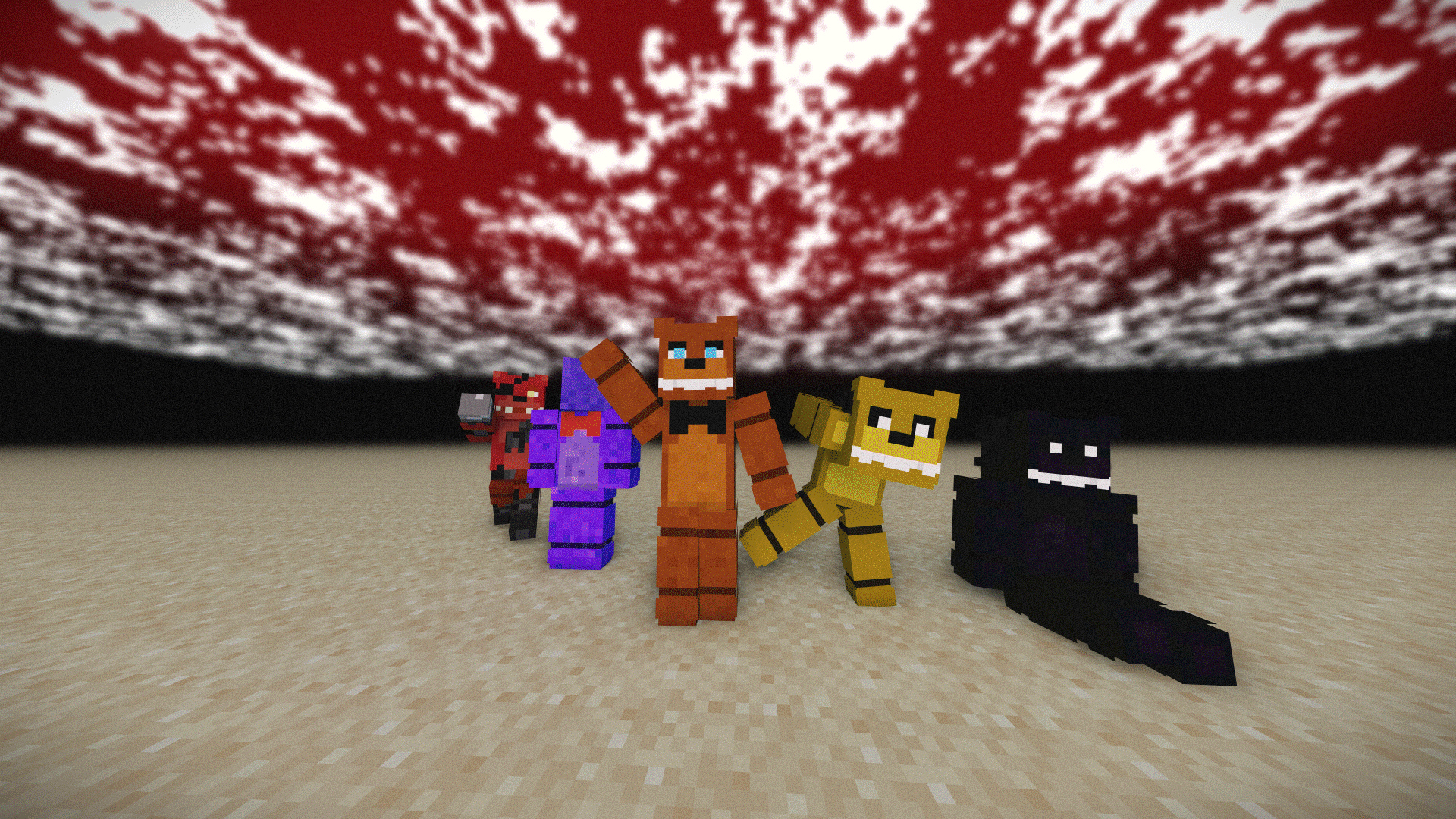
Minecraft FNAF Skin PACK
Read the author’s full description (189 words)
Written by ProtocolLVInteractiveX for the MCPEDL post, shown as published.
A collection of high-quality Five Nights at Freddy's character skins designed for roleplay, machinima production, screenshots, and horror gameplay. Each skin has been carefully recreated to capture the appearance and personality of its source character while maintaining clean textures and consistent visual quality.
Featuring detailed animatronics, security guards, technicians, and other characters from across the FNaF universe, this pack is suitable for everything from pizzeria roleplays to cinematic storytelling projects. The skins are designed to work well both up close and at a distance, making them ideal for multiplayer servers, animations, and content creation.
Whether you're recreating events from the games, producing your own FNaF series, or building an original Fazbear Entertainment experience, this pack provides a versatile roster of recognizable characters to bring your project to life.
Includes:
- Detailed character skins
- Accurate designs inspired by the FNaF franchise
- Optimized textures for gameplay and filming
- Suitable for roleplay, machinima, and horror experiences
- Characters from multiple eras of the FNaF universe
Created for fans looking for a professional-quality character collection without sacrificing authenticity or visual consistency.
Due to all the support we are making a HD Version of this pack
What’s new in the latest update
The author’s notes for the file uploaded .
- 15 New Characters
- Fixed Freddy Texture issues
- Added Chica the chicken
How to install
- Download the file below. On iOS or Android, open it from your Downloads with Minecraft; on Windows, double-click it.
- Minecraft imports the pack automatically. Enable it in your world’s settings under Behavior Packs or Resource Packs; an add-on usually needs both.
- Skin packs show up in the dressing room: Profile → Edit character → Owned.
- Playing on a Realm or server? Everyone needs the same packs, and the host has to enable them.
Advertisement