Ghost Totem Fps +
BedrockTexture packRealisticby Sco Studio
About this texture pack
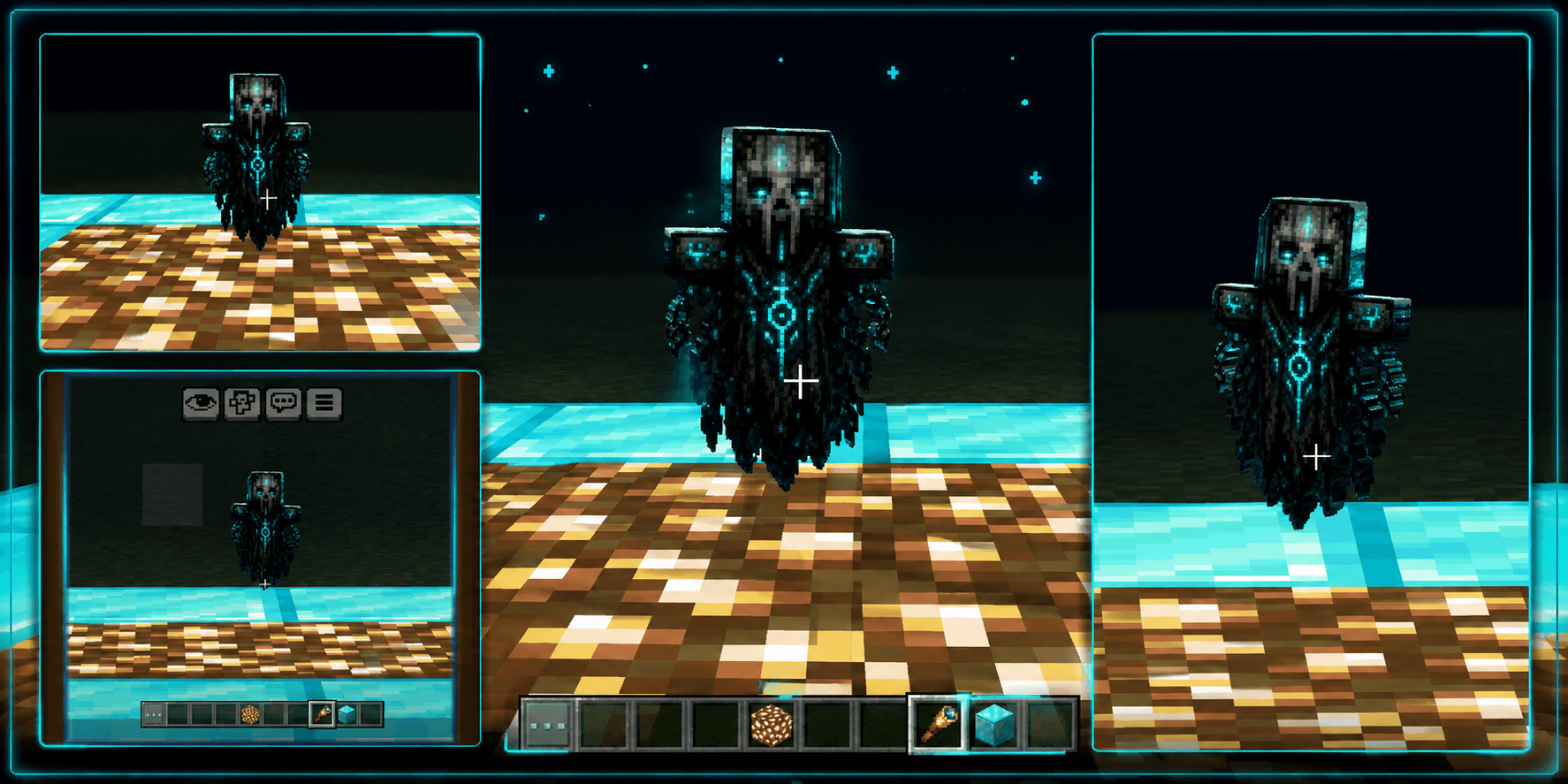
Ghost Totem FPS+ transforms the Totem of Undying into a terrifying ghost relic with glowing cyan eyes, cursed runes, dark chains, and a spooky design. Lightweight, mobile-friend...
Read the author’s full description (138 words)
Written by Sco Studio.
Ghost Totem FPS is a dark and spooky Minecraft Bedrock texture pack that completely transforms the Totem of Undying into a terrifying ghost-themed relic. With a cursed skull design, glowing cyan eyes, mysterious runes, chains, and spectral energy, the totem gives your gameplay a chilling supernatural vibe. 👻💀
Designed with a clean and lightweight texture style, Ghost Totem FPS is perfect for players who want a scary-looking Totem without making their pack unnecessarily heavy. It works great for Survival, PvP, Horror Maps, Adventures, and Mobile Gameplay.
✨ Features
👻 Terrifying Ghost Totem design
💀 Cursed skull-inspired appearance
🔷 Glowing cyan eyes and mystical runes
⛓️ Dark chains and ghostly details
🌫️ Spooky supernatural theme
⚡ Lightweight FPS-friendly texture
📱 Optimized for mobile and low-end devices
🎮 Compatible with Minecraft Bedrock 1.26.0
🎨 Perfect for horror, PvP and survival gameplay
Ghost Totem FPS — Hold the totem… if you dare. 👻
Images
What’s new in the latest update
The author’s notes for the file uploaded .
👻 Ghost Totem FPS+ —
🆕 Version 1.0.1
- 👻 Added Ghost Totem 64×64 texture option.
- 💀 Added Ghost Totem 128×128 high-resolution texture option.
- 🎨 Introduced subpack selector support.
- ⚡ Improved texture quality and visual experience.
- 📱 Added flexible resolution options for different devices.
- 🐛 Fixed minor bugs and improved pack stability.
- 🎮 Continued support for Minecraft Bedrock 1.26.0+.
Choose your resolution and bring a spooky ghostly vibe to your Minecraft world! 👻💀
How to install
- Download the file below. On iOS or Android, open it from your Downloads with Minecraft; on Windows, double-click it.
- Minecraft imports the pack automatically. Enable it in your world’s settings under Behavior Packs or Resource Packs; an add-on usually needs both.
- Playing on a Realm or server? Everyone needs the same packs, and the host has to enable them.
- Starting a new world? Choose its seed first: the Seed Map shows villages, structures and biomes near spawn for any Bedrock seed.
Advertisement
More texture packs
- Texture packs
Dark Fantasy Visuals (Bedrock Resource Pack)
by Starfish Studios Inc
- Downloads
- 1.4M
- Rating
- 4.0





