Newb Hysteria - RenderDragon Shader
BedrockTexture packRealisticby CraftEdge Productions
About this texture pack
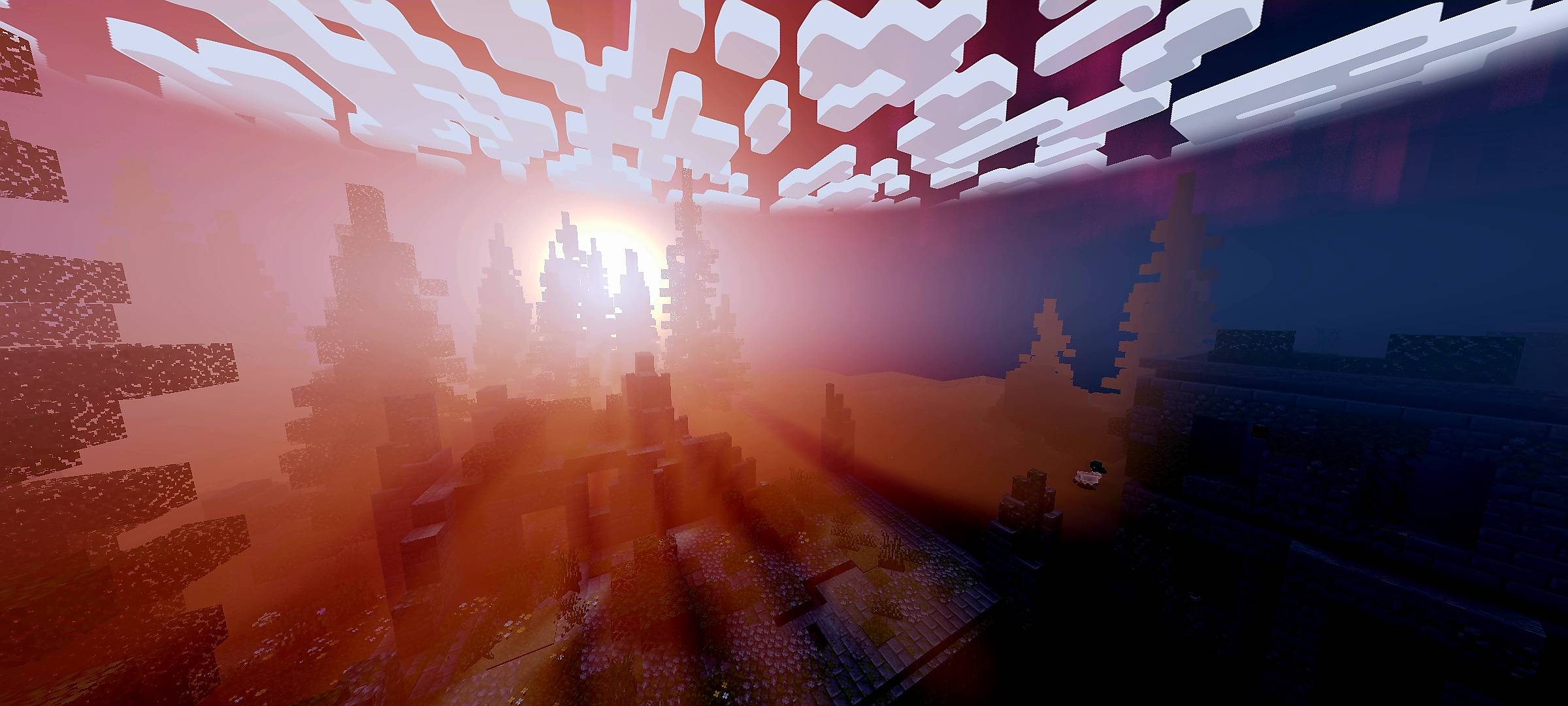
Dark horror visuals with blood red lighting deep shadows scary fog glowing ores and a blood moon
Read the author’s full description (323 words)
Written by CraftEdge Productions for the MCPEDL post, shown as published.
🩸 CraftEdge Horror
A Dark Cinematic Horror Shader for Minecraft Bedrock
🩸 Overview
CraftEdge Horror transforms Minecraft Bedrock into a dark and atmospheric horror experience with blood-red skies eerie lighting heavy fog dramatic shadows and terrifying environmental effects.
🌅 Sky & Atmosphere
- Blood-red horror atmosphere
- Dark grey daytime sky
- Blood-red sunrise and sunset
- Red-tinted night sky
- Large glowing Blood Moon
- Blood-red End sky
- End black-hole effect
- Blood-red aurora at night
- Rare red shooting stars
- Enhanced sun and moon glow
- Subtle god rays
🌑 Lighting & Shadows
- Deep and dramatic shadows
- Darker cave and ambient lighting
- Blood-tinted sunlight
- Atmospheric lighting
- Dim hellfire-style torch lighting
- Dark Nether ambient lighting
- Dark End ambient lighting
- Entity edge highlights
🌫️ Fog & Weather
- Thick distance fog
- Ground-level mist
- Extra heavy fog during rain
- Atmospheric rain
- Thicker wind-driven rain particles
- Rain mist and wet-world atmosphere
🌊 Water & Environment
- Animated water waves and ripples
- Dark and murky water
- Water reflections
- Subtle sun and moon reflections
- Wet-ground reflections
- Rain puddle effects
- Enhanced underwater caustics
- Enhanced underwater atmosphere
🌿 Animations & Visual Effects
- Eerie glowing ores
- Animated plants
- Animated lanterns
- Lava noise animation
- Pixel-style vanilla clouds
🎬 Cinematic Color
- ACES filmic tone mapping
- Cinematic contrast
- Reduced saturation
- Darker horror-focused color grading
⚙️ Compatibility
- Minecraft Bedrock Edition
- Minecraft 26.30
- Designed for RenderDragon shader loaders
📖 Tutorial
🤖 Android
- Download the .mcpack file.
- Open the file with Minecraft.
- Wait for the pack to finish importing.
- Open Minecraft and go to Settings → Global Resources.
- Find CraftEdge Horror and activate it.
- Restart Minecraft if required.
🪟 Windows
- Install a compatible RenderDragon shader loader.
- Import CraftEdge Horror.
- Open Minecraft and go to Settings → Global Resources.
- Activate CraftEdge Horror.
- Restart Minecraft if required.
🐧 Linux
- Install a compatible RenderDragon shader loader.
- Import CraftEdge Horror.
- Open Global Resources.
- Activate CraftEdge Horror.
- Restart Minecraft if required.
❤️ Credits
CraftEdge Horror is based on Newb Shader by devendrn.
Modified and recompiled as CraftEdge Horror by Shivam.
Original Newb Shader Repository:
github.com/devendrn/newb-shader
🔗 Community
Join our Discord for updates support and announcements!
🩸 Enter the Darkness 🩸
What’s new in the latest update
The author’s notes for the file uploaded .
Improved godrays
Better horror colors
How to install
- Download the file below. On iOS or Android, open it from your Downloads with Minecraft; on Windows, double-click it.
- Minecraft imports the pack automatically. Enable it in your world’s settings under Behavior Packs or Resource Packs; an add-on usually needs both.
- Playing on a Realm or server? Everyone needs the same packs, and the host has to enable them.
- Starting a new world? Choose its seed first: the Seed Map shows villages, structures and biomes near spawn for any Bedrock seed.
Advertisement
More texture packs
- Texture packs
Dark Fantasy Visuals (Bedrock Resource Pack)
by Starfish Studios Inc
- Downloads
- 1.4M
- Rating
- 4.0





