All scripts
No Limits
BedrockScriptUtilityby Leonard12345g
About this script
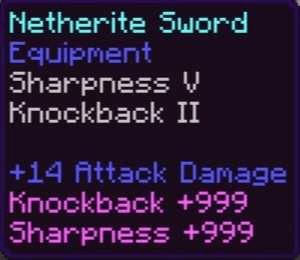
No Limits is a Minecraft Bedrock add-on that removes vanilla enchantment limits, lets you upgrade max-level enchantments, and includes settings to customize the experience.
Read the author’s full description (206 words)
Written by Leonard12345g.
✨ No Limits: Break Vanilla Limits! ✨
Achievement Friendly
Realms Compatible
Compatible With Other Add-on
No Player.json
Take your Minecraft Bedrock survival world beyond the normal limits with No Limits! This add-on pushes enchantments far past vanilla caps
🔮 How It Works:
To upgrade an enchantment, you need:
- Level 30 to start. The cost goes up every 10 enchant levels. 🪙
- An Enchanting Table to interact with. 🧙♂️
- A max vanilla enchant on the item. For example, Sharpness 5 or Mending 1.
⚔️ Available Enchantments:
These enchantments are currently supported:
- Mending
- Unbreaking
- Sharpness
- Smite
- Bane of Arthropods
- Fire Aspect
- Knockback
- Looting
- Power
- Flame
- Punch
- Piercing
- Multishot (Not working on fireworks)
- Impaling
- Channeling
- Riptide
- Protection
- Projectile Protection
- Blast Protection
- Fire Protection
- Respiration
- Swift Sneak
- Feather Falling
- Frost Walker
- Soul speed
- Thorns
- Fortune
- Lunge
- Density
- Wind burst
⚙️ Settings:
- Customize max enchant level to fit your world.
- Cheat mode toggle that ignores the XP requirement. With cheat mode on, players only need to set the enchant level they want when using the Enchanting Table.
- Level Currency customize level needed to upgrade enchant
Start breaking the limits and make your gear stronger than ever with No Limits!
Join in my discord server you can also report if there any bug -> https://discord.gg/Wuyv7VkhYB
Buy me a coffee -> Donate
Video
How to install
- Download the file below. On iOS or Android, open it from your Downloads with Minecraft; on Windows, double-click it.
- Minecraft imports the pack automatically. Enable it in your world’s settings under Behavior Packs or Resource Packs; an add-on usually needs both.
- Playing on a Realm or server? Everyone needs the same packs, and the host has to enable them.
- Starting a new world? Choose its seed first: the Seed Map shows villages, structures and biomes near spawn for any Bedrock seed.
Advertisement