All skins
Red light
BedrockSkin packPlayersby Blackeagle
About this skin pack
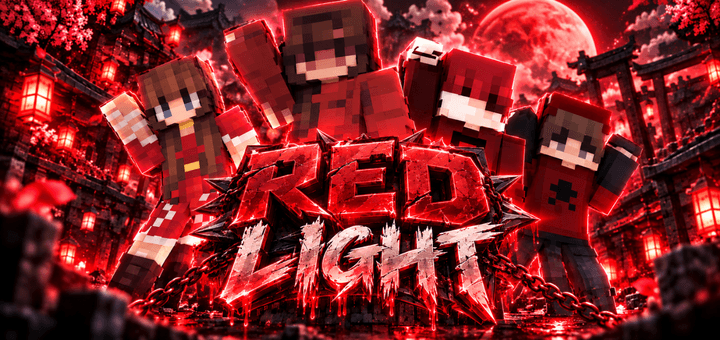
Red Light brings a bold collection of red-themed Minecraft Bedrock skins with stylish outfits, dark vibes, and striking designs that stand out in any world. 🔴🔥
Read the author’s full description (88 words)
Written by Blackeagle for the MCPEDL post, shown as published.
Red Light
Step into a bold and stylish Minecraft Bedrock look with Red Light. This skin pack features red-themed characters with dark outfits, strong contrasts, and eye-catching designs made to stand out in any world.
Whether you play survival, PvP, multiplayer, or roleplay, these skins give your character a clean but intense red style with a modern and slightly mysterious vibe.
Features
- Red-themed Minecraft skins
- Dark and stylish outfits
- Strong visual contrasts
- Great for PvP, survival, and multiplayer
- Unique designs for different playstyles
- Made for Minecraft Bedrock Edition 🔴🔥
How to install
- Download the file below. On iOS or Android, open it from your Downloads with Minecraft; on Windows, double-click it.
- Minecraft imports the pack automatically. Enable it in your world’s settings under Behavior Packs or Resource Packs; an add-on usually needs both.
- Skin packs show up in the dressing room: Profile → Edit character → Owned.
- Playing on a Realm or server? Everyone needs the same packs, and the host has to enable them.
Advertisement