Sneak&Enchant 2.0.2(Achievement Friendly): Enchant Your Items Instantly While Sneaking!
BedrockScriptUtilityby Hexbyte Official
About this script
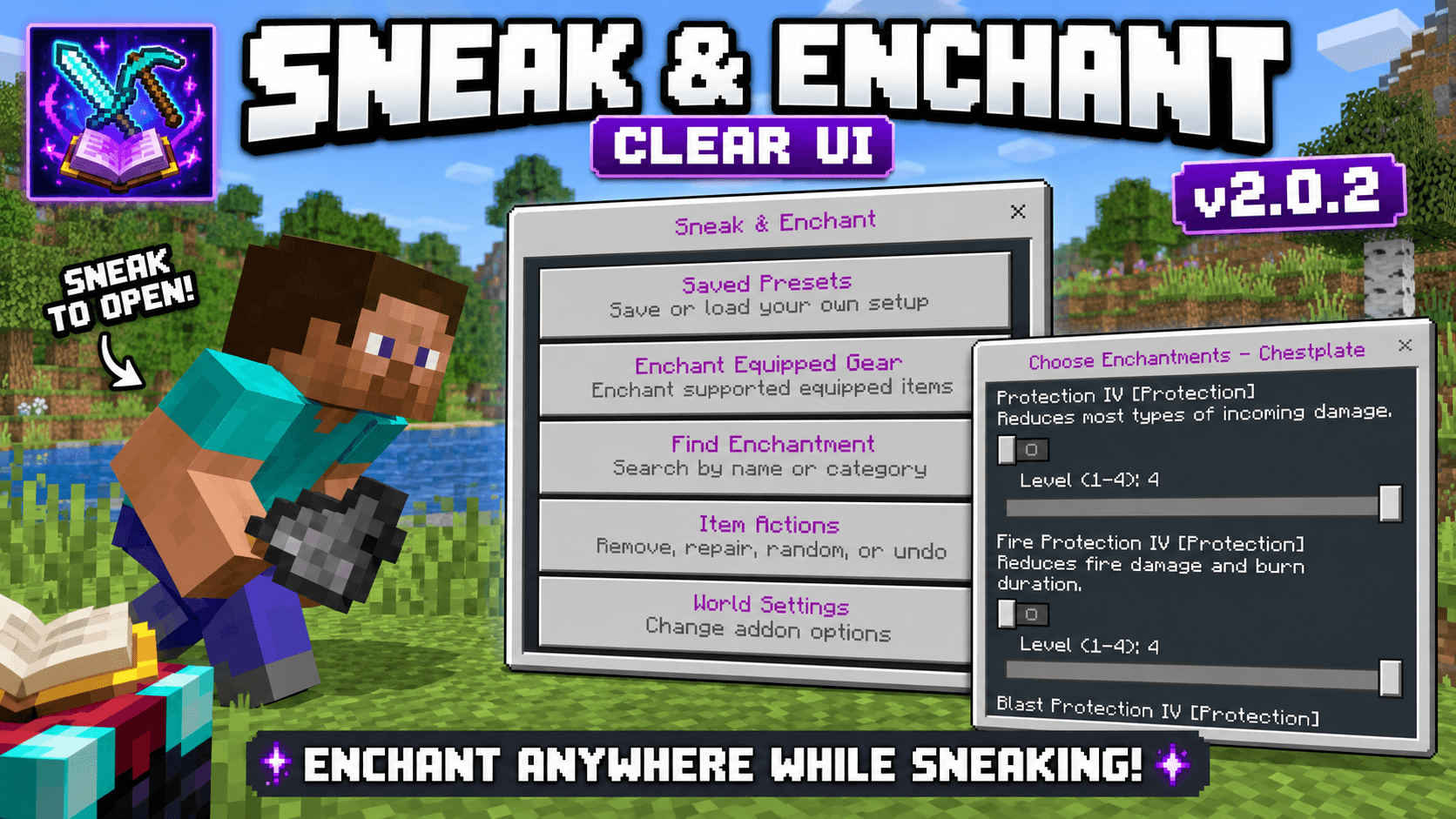
Enchant your tools, weapons, and armor instantly by sneaking while holding them. Open the Enchant Menu, choose your enchantments, and apply them in seconds. Lightweight, surviva...
Read the author’s full description (105 words)
Written by Hexbyte Official.
Upgrade your survival experience with Sneak and Enchant!
Simply sneak while holding a compatible tool, weapon, or armor to open the Enchant Menu. Choose the enchantments you want, then apply them instantly—no commands, no anvils, and no complicated setup.
✨ Features
🛡️ Works in Survival Mode
📚 Supports Vanilla Enchantments
🔥 More particles in 1.9.0
⚔️ Weapons, Tools & Armor Supported
🎣 Fishing Rod, Bow, Crossbow, Trident & More
⚡ Fast and Easy Enchant Menu
🎮 Simple Sneak-to-Open System
📱 Mobile Friendly
🚀 Lightweight & Optimized
🔄 Compatible with the Latest Minecraft Bedrock Version
How to Use
Hold a compatible item.
Sneak (Crouch).
The Enchant Menu will appear.
Select your enchantments.
Press Apply Enchantments.
Created by HexByte Official.
Images
What’s new in the latest update
The author’s notes for the file uploaded .
Sneak & Enchant v2.0.2
UI Visual Update
- Added a new purple color theme to important UI titles.
- Main menu titles now appear in purple.
- Action/button titles now use the purple theme.
- Updated menus such as:
- Sneak & Enchant
- Choose Enchantments
- Max and Presets
- Saved Presets
- Enchant Equipped Gear
- Find Enchantment
- Item Actions
- World Settings
- Repair Item
- Remove Enchantments
- Undo Changes
- Confirmation screens
- Button descriptions remain unchanged for better readability.
- Improved visual separation between action names and their descriptions.
Add-on Information
- Add-on version updated to 2.0.2.
- Added official author metadata: Crsdncolz.
- Added the official MCPEDL creator profile URL.
- Added "product_type: addon" metadata.
- Kept the existing enchantment features and gameplay systems intact.
This update mainly focuses on making the interface cleaner, more recognizable, and visually consistent without changing the descriptions or core gameplay.
How to install
- Download the file below. On iOS or Android, open it from your Downloads with Minecraft; on Windows, double-click it.
- Minecraft imports the pack automatically. Enable it in your world’s settings under Behavior Packs or Resource Packs; an add-on usually needs both.
- Playing on a Realm or server? Everyone needs the same packs, and the host has to enable them.
- Starting a new world? Choose its seed first: the Seed Map shows villages, structures and biomes near spawn for any Bedrock seed.
Advertisement