Superhero skins
BedrockSkin packPlayersby Blue Print
About this skin pack
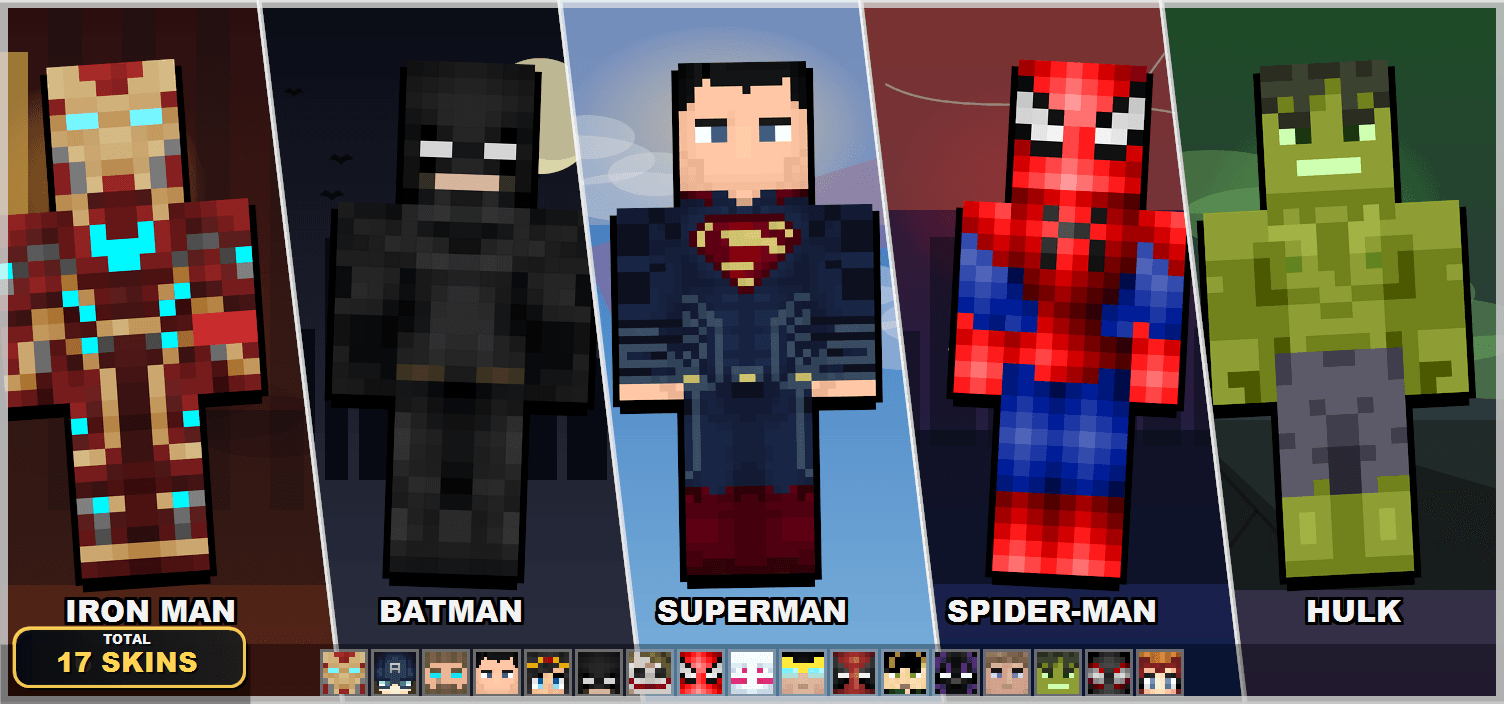
This Skin pack contains skins of various superhero! Use them in singleplayer, multiplayer and servers just like normal skins!
Read the author’s full description (233 words)
Written by Blue Print for the MCPEDL post, shown as published.
Get started with Godlike click here
So I've been playing Minecraft for a while now and always found myself wishing I could just... be SpiderMan or Iron Man instead of the default Steve. Couldn't really find a pack that had all the characters I wanted together, so I just made one myself.
What's Included
20 skins. A mix of Marvel, DC, and some newer favourites:
🔴 Marvel
- Iron Man, Captain America, Thor, Hulk
- Spider Man, Miles Morales, Spider Gwen
- Black Panther, Scarlet Witch, Deadpool, Wolverine
- Thanos, Loki
🔵 DC
- Superman, Batman, Wonder Woman, Aquaman
- Joker
⚡ Other
- Homelander - The Boys
- Invincible - Invincible
If I missed your fav then do let me know in my discord server.. I'll add it.
1. You are allowed to make video on the addon but give credits in video description.
2. You are allowed to use it in your project, but only with my permission. Discord username: grumm7613
3. You are not allowed to publish the texture on any other website and claim it as yours.
Join My Discord Server: https://discord.gg/Wvst4znsgk
Download the New Bedrock Manager application to easily install and manage your minecraft addons, worlds and more!
Download Now! (Windows only, android in future)
Enjoy!
👉 Click the banner or [start here] to get going.
💬 Curious what players think? Check out the community discussion on [Best Minecraft Server Hosting].
Images
What’s new in the latest update
The author’s notes for the file uploaded .
Added Aquaman Skin - v1.3
How to install
- Download the file below. On iOS or Android, open it from your Downloads with Minecraft; on Windows, double-click it.
- Minecraft imports the pack automatically. Enable it in your world’s settings under Behavior Packs or Resource Packs; an add-on usually needs both.
- Skin packs show up in the dressing room: Profile → Edit character → Owned.
- Playing on a Realm or server? Everyone needs the same packs, and the host has to enable them.
Advertisement