
Add-ons
SERP Pokédrock (Pokémon Addon) || v1.34.13 New Pokémon & interactions Update
by Zacek el Serpentín
- Downloads
- 7.6M
- Rating
- 4.2
by Anzucubix
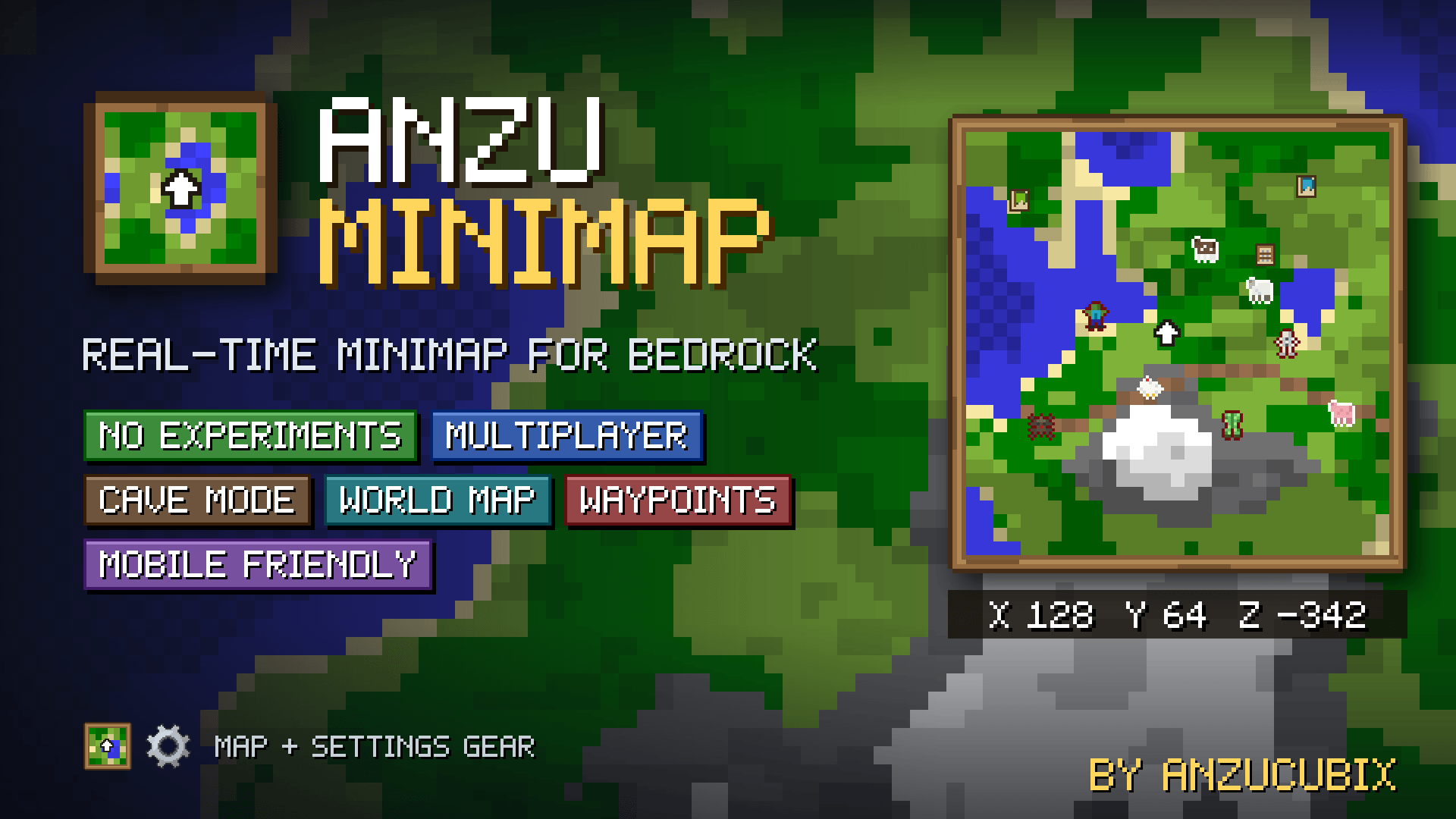
A real-time minimap for Minecraft Bedrock, built for mobile. See the terrain, mobs, players, caves and your waypoints right on your screen, with no experimental toggles needed.
Written by Anzucubix for the MCPEDL post, shown as published.
Never get lost again! Anzu Minimap adds a live minimap to the corner of your screen that follows you as you move. It shows the terrain around you, the mobs nearby, your friends, your bases and anything you decide to mark. Every player customizes their own map, so it works the same in singleplayer and on multiplayer worlds.
It was designed to be light and easy to use on mobile. It needs no experimental toggles, and there are four performance presets to match your device.
What it shows
Live terrain with water, sand, forests, mountains, snow and more.
Passive and hostile mobs, shown as colored faces or as symbols. You choose.
Other players, who can also hide themselves from your map.
Structures and your own bed.
Your coordinates and a compass pointing north.
Cave mode: the map switches automatically when you go underground, and you can force it on or off.
Waypoints
Mark any place with a colored banner and a name.
Marks show a light beam and a floating name in the world, so you can spot them from far away.
A mark is placed automatically where you die.
Share marks with other players on the server.
World map
Open a full-screen map of everywhere you have explored. Move around and zoom to plan your next trip.
Made for every player
Pick the range, from short to extreme (up to 40 blocks).
Choose Normal or High quality.
Choose the update speed, from battery saver to ultra.
Place the map anywhere on the screen with sliders, and pick its size.
Four presets: Performance, Normal, High and Max.
Turn mobs, coordinates, structures, shared marks and more on or off.
How to use
Activate both packs (behavior and resource) on your world.
When you join for the first time you get the Minimap item and the Settings Gear.
Use the map item for the world map and your waypoints, and the gear for all the settings.
You can also use the chat commands /anzucubix:worldmap and /anzucubix:settings.
Requirements: Minecraft Bedrock 1.21.100 or newer. No experimental toggles.
Español
Un minimapa en tiempo real para Minecraft Bedrock, hecho para celular. Mira el terreno, los mobs, los jugadores, las cuevas y tus marcas directo en la pantalla, sin activar nada experimental.
Descripción:
¡No te vuelvas a perder! Anzu Minimap agrega un minimapa en vivo en una esquina de tu pantalla que te sigue mientras te mueves. Te muestra el terreno que te rodea, los mobs cercanos, a tus amigos, tus bases y los lugares que quieras marcar. Cada jugador personaliza su propio mapa, así que funciona igual en un mundo para uno que en multijugador.
Está pensado para ser ligero y fácil de usar en celular. No necesita activar nada experimental y tiene cuatro preajustes de rendimiento para que lo adaptes a tu dispositivo.
Qué muestra
Terreno en vivo con agua, arena, bosques, montañas, nieve y más.
Mobs pacíficos y hostiles, como caritas de colores o como símbolos. Tú eliges.
Otros jugadores, que también pueden ocultarse de tu mapa.
Estructuras y tu propia cama.
Tus coordenadas y una brújula que apunta al norte.
Modo cueva: el mapa cambia solo cuando bajas bajo tierra, y también puedes activarlo o desactivarlo a la fuerza.
Marcas
Marca cualquier lugar con un estandarte de color y un nombre.
Las marcas muestran un rayo de luz y un nombre flotante en el mundo, para verlas desde lejos.
Se crea una marca automáticamente donde mueres.
Comparte tus marcas con otros jugadores del servidor.
Mapa mundial
Abre un mapa a pantalla completa de todo lo que has explorado. Muévete y haz zoom para planear tu próximo viaje.
Hecho para cada jugador
Elige el alcance, de corto a extremo (hasta 40 bloques).
Elige la calidad Normal o Alta.
Elige la velocidad de actualización, desde ahorro de batería hasta ultra.
Coloca el mapa donde quieras en la pantalla con barras deslizantes y elige su tamaño.
Cuatro preajustes: Performance, Normal, High y Max.
Activa o desactiva mobs, coordenadas, estructuras, marcas compartidas y más.
Cómo usarlo
Activa los dos paquetes (comportamiento y recursos) en tu mundo.
Cuando entres por primera vez recibirás el objeto Minimap y el engranaje de ajustes.
Usa el objeto del mapa para el mapa mundial y tus marcas, y el engranaje para todos los ajustes.
También puedes usar los comandos del chat /anzucubix:worldmap y /anzucubix:settings.
Requisitos: Minecraft Bedrock 1.21.100 o más nuevo. Sin experimentos.
Advertisement
by Zacek el Serpentín




