Auto Enchantments 38
BedrockScriptUtilityby Studio 38
About this script
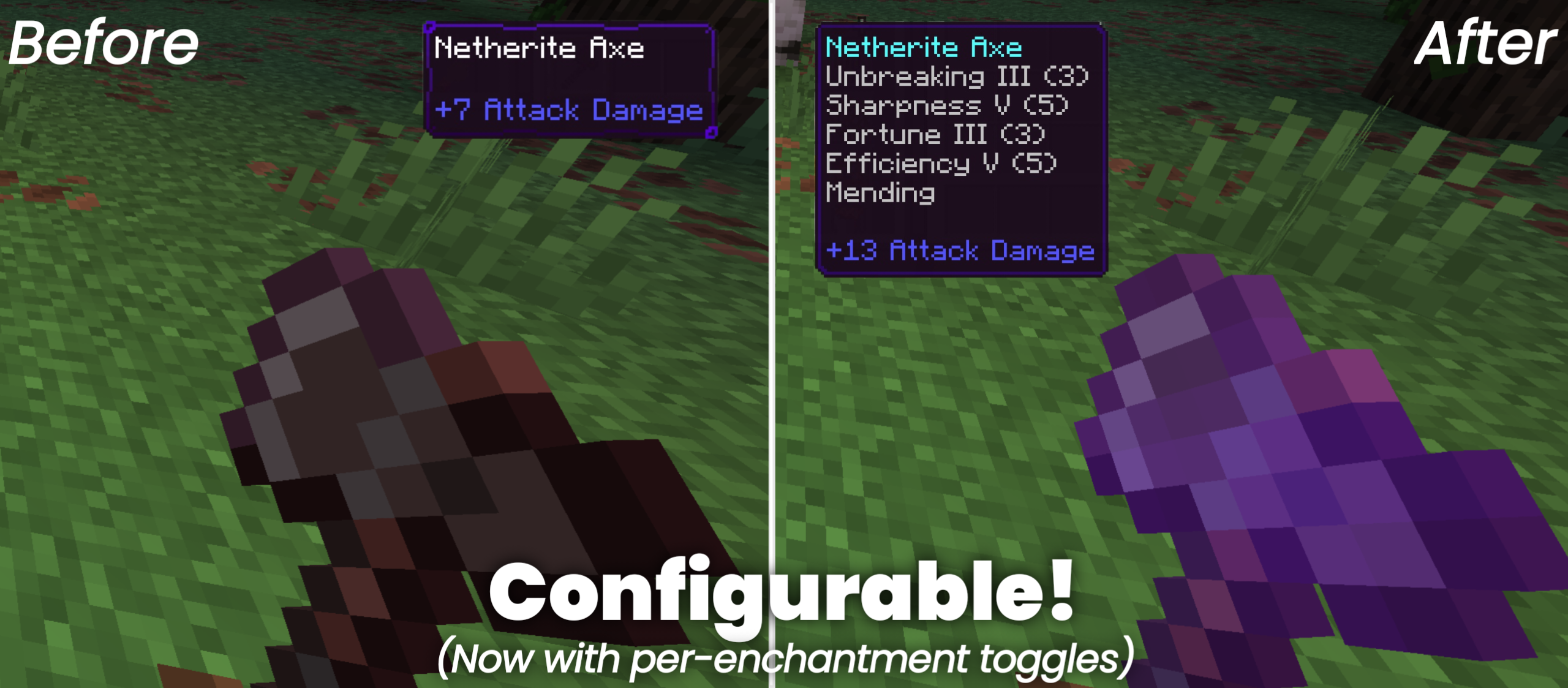
Auto Enchantments allows players to apply random enchantments to any tool simply by interacting with it. If the initial roll of enchantments isn't what you are looking for, you ...
Read the author’s full description (149 words)
Written by Studio 38 for the MCPEDL post, shown as published.
Project Description:
Auto Enchantments allows players to apply random enchantments to any tool simply by interacting with it. If the initial roll of enchantments isn't what you are looking for, you can wash the tool in any water source to clear the current effects and try your luck again for a completely new set.
Important Information:
- ✅No Experiments will need to be activated to play.
- 👨💼No Player files are used in this project.
- ⚔️Random chance for any tool.
- ⚖️Balanced effects to fit the vanilla theme.
- 💻Have something to say? Join the Discord.
- 💯This Project is 100% achievement compatible.
Sneaking while holding any tool instantly infuses it with up to four random enchantments, bypassing traditional enchantment tables and bookshelves for fast, field-ready upgrades.
Interacting with any water source washes away a tool's current enchantments, clearing the slate so you can roll the dice again for a fresh combination of traits.
What’s new in the latest update
The author’s notes for the file uploaded .
- Updated the project to the latest game version.
- This project can now be downloaded for the latest version.
How to install
- Download the file below. On iOS or Android, open it from your Downloads with Minecraft; on Windows, double-click it.
- Minecraft imports the pack automatically. Enable it in your world’s settings under Behavior Packs or Resource Packs; an add-on usually needs both.
- Playing on a Realm or server? Everyone needs the same packs, and the host has to enable them.
- Starting a new world? Choose its seed first: the Seed Map shows villages, structures and biomes near spawn for any Bedrock seed.
Advertisement