Skip to content
All add-ons

Bedrock Reimagined v1.0.97

BedrockAdd-onSurvival

by 5 Frame Studios

Bedrock Reimagined v1.0.97 screenshot 1 of 12

About this add-on

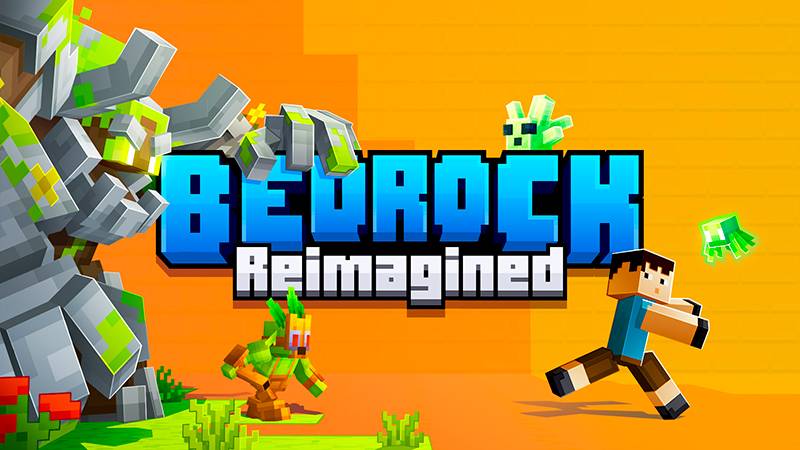
Explore a reimagined Minecraft Bedrock experience with a new gameplay loop; defeat bosses to get to the end. Use magic, new weapons and tools, and your skill to defeat the game!

Read the author’s full description (349 words)

Written by 5 Frame Studios for the MCPEDL post, shown as published.

We are working hard on BR v1.1. This v1.1 update will be a MASSIVE content overhaul and it will release on the Minecraft Marketplace first, and then for free afterwards. Join our discord for updates.

JOIN OUR DISCORD FOR UPDATES!

Bedrock Reimagined transforms the vanilla Bedrock experience with new mobs, bosses, structures, magic systems, and a completely new way to beat the game on top of a full custom resource pack with enhanced mob animations, textures, and Vibrant Visuals.

Bedrock Reimagined Features

  • Epic Bosses & Mini-Bosses to challenge powerful adventurers
  • Custom Structures scattered across the world
  • Procedurally Generating Mineshafts full of mobs and loot
  • New Hostile Mobs to battle across every biome
  • Pets, Passive Animals, and Ambient Creatures that bring the world to life
  • Magic & Mana System with powerful magical items
  • Machines, Pipes, Quaries, and Automation Systems
  • World Events like Sandstorms, Meteor Showers, and the Maple Event
  • New Ores, Armor, Weapons, and Tools with progression integrated into vanilla gameplay
  • Custom Backpacks, Hats, and Charms to enhance your adventure
  • Hundreds of Decorative Blocks, including beds, banners, lamps, and more
  • RPG-Style Quest System with unique quests and rewards
  • Custom Biome Generation with new biomes and enhanced vanilla generation
  • Custom UI Elements, including WAILA (What Am I Looking At) and a Minimap

And so much more to explore in one of Bedrock’s largest FREE expansions!

Minimap / What Am I Looking At (WAILA) 

Dynamic Quest System / Custom Gameplay

FAQ / Device Settings: 

Bedrock Reimagined is a large pack requiring hefty hardware. You may lag on low-end devices. There is currently a stutter on most mobile devices. We are working to fix this issue. We are working on ALL optimizations to make the pack better to play. 

For a smooth mobile experience, we recommend at 8GB of memory, Vibrant Visuals disabled, and a 7-chunk render distance. 

Bedrock Reimagined is compatible with Actions and Stuff. Please disable the Bedrock Reimagined Resource Pack for full functionality. 

Join our Discord: 

Bedrock Reimagined has a lot to it, and it can be confusing at times. Find others to play with, ask for tips, and make suggestions for future updates! 

Images


What’s new in the latest update

The author’s notes for the file uploaded .

Additions

  • Added Log Fences for every wood type, plus stripped versions of each. They connect to other fences and can be stripped in place with an axe.

  • Log Fences work as fuel in BR's custom furnaces (except Crimson and Warped, matching nether wood).

  • Added support for Minecraft 1.26.50 (The Poplar Update).

    Changes

  • BR's wool stairs and slabs have been replaced by the new vanilla wool stairs and slabs. Existing builds convert automatically the next time the game touches them, keeping their orientation.

  • Minimap now shows correct colors for Poplar logs, planks, and leaves (orange, red, and yellow), shelf mushrooms, and straw beds.

  • Fixed light gray wool, carpet, concrete, stained glass, and candles showing up as plain gray on the minimap.

  • Red shrubs no longer block the minimap view of the ground beneath them.

  • Reduced file size by 17MB total.

    Fixes

  • Location Talisman biome and distance readout now updates correctly again while sneaking.

Video

The video the creator embedded in this add-on's MCPEDL post. 5 Frame Studios on YouTube

How to install

  1. Download the file below. On iOS or Android, open it from your Downloads with Minecraft; on Windows, double-click it.
  2. Minecraft imports the pack automatically. Enable it in your world’s settings under Behavior Packs or Resource Packs; an add-on usually needs both.
  3. Playing on a Realm or server? Everyone needs the same packs, and the host has to enable them.
  4. Starting a new world? Choose its seed first: the Seed Map shows villages, structures and biomes near spawn for any Bedrock seed.