Better Trees - Azalea Tree Update
BedrockAdd-onRealisticby Daniiye
About this add-on
[Achievement Compatible] Make your Minecraft world come alive with Better Trees! This add-on improves the look of trees, making forests feel more natural and realistic.
Read the author’s full description (301 words)
Written by Daniiye for the MCPEDL post, shown as published.
v1.4.3
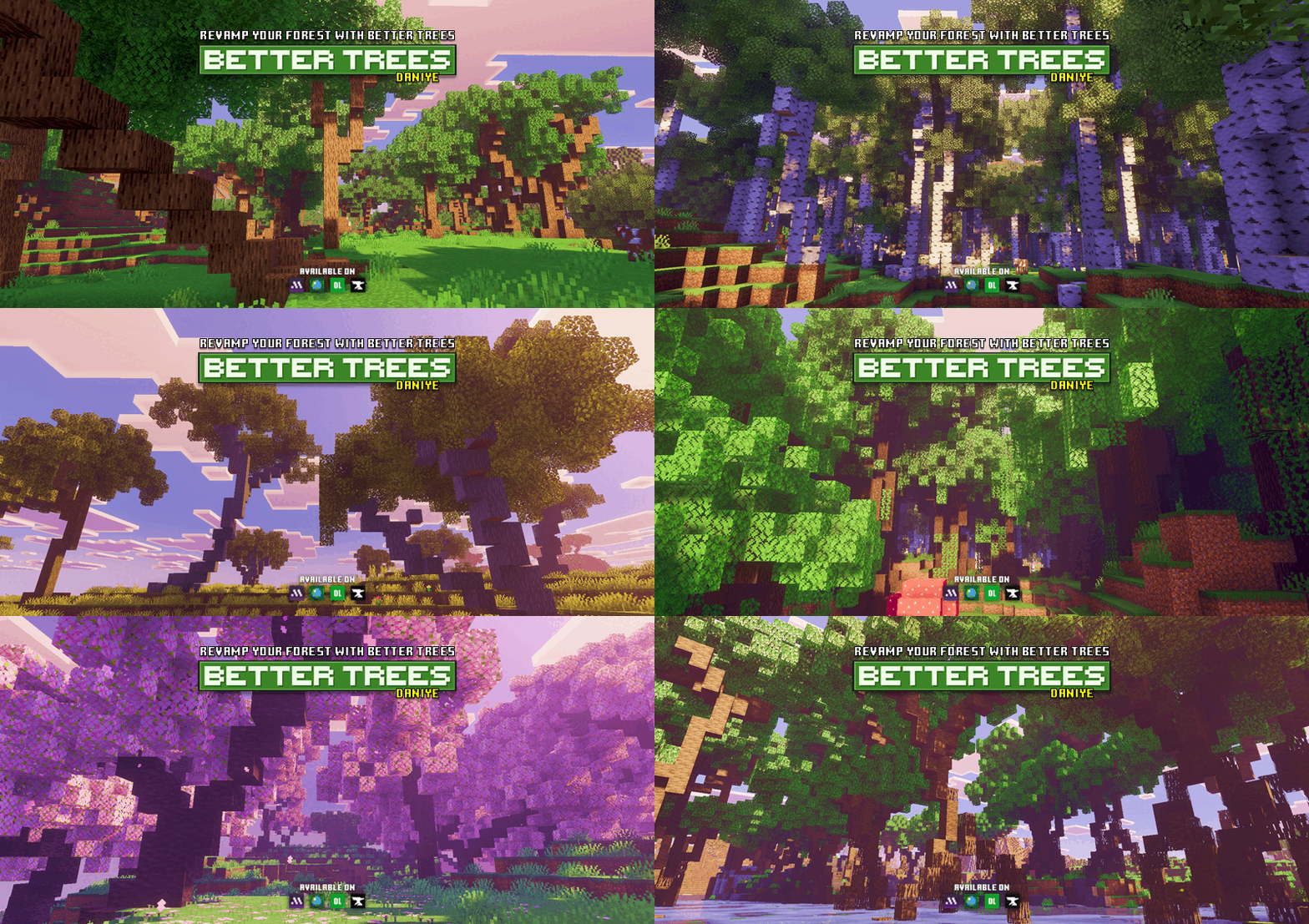
Better Trees transforms Minecraft’s forests into lush, detailed landscapes. Each tree is redesigned to look more natural, with improved shapes, thicker leaves, and realistic branches. Explore your world and see classic biomes come to life with more variety and beauty, without losing the original Minecraft feel.
Whether you’re exploring jungles, oak forests, or birch groves, every tree feels fresh and full of life. Perfect for builders, explorers, and anyone who wants a more immersive world.
How to Use:
Just create a new world with the add-on activated, and the new trees will automatically generate in your world.🌳 Make sure your world type is set to Infinite, as the add-on only works there.
There are two download options available: Better Trees and Instant Trees.
Better Trees
- Removes vanilla trees and replaces them with Better Trees, including custom sapling generation.
- Designed mainly for Survival and Hardcore gameplay.
- Achievement-friendly.
Instant Trees
- Does not replace vanilla trees or vanilla saplings.
- Adds Instant Sapling items that let you spawn trees instantly in Creative mode with a single tap.
- Perfect for builders.
Note: Do not combine the Better Trees add-on with the Instant Trees Only version. The full Better Trees add-on already includes Instant Tree items along with world generation changes. If you want both features, only install Better Trees.
🌳 New Video: Better Trees - v1.2.8
Enjoy this relaxing walkthrough showcasing the beauty of all the trees across different biomes. A perfect look at the variety of trees in Better Trees!
Better Trees Vibrant Visual Prizma
Note for Java Edition Users!
If you want to use Better Trees for building or terrain design in WorldPainter, WorldEdit, or Litematica (Java Edition), you can download the compatible tree schematics here:
🔗 https://www.curseforge.com/minecraft/customization/daniyes-tree-bundle
These schematics are intended for manual placement and are perfect for custom maps, terrain projects, and detailed builds.
What’s new in the latest update
The author’s notes for the file uploaded .
Better Trees - v1.4.3: Nether Growth & World Improvements Update
- Expanded Instant Crimson Fungus support - all 6 newly added Crimson Fungus variations can now be generated using the Instant Crimson Fungus item.
- Expanded Instant Warped Fungus support - all 6 newly added Warped Fungus variations can now be generated using the Instant Warped Fungus item.
- Reworked rock generation for more natural world placement. Rocks will no longer spawn across the entire Overworld and can now only be found in Savanna, Jungle, Taiga, and Desert biomes where they fit the environment better.
- Fixed an issue where Endermen were spawning too frequently due to shadows created by tree generation.
- Improved overall world generation balance and biome consistency.
Video
How to install
- Download the file below. On iOS or Android, open it from your Downloads with Minecraft; on Windows, double-click it.
- Minecraft imports the pack automatically. Enable it in your world’s settings under Behavior Packs or Resource Packs; an add-on usually needs both.
- Playing on a Realm or server? Everyone needs the same packs, and the host has to enable them.
- Starting a new world? Choose its seed first: the Seed Map shows villages, structures and biomes near spawn for any Bedrock seed.
Advertisement