
Add-ons
SERP Pokédrock (Pokémon Addon) || v1.34.15 Altars & Type-Charts Update
by Zacek el Serpentín
- Downloads
- 7.7M
- Rating
- 4.2
by AddonLab
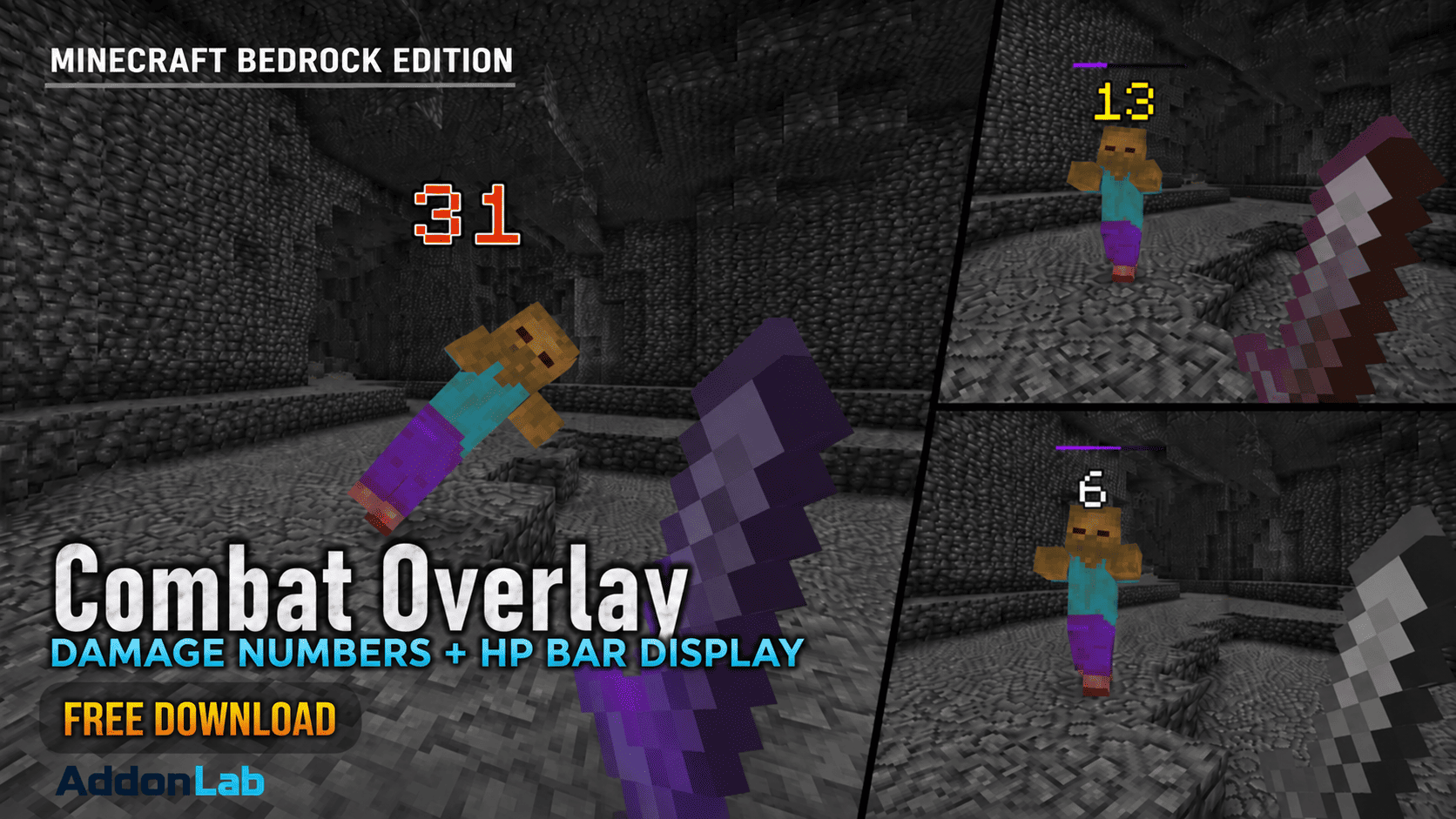
See mob HP bars and floating damage numbers in Minecraft Bedrock! Track enemy health and see exactly how much damage your attacks deal.
Written by AddonLab.
See every HP bar. Know every hit!
Combat Overlay is a free addon for Minecraft Bedrock Edition that displays health bars above mobs and floating damage numbers when you attack.
See how much health your enemies have left, track the damage you deal, and make every battle easier to understand!
No special items, commands, or complicated settings are required. Just enable the addon and start playing.
Mob HP Bars: Displays health bars above nearby mobs so you can easily see their remaining health.
Real-Time Health Tracking: HP bars update as mobs take damage or recover health.
20-Level HP Display: Smooth visual changes represent a mob's remaining health percentage.
Floating Damage Numbers: See the damage dealt whenever your attacks hit an enemy.
Four Damage Effects: Damage numbers use different visual effects depending on the amount of damage dealt.
Special High-Damage Effects: Powerful hits dealing 30 or more damage receive a special visual effect.
Automatic Display: HP bars appear automatically without requiring you to attack first.
32-Block HP Detection Range: Displays HP bars for supported mobs within 32 blocks of a player.
No Special Items Required: Works automatically during normal gameplay.
English & Japanese Support: Supports both languages through Minecraft's language settings.
Damage numbers change their appearance based on how much damage you deal.
1–9 Damage: Standard damage effect
10–19 Damage: Medium damage effect
20–29 Damage: High damage effect
30 Damage: Special damage effect
Higher damage numbers receive more noticeable effects, making powerful attacks stand out during combat.
Damage values are rounded to the nearest whole number for display.
Download and import Combat Overlay into Minecraft Bedrock Edition.
Enable both the Behavior Pack and Resource Pack in your world settings.
Enter your world and approach a mob.
Check the HP bar displayed above its head.
Attack the mob to see floating damage numbers!
That's it! No additional setup is required.
HP bars display remaining health visually rather than showing exact HP numbers.
HP bars are not displayed for players, the Ender Dragon, or the Wither.
Damage numbers appear for damage caused by players, including supported projectile attacks.
Damage numbers represent the actual damage reported by Minecraft, rounded to whole numbers.
Damage number effects vary based on the amount of damage dealt.
The addon is designed to provide visual combat information without changing weapon damage or mob health.
Edition: Minecraft Bedrock Edition
Pack Version: 2.1.0
Languages: English and Japanese
Creator: AddonLab
Allowed:
Personal gameplay.
Videos and livestreams featuring this addon, including monetized content.
Not Allowed:
Reuploading or redistributing this addon without permission.
Redistributing modified versions.
Claiming this addon as your own creation.
Extracting or reusing its code or assets in other projects without permission.
Distributing the addon through unauthorized direct download links.
© AddonLab. All rights reserved.
The author’s notes for the file uploaded .
Initial release.
Added HP bars above nearby mobs.
Added real-time health tracking with 20 visual levels.
Added floating damage numbers for player attacks.
Added four damage number styles based on damage dealt.
Added special visual effects for attacks dealing 30 or more damage.
Added automatic HP bar tracking within a 32-block radius.
Added support for up to 96 tracked mobs.
Added automatic cleanup of temporary display entities.
Added English and Japanese language support.
Advertisement
by Zacek el Serpentín




