Cosmic princess kaguya ui
BedrockScriptOtherby webee
About this script
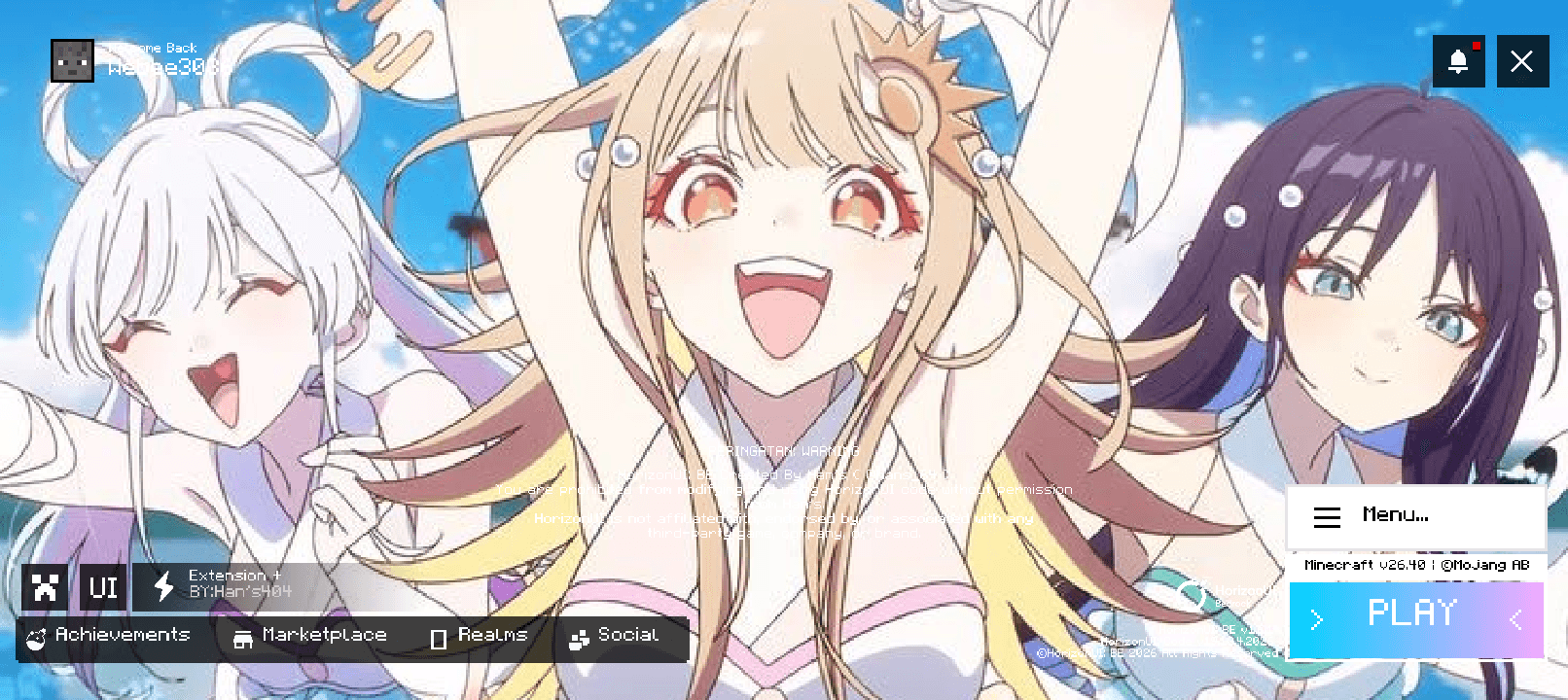
A Cosmic Princess Kaguya-themed Minecraft UI that transforms the main menu with a beautiful anime-inspired cosmic design, bringing a futuristic and dreamy Tsukuyomi atmosphere t...
Read the author’s full description (111 words)
Written by webee.
Cosmic Princess Kaguya UI
Bring the world of Cosmic Princess Kaguya! into Minecraft with this anime-inspired UI pack.
This pack redesigns the Minecraft menu with a cosmic, futuristic, and dreamy aesthetic, inspired by Kaguya's virtual world and the colorful atmosphere of Tsukuyomi. Perfect for fans who want their Minecraft main menu to feel more stylish, immersive, and anime-themed.
✨ Features
- 🌙 Cosmic Princess Kaguya-themed main menu
- 🌌 Futuristic and dreamy visual style
- 🎨 Custom menu background and UI elements
- 💫 Anime-inspired atmosphere
- ⛏️ Designed for Minecraft Bedrock
- 📱 Suitable for mobile players
Transform your Minecraft menu and enter the world of Cosmic Princess Kaguya! every time you launch the game.
This ui menu is credited by han's
Images
What’s new in the latest update
The author’s notes for the file uploaded .
Changelog
v1.0.0
- Added Cosmic Princess Kaguya-themed main menu
- Added custom cosmic background
- Added themed UI elements
- Added futuristic anime-inspired design
- Improved the overall menu atmosphere
- Initial release
How to install
- Download the file below. On iOS or Android, open it from your Downloads with Minecraft; on Windows, double-click it.
- Minecraft imports the pack automatically. Enable it in your world’s settings under Behavior Packs or Resource Packs; an add-on usually needs both.
- Playing on a Realm or server? Everyone needs the same packs, and the host has to enable them.
- Starting a new world? Choose its seed first: the Seed Map shows villages, structures and biomes near spawn for any Bedrock seed.
Advertisement