All scripts
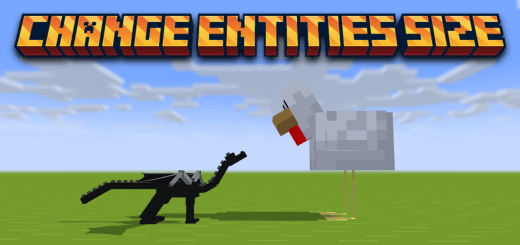
Change Entities Size
BedrockScriptOtherby DouarMC
About this script
All entities of Minecraft are cool. But imagine if you could change the size of any entity ? It would be fun right ? With this addon/script, you will be able to change the size ...
Read the author’s full description (76 words)
Written by DouarMC for the MCPEDL post, shown as published.
So, you have to take a special item named Size Changer (You can find the recipe on Image Section).
And then, you have to right click on the mob that you want to change its size. It will open a form UI where you can change his size, smaller or bigger.
You can now change your own size by sneaking and right click with the Size Changer (the camera will adapt depending of your size).
Images
How to install
- Download the file below. On iOS or Android, open it from your Downloads with Minecraft; on Windows, double-click it.
- Minecraft imports the pack automatically. Enable it in your world’s settings under Behavior Packs or Resource Packs; an add-on usually needs both.
- Playing on a Realm or server? Everyone needs the same packs, and the host has to enable them.
- Starting a new world? Choose its seed first: the Seed Map shows villages, structures and biomes near spawn for any Bedrock seed.
Advertisement