Add-ons
SERP Pokédrock (Pokémon Addon) || v1.34.13 New Pokémon & interactions Update
by Zacek el Serpentín
- Downloads
- 7.6M
- Rating
- 4.2
by DimzCraft
display armor and offhand in hud! [Achievement Friendly]
Written by DimzCraft for the MCPEDL post, shown as published.
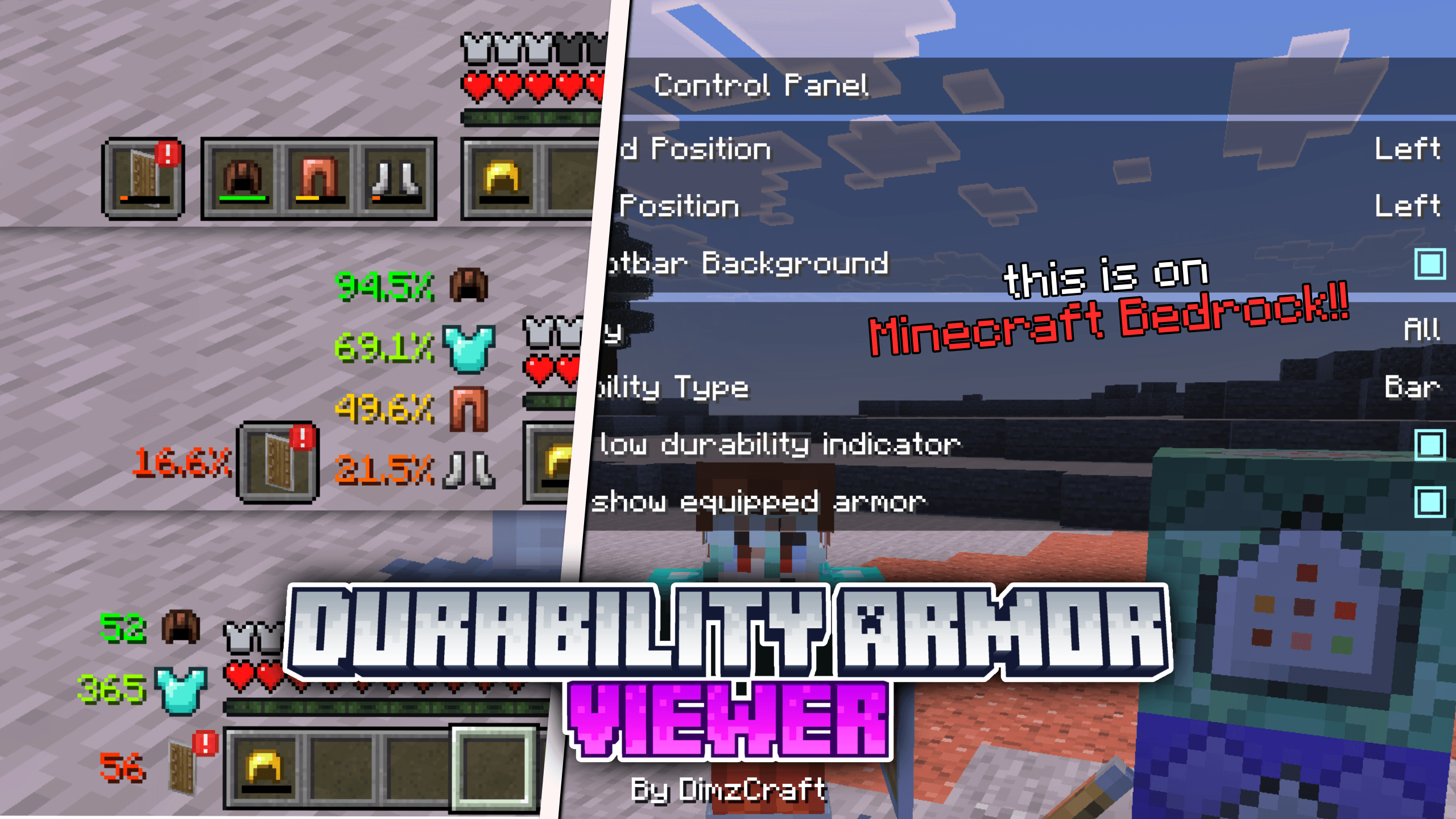
So yeah, this is DAV(I shortened it because the name is too long lol). With this addon, it allows you to see your armor and offhand on the HUD along with other info like durability or stack count. You can also customize it however you like, for example if you want offhand slot only, or armor only.
How do you use it? Yeah, it’s easy. You just install it and adjust the layout using subpacks. There are several types, like the default one, beside the hotbar, or the same style as the hotbar.
Note: this addon uses images instead of a renderer, so there is no enchant glint, no armor trim. Yeah, shikatanai, JSON UI is really limited. It also does not support custom armor unless it is added manually(read the tutorial below).
So, how do you add custom armor to this addon? Easy, you just need to follow these steps.
First, check your custom armor. If you are the addon creator, you probably already remember the identifier, so you can skip straight to the adding step. If not, just go in game, wear the armor, then type the command /setting, press the armor button, and write down the identifier.
You already know the identifier, right? Now let’s add it.Open the resource pack folder
dav/ui/dimz_modules/durability_armor_viewer/item_id.json
Then just add code like this inside the list:
"#example:dimz_helmet": "textures/items/example_helmet"
Then you can test it in game.
Or if you don’t want to bother using the steps above, you can request me to make this addon compatible with other custom armor addons, just chat me on Discord.
very necessary for the addon to work
watch if you don't understand or want to know how it works!
discussions, submit suggestions, report bugs and more
Reference: control panel | minecraft java settings ui, sodium
The author’s notes for the file uploaded .
dev note: Not boring boring for me to say my bin- ett, I mean… hey, you need to install UI Neck so the addon can work. And you can also use CAB with this addon. It’s already explained nicely in the description, so please read it, hawk tuah
v2.1.0
- Update; The addon now requires UI Neck dependencies to work. This also ensures the UI doesn't collide.
- Update; translations for all languages
- Fix; sometimes the UI doesn't update when using armor in the inventory(a little delay)
- Fix; missing dependencies
- Adjustment; offset durability text shifted 1px to make it a little more elegant
- Remove; compatibility on the System Dynamic Light addon, why? because the item renderer on the block is bad, I can't get a proper renderer, it feels too forced, even so, item IDs like torch, soul torch, etc are still there, so you can use the dynamic light addon that moves the vanilla torch to the left hand
Advertisement
by Zacek el Serpentín




