Skip to content
All add-ons

Echo Relic

BedrockAdd-onSurvival

by future packs

Echo Relic screenshot 1 of 3

About this add-on

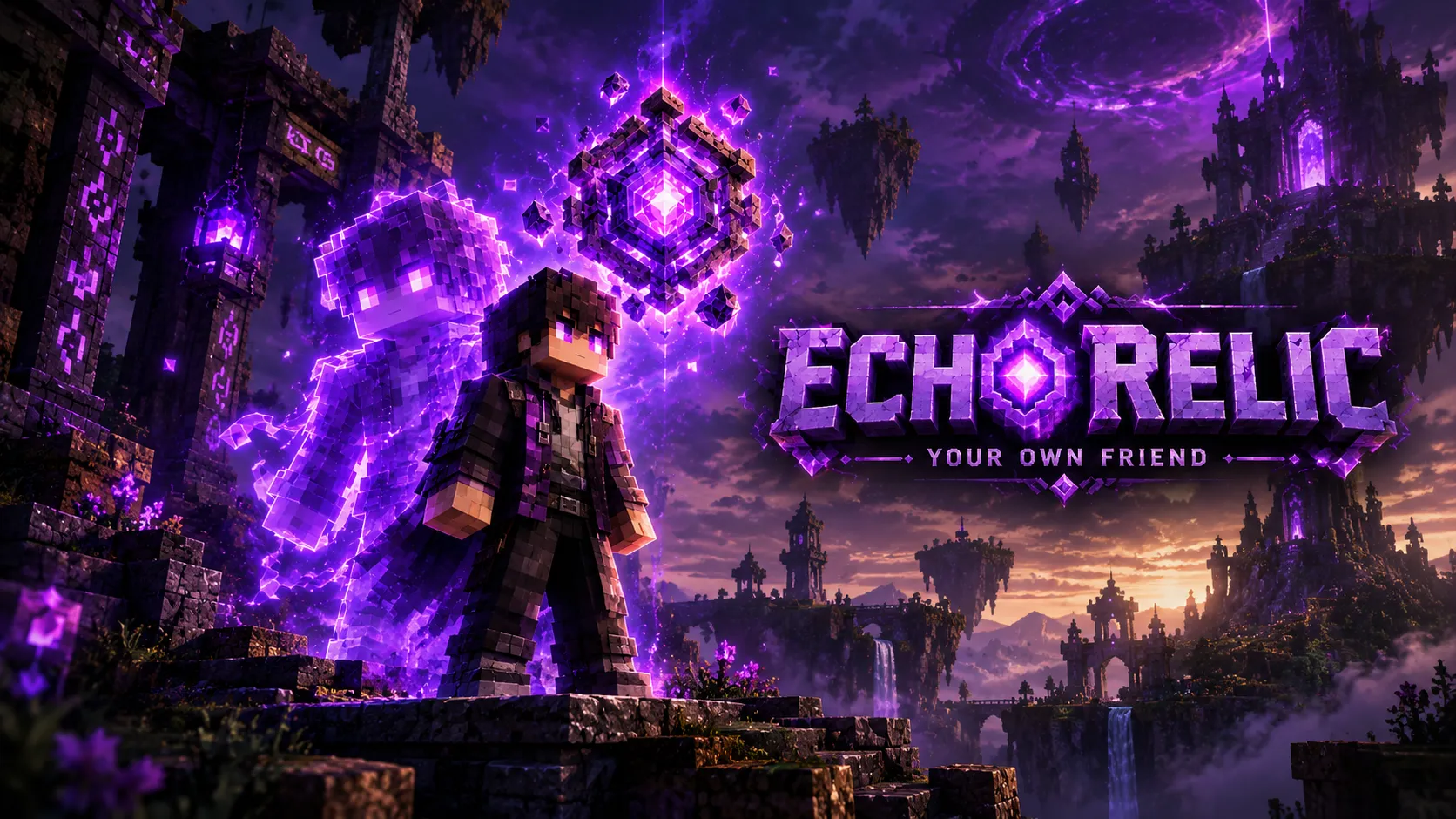
Summon a see-through ghost copy of yourself for 12 seconds. It follows you, pulls monsters and hits 327% harder than you. Each Echo Relic has only 5 uses.

Read the author’s full description (898 words)

Written by future packs.

✨ Echo Relic ✨

Leave an echo of yourself behind — and let it fight for you.

🔮 What is Echo Relic?

Echo Relic adds a single, powerful, craftable relic to Minecraft Bedrock Edition. Right-click it and a ghostly copy of yourself appears behind you. The echo follows you, draws nearby monsters toward it and hits back far harder than you do. After 12 seconds it fades away in a burst of purple particles.

Each relic is a limited resource: it has only 5 uses and then crumbles to dust, so you have to craft a new one. Use it wisely!

In one line: craft the relic, right-click, get a see-through copy of yourself that tanks and kills for you for 12 seconds.

⚔️ Features

  • Echo Relic item – enchantment glint, stack size 1, 8-second cooldown, only 5 uses (shown on the durability bar).
  • Ghost copy of the player – a full player-shaped model (with skin overlay layers) that looks like you, shown see-through like a faint watercolor ghost.
  • Per-player skins – every player can get their own echo skin using the built-in skin slots (classic and slim arm models supported).
  • Monster magnet – hostile mobs go after the echo, giving you room to fight, flee or reposition.
  • Hits hard – the echo deals 327% more damage than your own most recent hit (see the stats below).
  • Follows and defends you – the echo walks with you and fights what attacks you.
  • 12-second lifetime – it stays for 12 seconds or until it is defeated (20 health), then disappears with purple particles.
  • Atmosphere – soft mystical sound, purple particle burst and aura, and a chat message when the echo is created.
  • Crafting recipe – no commands needed in survival.
  • Simple & lightweight – one item, one entity and one small script. No complex AI.

🔧 How to get it

Crafting recipe (crafting table):

Amethyst ShardEnder PearlAmethyst ShardDiamondEcho ShardDiamondAmethyst ShardEnder PearlAmethyst Shard

4 Amethyst Shards, 2 Ender Pearls, 2 Diamonds and 1 Echo Shard (found in Ancient Cities).

Command: /give @s echo_relic:echo_relic

A spawn egg for the echo entity is also available in Creative mode for testing (echo_relic:player_echo).

🎮 How to use

  1. Hold the Echo Relic and right-click.
  2. Your echo appears slightly behind you. You hear a soft chime and see purple particles.
  3. The echo follows you, attracts nearby monsters and attacks them.
  4. After 12 seconds (or when it is defeated) the echo disappears in a purple burst.
  5. Wait for the 8-second cooldown, then summon again — until the relic's 5 uses run out.

📊 Stats

Echo Relic Identifierecho_relic:echo_relicUses5 (breaks afterwards; unlimited in Creative)Cooldown8 secondsStack size1Player Echo Identifierecho_relic:player_echoLifetime12 secondsHealth20 (10 hearts)Scale0.95DamageAbout 4.27× your most recent hit (327% more). Example: you hit for 2 hearts → the echo hits for roughly 8.5 hearts. If you have not hit anything in the last 30 seconds, it assumes a 2-heart hit.

<small>The bonus damage ignores armor and does not apply to players.</small>

🎨 Make the echo look like YOU

The pack ships with 9 skin slots in the resource pack at textures/entity/skins/skin_0.png to skin_8.png. Slots 0–4 use the classic (Steve, 4px arms) model; slots 5–8 use the slim (Alex, 3px arms) model.

  1. Take your skin as a 64×64 PNG.
  2. Replace one of the slot files with it. For the see-through ghost look, remove every other pixel (a checkerboard pattern) from the skin before using it.
  3. Open scripts/main.js in the behavior pack and link your gamertag (lowercase) to that slot:
const SKIN_BY_NAME = { "yourgamertag": 1, "yourfriend": 2,};const DEFAULT_SKIN_SLOT = 1; // used for players who are not listedconst DAMAGE_MULTIPLIER = 4.27; // 327% more damage

Heads-up: the included skins are only placeholders (Steve-like characters). The pack does not read a player's live skin automatically — skins come from the slots above.

📥 Installation

  1. Download the .mcaddon file and open it with Minecraft — both packs import automatically.
  2. Create or edit your world and activate both the Echo Relic BP (behavior pack) and the Echo Relic RP (resource pack).
  3. Load the world, get the relic (recipe or /give @s echo_relic:echo_relic) and right-click.

If you are updating from an older version, remove the old packs first, then import the new file.

✅ Compatibility

  • Minecraft Bedrock Edition, built for 1.21.0 and newer (uses format version 1.21.0 for the item and entity).
  • Uses the stable Script API module @minecraft/server 1.16.0.
  • Both the behavior pack and the resource pack are required.
  • Realms and very old game versions have not been tested.

❓ FAQ

Why does my echo look like Steve?
The included skins are placeholders. Add your own skin to a skin slot (see "Make the echo look like YOU").

Why is the echo see-through and a bit grainy?
That is the ghost effect. The echo is rendered with a see-through pattern so it looks like a faint copy of you, not a solid mob.

Can I change the damage, lifetime or number of uses?
Yes. Damage multiplier is in scripts/main.js; lifetime is the minecraft:timer in entities/player_echo.json; the number of uses is max_durability in items/echo_relic.json (and MAX_USES in the script, which only affects the message text).

Can two echoes exist at once?
The echo lasts 12 seconds and the cooldown is 8 seconds, so yes, a second echo can be summoned while the first is still active.

Does the echo attack players?
It goes after hostile mobs and defends its owner against whatever attacks them. Bonus damage is never applied to players.

Found a bug or have an idea? Leave a comment — feedback is welcome!

💜 Enjoy your echo — and don't waste those 5 uses! 💜

Images


How to install

  1. Download the file below. On iOS or Android, open it from your Downloads with Minecraft; on Windows, double-click it.
  2. Minecraft imports the pack automatically. Enable it in your world’s settings under Behavior Packs or Resource Packs; an add-on usually needs both.
  3. Playing on a Realm or server? Everyone needs the same packs, and the host has to enable them.
  4. Starting a new world? Choose its seed first: the Seed Map shows villages, structures and biomes near spawn for any Bedrock seed.