All add-ons
Enderflora — Discover the Forgotten Plant of the Ender Pearl
BedrockAdd-onSurvivalby pipisitolol
About this add-on
Discover Enderflora, a mysterious plant that grows naturally and lets you craft Ender Pearls from its fragments!
Read the author’s full description (401 words)
Written by pipisitolol for the MCPEDL post, shown as published.
🌿 Enderflora — Discover the Forgotten Ender Pearl Plant
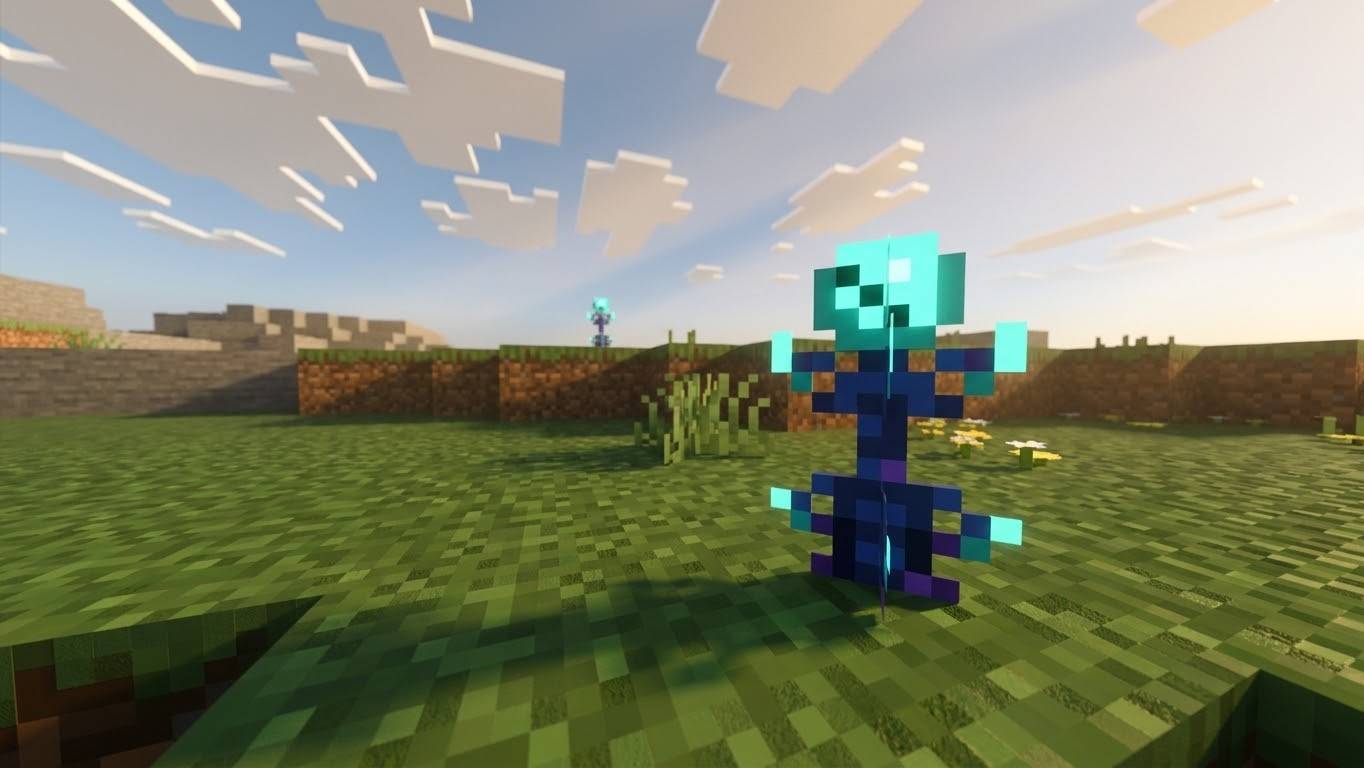
Enderflora is a Minecraft Bedrock Edition add-on that introduces a mysterious plant connected to the End. Explore the Overworld, discover this unusual plant growing naturally, and harvest its fragments to craft Ender Pearls!
🌱 About the Add-On
Have you ever wanted an alternative way to obtain Ender Pearls without relying entirely on Endermen? Enderflora brings a new plant to your Minecraft world, giving exploration and farming a new purpose.
With its dark blue appearance and turquoise sphere inspired by the Ender Pearl, Enderflora adds a unique touch to your world while offering a new way to work toward crafting Ender Pearls.
✨ Features
-
Custom plant: Discover Enderflora, a mysterious plant inspired by the End.
-
Natural generation: Find Enderflora growing naturally in the Overworld.
-
Four growth stages: Watch the plant develop through four visual stages.
-
Bone meal support: Use bone meal to help the plant grow faster.
-
Custom fragments: Harvest mature Enderflora to obtain Ender Pearl Fragments.
-
Craft Ender Pearls: Combine four Ender Pearl Fragments in a crafting grid to create one vanilla Ender Pearl.
-
Replanting: Use one Ender Pearl Fragment to plant Enderflora again and continue growing your own supply.
🧪 How to Use Enderflora
1. Find the plant
Explore the Overworld and keep an eye out for naturally generated Enderflora.
2. Grow it
Allow the plant to progress through its four growth stages. You can also use bone meal to speed up its growth.
3. Harvest the fragments
Once the plant reaches maturity, harvest it to obtain Ender Pearl Fragments.
4. Craft an Ender Pearl
Place four Ender Pearl Fragments in the crafting grid to obtain one regular Minecraft Ender Pearl.
5. Grow more Enderflora
Use one Ender Pearl Fragment to replant the crop and keep your little Enderflora farm going!
📦 Installation
-
Download the Enderflora add-on file (.mcaddon).
-
Open the file with Minecraft Bedrock Edition.
-
Wait for Minecraft to import the add-on successfully.
-
Create a new world or edit an existing one.
-
Open the world settings and enable the add-on under the appropriate Behavior Packs and, if required, Resource Packs sections.
-
Enter your world and explore!
Note: Depending on your Minecraft version and the add-on's implementation, certain experimental features or additional settings may be required. Follow any instructions included with the download.
⚠️ Compatibility and Known Issues
Enderflora is designed for Minecraft Bedrock Edition. Compatibility may vary depending on your Minecraft version and other installed addons