
Add-ons
SERP Pokédrock (Pokémon Addon) || v1.34.15 Altars & Type-Charts Update
by Zacek el Serpentín
- Downloads
- 7.7M
- Rating
- 4.2
by gamerzmcpe
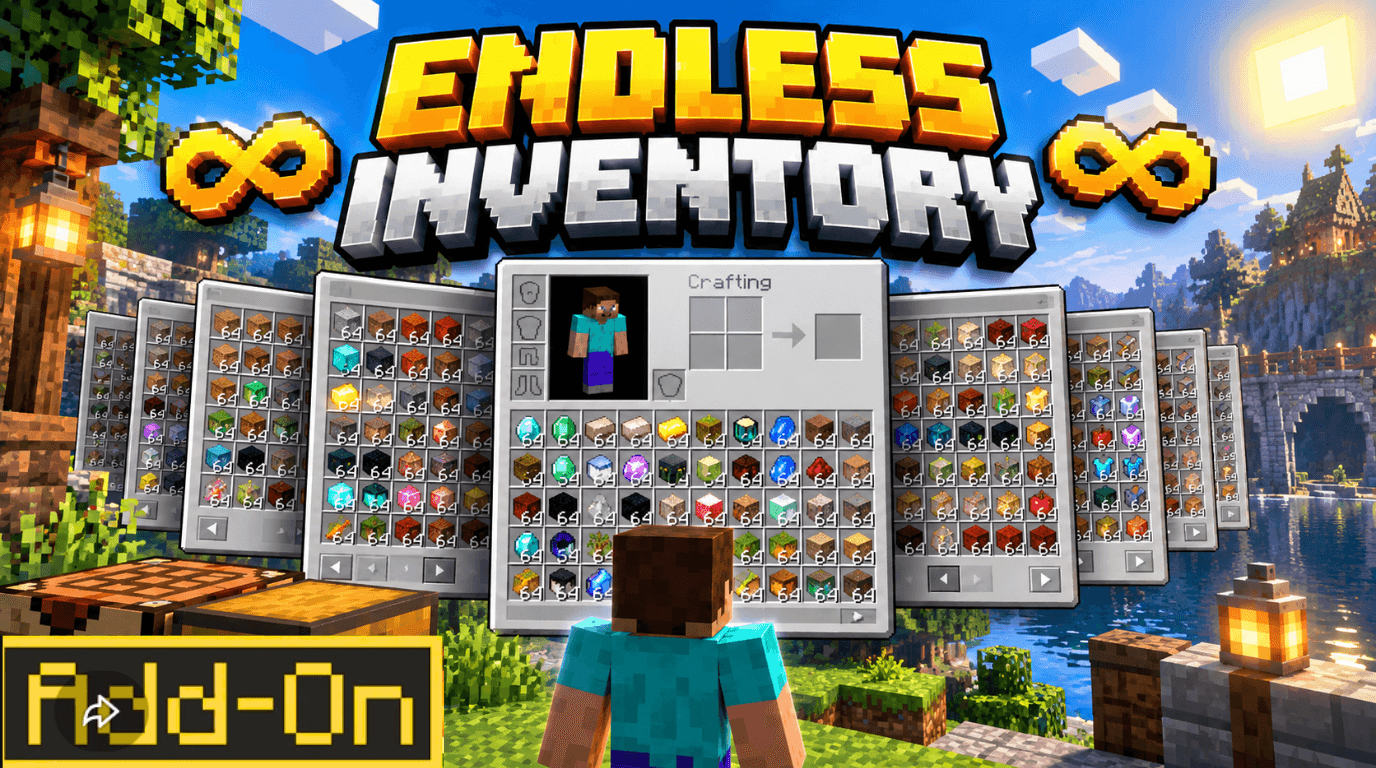
13,824 slots • ONE magical Page Dial ⚡ Tap to flip — HOLD to slide! 🔍 Instant search • 🎒 Loadouts • 🗂️ Auto-sort • 🛡️ Death-safe vault. Simple. Smooth. 100% original. Bedrock...
Written by gamerzmcpe.
🎒✨ ENDLESS INVENTORY ✨🎒
Never see "Inventory Full" again.
━━━━━━━━━━━━━━━━━━━━━━━━━━━━━━━━━
💭 Imagine carrying a whole storage room… in your pocket.
No more dropping loot to pick up loot 💔
No more half-finished mining trips ⛏️
No more "where did I put that sword?!" 😤
Endless Inventory gives you hundreds of inventory pages — and a magical Page Dial that slides through ALL of them like flipping through a book. 📖
One tap = next page. Hold the button and… WHOOOOSH ⚡ you fly through everything you own in seconds.
Fast. Smooth. Addictive. 🎛️
▬▬▬▬▬▬ ✦ ▬▬▬▬▬▬
⚡『 FEATURES 』⚡
📚 𝐄𝐧𝐝𝐥𝐞𝐬𝐬 𝐏𝐚𝐠𝐞𝐬
Up to 512 pages × 27 slots = 13,824 slots of personal storage. All searchable, all sortable, all yours — and it travels with you. 🎒
🎛️ 𝐓𝐡𝐞 𝐏𝐚𝐠𝐞 𝐃𝐢𝐚𝐥 (the fun part)
• 🖱️ Tap → next page
• 🤫 Sneak tap → previous page
• ⚡ HOLD → smooth fast slide (~4 pages/second) — stops the instant you let go
• The dial always shows your page: "Page #3"
Your hotbar becomes your slide control. 🔥
👀 𝐑𝐞𝐚𝐥 𝐈𝐭𝐞𝐦𝐬. 𝐑𝐞𝐚𝐥 𝐒𝐥𝐨𝐭𝐬.
The page you're on IS your inventory — real stacks, real counts (X/27). Nothing fake. Nothing ghosted. ✅
🔍 𝐈𝐧𝐬𝐭𝐚𝐧𝐭 𝐒𝐞𝐚𝐫𝐜𝐡
Type 3 letters → find any item across every page. Even in page 247. 🕵️
🎒 𝐇𝐨𝐭𝐛𝐚𝐫 𝐋𝐨𝐚𝐝𝐨𝐮𝐭𝐬
Save 6 presets (⚔️ fight, ⛏️ mine, 🏗️ build, 🧪 brew…) — switch with one tap. Your dial says "Loadout #2" at all times.
🗂️ 𝐒𝐦𝐚𝐫𝐭 𝐀𝐮𝐭𝐨-𝐒𝐨𝐫𝐭
One tap = Tools → Ores → Food → Mob Drops → Potions → Redstone → Blocks — plus duplicate-stack merging. Neat freaks, rejoice. ✨
🛡️ 𝐃𝐞𝐚𝐭𝐡-𝐒𝐚𝐟𝐞 𝐒𝐭𝐨𝐫𝐚𝐠𝐞
• Soulbound (default) — all stored pages survive death ☠️
• Hardcore — stored pages drop in dramatic Vault Remnant barrels at your death spot 🪣
Either way: zero dupes, zero losses. 💯
⚙️ 𝐘𝐨𝐮𝐫 𝐖𝐨𝐫𝐥𝐝. 𝐘𝐨𝐮𝐫 𝐑𝐮𝐥𝐞𝐬.
Progression economy 💎 (8♦ → 64♦ cap) or full Open mode • Void filter • Auto-store • Seal pages • Chat commands — all in-game configurable.
📱 𝐏𝐥𝐚𝐲 𝐀𝐧𝐲𝐰𝐡𝐞𝐫𝐞
Android · iOS · Windows 10/11 📲
Touch or keyboard. Realms & multiplayer ready — every player gets a private vault. 🔐
▬▬▬▬▬▬ ✦ ▬▬▬▬▬—
🎮『 CONTROLS 』🎮
Yes — it's THIS simple.
⚡ Next page → tap the Page Dial
⏪ Previous page → sneak tap
🚀 Fast slide → HOLD the dial & watch pages fly
📦 Full menu → tap the Endless Satchel
🎒 Loadouts → tap the Loadout Dial
📖 Help → the Endless Manual (or the golden strip on your inventory!)
🧪『 CRAFTING 』🧪
• Endless Satchel — 1 Ender Chest 2 Shulker Shells 2 Gold 2 Leather
• Page Dial — 1 Compass 1 Amethyst 2 Gold 2 Redstone
• Loadout Dial — 1 Clock 1 Amethyst 2 Gold 2 Iron
🎁 Free starter kit on first join!
📥『 INSTALL in 30 Seconds 』📥
1️⃣ Download Endless Inventory.mcpack
2️⃣ Double-tap → activate in Behavior Packs
3️⃣ Join — your kit arrives automatically 🎉
✅ No experiments needed • ✅ MCPE Bedrock 1.21.80 • ✅ .mcaddon fallback included
❓『 GOOD to KNOW 』❓
🔹 Versions? 1.21.80 → latest (mobile, PC, Realms, servers)
🔹 Experiments? Nope. Zero toggles.
🔹 Multiplayer? Yes — 100% private vaults.
🔹 Items safe? Auto-save every 5s corruption-proof format. Items are never deleted.
🔹 World safe? Yes — it only adds; uninstalling leaves your vanilla inventory untouched.
▬▬▬▬▬ 👑 ▬▬▬▬▬
『 AUTHOR & CREDITS 』
✨ Created, designed & coded by ✨
★ ɢᴜʀᴊᴀʀ ★
• Concept & Game Design — GURJAR
• 100% Original Code — GURJAR
• Recipes · UI · Balancing · Docs — GURJAR
• Published on CurseForge & MCPEDL — GURJAR
Original work • Not affiliated with Mojang, Microsoft or any Marketplace add-on.
🎥 Video/review? Awesome — just credit GURJAR & link the page. 💛
📜『 RULES 』📜
✅ Play • Share • Make videos (with credit)
❌ Don't re-upload • Don't resell • Don't claim as yours
Advertisement
by Zacek el Serpentín




