Skip to content
All add-ons

EuForia Nightvision Goggles

BedrockAdd-onSurvival

by EuForia_AlHaQ

EuForia Nightvision Goggles screenshot 1 of 6

About this add-on

EuForia Night Vision Goggles are tactical headgear for Minecraft Bedrock. Wear them and the world stays lit — caves, ravines, and the ocean floor all show up in full colour, day...

Read the author’s full description (584 words)

Written by EuForia_AlHaQ.

EuForia Nightvision Goggles

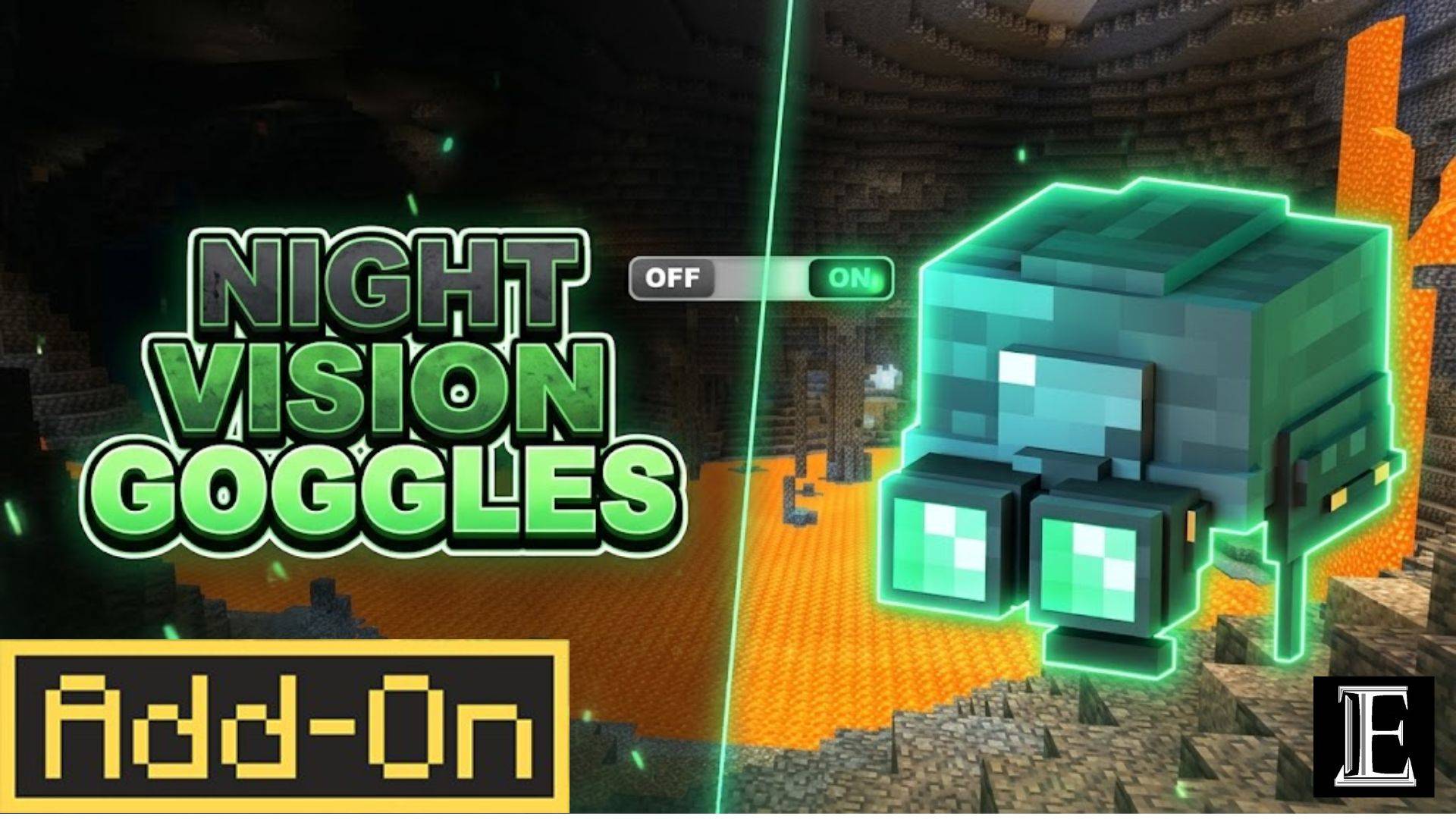
Night Vision Goggles are tactical headgear for Minecraft Bedrock. Wear them and the world stays lit — caves, ravines, and the ocean floor all show up in full colour, day or night.

Craft them in survival, wear them in your helmet slot, and they show on your character as a helmet with two glowing green lenses, straps, and a battery pack on the back.

✅ Achievement-friendly — uses product_type: addon metadata; world achievements remain enabled

🔗 Full wiki: euforiaproject.com and discord https://www.euforiaproject.com/discord If you want to request addons, leave suggestions, or give us direct feedback, feel free to visit our website!

What it does

  • Turns the dark into daylight. While you're wearing them, night vision stays on. Walk into a cave at midnight and you can mine, fight, and find your way without placing a single torch.
  • Keeps your screen clean. A night vision potion covers your view in purple bubbles. The goggles switch the effect on and hide the bubbles, so you see the cave instead of the potion.
  • Clears the fog. Caves and water stop looking hazy — the fog is pushed back so you can see where you're going.
  • Turns off when you don't need it. Hold sneak for 1.5 seconds, or type /euforia:nvg, to pause it. Do it again to switch it back on.
  • Protects your head. It works like a helmet: 2 armor points, and it lasts about 320 uses before it breaks.

Crafting

That's 2 copper ingots, 1 redstone, 2 amethyst shards, and 1 leather cap — six items in a crafting table. Repair it with copper or amethyst at an anvil.

How to use

  1. Craft it, then wear it on your head.
  2. Night vision turns on by itself.
  3. Hold sneak for 1.5 seconds — or type /euforia:nvg — to pause it. Do it again to turn it back on.
  4. Take it off and it's off.

Pausing keeps the helmet on your head. Useful when you walk into daylight and don't want to lose the slot.

What you need

  • Minecraft Bedrock 1.26.60 or newer — phone, tablet, Windows, or console.
  • Works in normal worlds, on Realms, and on servers.
  • Achievements still work.

How to install

  1. Download the behavior pack and the resource pack.
  2. Open both files — Minecraft adds them to your game for you.
  3. Turn on the behavior pack in your world. The resource pack turns on by itself.

Developed by EuForia Project

🌐 Website & Full Documentation: euforiaproject.com

Feedback & Community

Found a bug? Have a feature request or an idea to make this addon better? We would love to hear from you.

💬 Join our Discord: euforiaproject.com/discord

Drop your suggestions, bug reports, or just say hello — the EuForia community is always open.

License

Creative Commons Attribution-NonCommercial 4.0 International (CC BY-NC 4.0)

What you can do:

  • Use this addon in your own worlds, servers, and content
  • Modify, remix, and build upon it for personal or community projects
  • Share it with friends, communities, and players

What you cannot do:

  • Sell it, bundle it in paid products, or use it for commercial monetization
  • Re-upload it as-is (direct rehost) on CurseForge, MCPEDL, or any other platform — substantial modification and added value are required before redistribution

Attribution policy: By downloading and using EuForia Bedrock Debug, you are automatically considered to have given appropriate credit. You do not need to write out attribution text or include a credit line — using the addon is credit enough.

Full license terms: creativecommons.org/licenses/by-nc/4.0/

"Let's see what you cannot see."

— EuForia Project

Minecraft Bedrock 1.26.0 · Stable API · Native Feel · No Experiments · Achievement Friendly · All Platforms | euforiaproject.com

Images


How to install

  1. Download the file below. On iOS or Android, open it from your Downloads with Minecraft; on Windows, double-click it.
  2. Minecraft imports the pack automatically. Enable it in your world’s settings under Behavior Packs or Resource Packs; an add-on usually needs both.
  3. Playing on a Realm or server? Everyone needs the same packs, and the host has to enable them.
  4. Starting a new world? Choose its seed first: the Seed Map shows villages, structures and biomes near spawn for any Bedrock seed.