All add-ons
Export Worlds!
BedrockAdd-onSurvivalby lifeigniter
About this add-on
One tap. Your whole build, saved to your device. Glowing EXPORT button for MCPE & Bedrock — no mods, no cheats, no Realm.
Read the author’s full description (768 words)
Written by lifeigniter for the MCPEDL post, shown as published.
Big glowing world export import buttons for Minecraft Pocket Edition & Bedrock Edition.
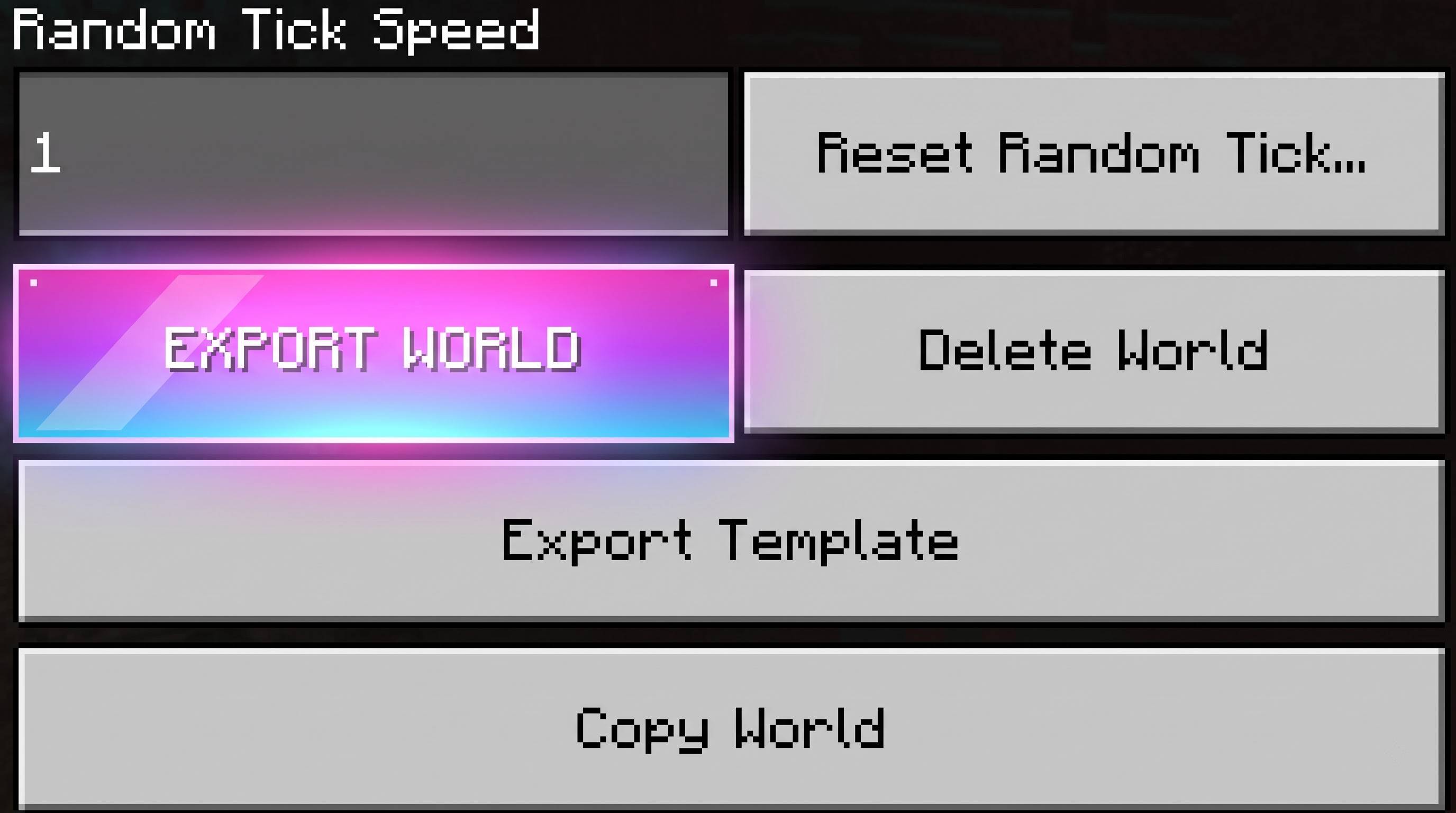
Minecraft's new UI hid the world export option so well that most players simply can't find it anymore. Export Worlds! puts it back — bigger, brighter and one tap away — right on the screen where you edit your world.
No mods. No cheats. No scripts. No Realm. No ₹2 auto-pay. Just a glowing button that saves your build to your device.
✨ What you get
On the Edit World screen
- SAVE BUILD TO DEVICE — a big, pulsing neon button in the GAME tab and in the left world pane (visible without scrolling). Tap it → your phone's file picker opens immediately → choose a folder → Save → your whole world is now a single file on your device.
- SAVE AS .MCWORLD (Bedrock) — same thing using the world-archive export, shown on Bedrock / Windows.
- IMPORT WORLD FROM FILE — one-tap import. Got a .mcworld, .mctemplate or .zip from a friend, Discord or a marketplace? Import it straight from here.
- A small 4-step "how it works" card, so nobody has to guess.
On the Play → Worlds screen
- A neon EXPORT WORLDS! bar at the top of your world list with an IMPORT WORLD shortcut — also the fastest way to confirm the pack is active.
Design
- Hot-pink → violet → electric-cyan gradient button with a 3-layer glow (soft halo pulsing halo hard ring), neon rim, spark dots and a pulsing title.
- Colour changes dramatically between default / hover / pressed — 3 hand-made 512×120 textures per button, plus a matching amber secondary button.
- Everything is original artwork generated for this pack.
🎮 How to use it (30 seconds)
- Activate the pack in Settings → Global Resources.
- Fully close Minecraft and open it again (UI packs load at start-up).
- Play → the neon EXPORT WORLDS! bar appears at the top of the Worlds list.
- Open Play → Worlds → ✏️ Edit on any world → GAME tab.
- Tap SAVE BUILD TO DEVICE → pick Downloads → name it MyBuild.mcworld → Save. Done — your build is one file.
- To restore it: come back to the same panel and hit IMPORT WORLD FROM FILE, or just tap the saved file in your file manager.
Tip: name the file ending in .mcworld — that makes it a normal world backup that imports with one tap. .mctemplate also works and shows up under Templates.
✅ Why this is safe
- No scripts, no cheats, no experimental toggles. It's a resource pack (JSON UI) — it does not change gameplay, mobs, blocks or world data.
- The export itself is Minecraft's own code. The buttons simply call the game's existing export/import handlers, so the file is written exactly the way the game would write it. The pack only gives that function a big glowing front door.
- Nothing vanilla is replaced. The pack inserts its panels into empty space; it never removes or rewrites an existing control, so no screen can break.
- Uninstall = deactivate the pack. Your worlds are untouched.
📦 Compatibility
Minecraft Pocket Edition (Android / iOS) ✅ Minecraft Bedrock Edition (Windows, etc.) ✅ Minimum version 1.21.80 Newer versions ✅ (verified against 1.21.80 and 1.26.x UI) Other UI/resource packs ✅ compatible (additive injection) Realm required? ❌ never External app required? ❌ neverNote: export writes the file through the game's file picker. On a few Android builds that block the system file picker for this screen, the button can appear greyed out / do nothing — in that case use the game's own Realms backup instead. This is a device/permission limitation, not a pack limitation.
🧾 Credits & disclaimer
Created by lifeigniter. All JSON-UI code, textures and the pack icon are original work made from scratch for this project. No Mojang files, textures, sounds, models or code are copied, extracted, decompiled or redistributed. The pack only references public vanilla control names and re-uses the game's own built-in export/import handlers.
License: MIT — you may redistribute, mirror or include this pack in mod-packs as long as credit to lifeigniter is kept.
Disclaimer: This is an unofficial, fan-made add-on. It is not approved by, affiliated with, or endorsed by Mojang Studios or Microsoft. Minecraft is a trademark of Mojang Studios. Use at your own risk; always keep a backup of your worlds (which is, after all, the whole point of this pack 🙂).
Contact / feedback: leave a comment on the project page — feature requests and bug reports with your device Minecraft version are very welcome.
🔄 Changelog
1.0.0
- Glowing SAVE BUILD TO DEVICE button on the Edit World screen (GAME tab world pane).
- SAVE AS .MCWORLD export for Bedrock / Windows.
- IMPORT WORLD FROM FILE one-tap import.
- Neon EXPORT WORLDS! bar on the Play → Worlds list.
- 3-layer glow, neon rim, spark dots, pulsing title, 9 original button textures.
- Fixed-size panels, three injection points, no dependency on optional game variables.