G-Flow Xray
BedrockTexture packUtilityby GameFlowPlayz
Part of:Best X-ray & ore packs
- Rating
- 3.3 / 5
- Downloads
- 54,152 downloads
- Last update
- Updated
- Published on
- Published on MCPEDL
About this texture pack
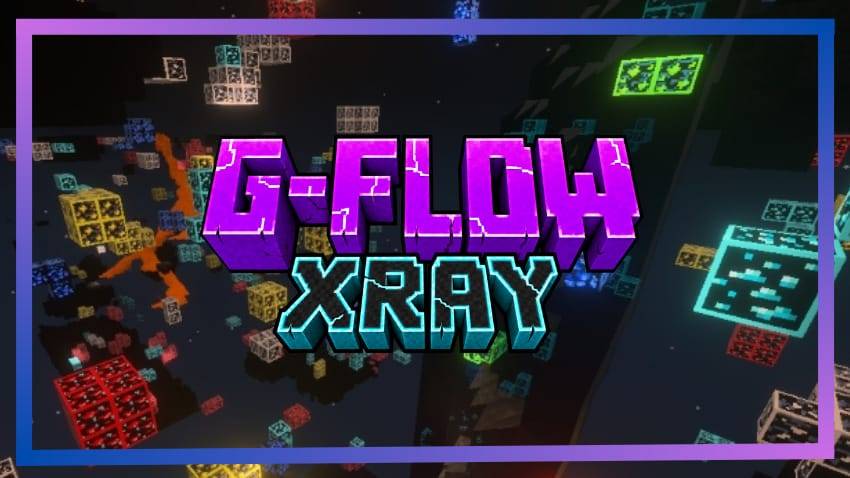
G-Flow Xray by GameFlowPlayz is a single resource pack that highlights one ore at a time, picked in the pack's settings. Version 1.3.0 adds Ancient Debris, Nether Quartz and Nether Gold to the list, which now has 13 options. It has no behavior pack and no script modules.
What it adds
Ore options
The pack has 13 options, chosen with the gear icon on the pack. The author's pack description says to pick one ore to highlight. The list has No Ores, an All Ores option and the single ores shown below, and the author says All Ores also lights up the Nether ores.
| Option | Pack |
|---|---|
| No Ores | G-Flow X-Ray |
| Coal | G-Flow X-Ray |
| Lapis | G-Flow X-Ray |
| Redstone | G-Flow X-Ray |
| Copper | G-Flow X-Ray |
| Emerald | G-Flow X-Ray |
| Gold | G-Flow X-Ray |
| Iron | G-Flow X-Ray |
| Diamond | G-Flow X-Ray |
| Ancient Debris | G-Flow X-Ray |
| Nether Quartz | G-Flow X-Ray |
| Nether Gold | G-Flow X-Ray |
| All Ores | G-Flow X-Ray |
Files and PBR sets
The download holds 126 files in one resource pack. It has 40 PBR texture sets, which Vibrant Visuals and ray tracing use, and 1 texture file in textures/ui. The pack also has a lighting folder with Vibrant Visuals settings.
- The author says there is PBR support for 18 ore and ancient debris textures, with an emissive glow under Vibrant Visuals.
- The 1.3.0 changelog says the three new Nether ores get glowing outlines under Vibrant Visuals, matching the older ores.
Requirements and compatibility
- Minimum Minecraft version in the manifest: 1.21.0. That is the lowest version the pack declares, not a promise for every later release.
- One resource pack only. There is no behavior pack, so no script modules and no beta script modules.
- The author recommends playing with Vibrant Visuals. Its pack description also names Smooth Lighting off, Brightness 100% and a higher render distance.
- File size: 690.44 KB as one .mcpack, 673 KB unpacked.
- The files and the author's page list no vanilla files replaced.
Get started
- Install it: how to install Minecraft Bedrock add-ons covers .mcaddon, .mcpack and .mcworld files on iOS, Android and Windows.
- Activate G-Flow Xray as a resource pack.
- Tap the gear icon on the pack and choose one ore, such as Diamond or Ancient Debris, or pick All Ores.
- Following the author's notes, turn on Vibrant Visuals, switch Smooth Lighting off and set Brightness to 100%.
Version history
- G-Flow-Xray-1.3.0.mcpack · 690.44 KB. The author's changelog describes a Nether update that adds Ancient Debris, Nether Quartz and Nether Gold to the slider.
- G-Flow Xray 1.2.1.mcpack · 678.9 KB.
- G-Flow Xray 1.2.0.mcpack · 691.28 KB.
- G-Flow Xray 1.0.1.mcpack · 658.08 KB.
Compared with similar packs
- X ray Outline | X-ray | XrayX ray Outline lists 47 texture files in textures/blocks and 17 PBR texture sets. G-Flow Xray has 1 texture file in textures/ui, 40 PBR texture sets and 13 slider options.
Questions and answers
- Which Minecraft version does G-Flow Xray need?
- The manifest sets a minimum of 1.21.0. The files and the author's page list no supported-version tags from the author.
- How do I choose which ore is highlighted?
- Use the gear icon on the pack and pick one of the 13 options, from No Ores through All Ores.
- Does G-Flow Xray need Vibrant Visuals?
- The author recommends Vibrant Visuals and lists it under recommended settings. The files and the author's page do not say whether the pack works without it.
How we know
The numbers, names and commands on this page were read from the pack’s own files and from MCPEDL on . We did not play it, and we host no copy of it.
Read from: the publisher's page: page · the publisher's page: summary · the publisher's page: files · the publisher's page: changelog 2026-11-13 · the publisher's page: description · file:G-Flow-Xray-1.3.0.mcpack · manifest.json · textures/ · textures/*.texture_set.json · lighting/
Advertisement
More shaders & texture packs
- Shaders & Texture packs
Rem UI Re Zero | Anime Girl Animated Menu
by YashGameplay
- Downloads
- 68.9K
- Rating
- 4.3