Level = Border [Achievement Compatible]
BedrockScriptOtherby TheFelixLive
![Level = Border [Achievement Compatible] screenshot 1 of 1](/mods/media/media.forgecdn.net/attachments/1357/255/bedrockedition-png-png.png)
About this script
Everytime you earn a level your borader increases by 1 block!
Read the author’s full description (149 words)
Written by TheFelixLive for the MCPEDL post, shown as published.
Level = Border (Bedrock)
About
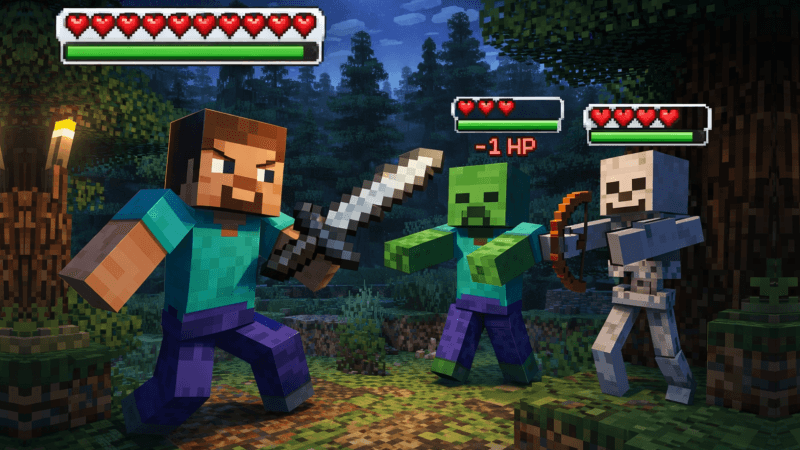
Are you bored of defeating the Ender Dragon for the 600th time? In this Minecraft Bedrock Challenge, you have a border that increases with each level! Can you defeat the Wither or Ender Dragon with it?
Customization
With in the Configuration you can chose the border effect and how it should behave!
Credits
- Inspiration for the challenge: BastiGHG
License & Attribution
This project is licensed under the MIT License. Thank you for respecting my attribution requirements and supporting this project!
Installation
Make sure that both the Challenge and the Timer are using the same CCS (Challenge Communication System) Version!
- Download the latest challenge release
- Download the best timer release, mostlikely from here.
- Open both .mcpack or .mcaddon files with Minecraft.
- Create a new world OR edit an existing world
- Navigate to: Behavior packs.
- Click on "Available"
- Activate the Challenge & the Timer
- Play or Create your World
What’s new in the latest update
The author’s notes for the file uploaded .
## 🐞 Bug Fixes - Fixed border notifications in multiplayer - Fixed online Changelog --- > **Supported Minecraft Versions:** 1.21.100 **or later** > **Communication protocols:** Internet API (V1), Challenge Communication System (V2) > **Supports Preview!**
Video
How to install
- Download the file below. On iOS or Android, open it from your Downloads with Minecraft; on Windows, double-click it.
- Minecraft imports the pack automatically. Enable it in your world’s settings under Behavior Packs or Resource Packs; an add-on usually needs both.
- Playing on a Realm or server? Everyone needs the same packs, and the host has to enable them.
- Starting a new world? Choose its seed first: the Seed Map shows villages, structures and biomes near spawn for any Bedrock seed.
Advertisement