All add-ons
Mineral Harvest
BedrockAdd-onSurvivalby Cromos GG
About this add-on
Grow seven mineral crops, harvest without replanting, and automate your farm with a chest-connected harvester!
Read the author’s full description (960 words)
Written by Cromos GG for the MCPEDL post, shown as published.
Mineral Harvest — Grow Your Own Resources!
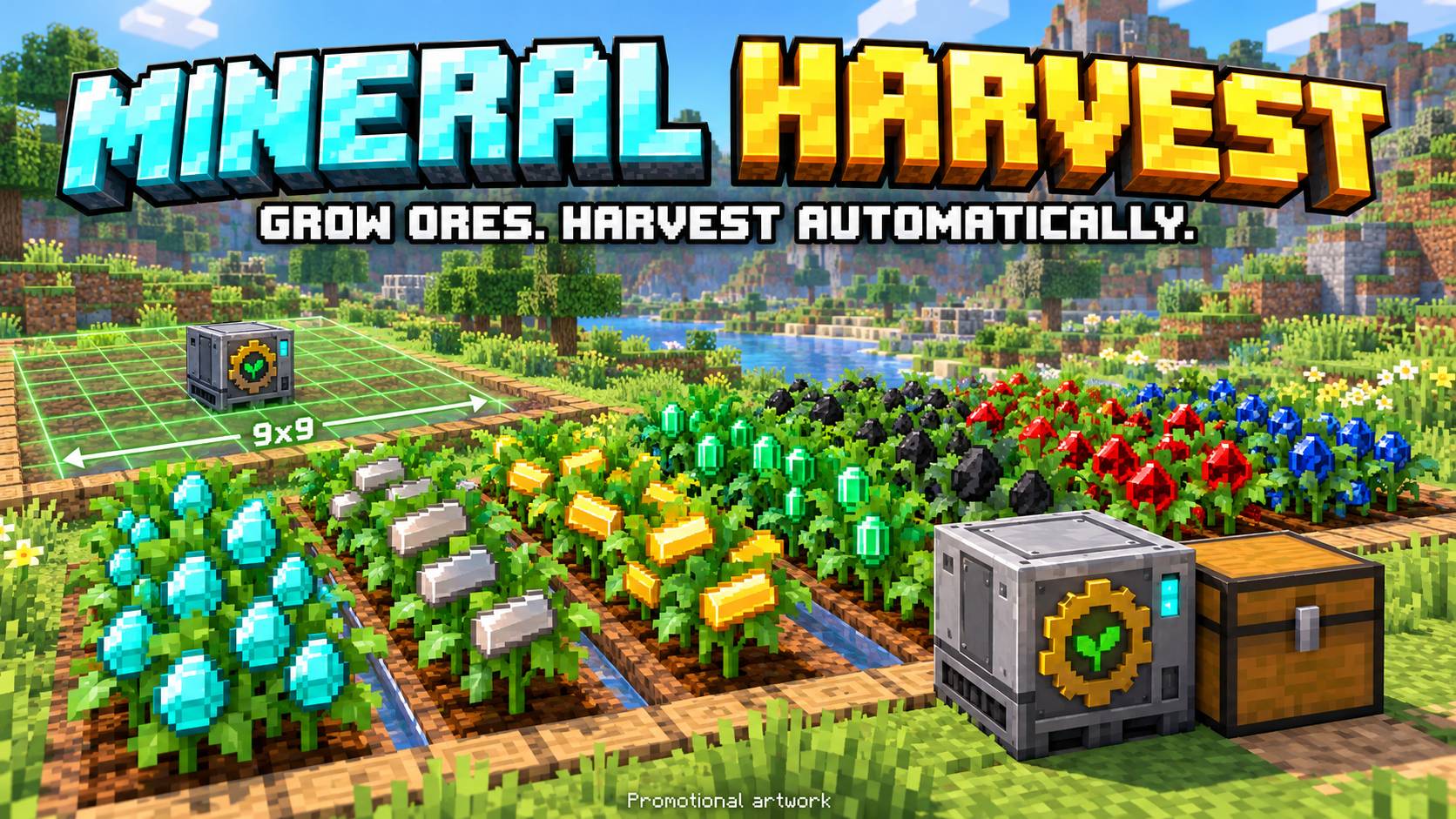
Turn your farm into a renewable source of minerals! Mineral Harvest adds seven resource crops to Minecraft Bedrock, themed farmland, reusable plants, and an automatic harvester that sends your harvest directly into a chest.
Promotional artwork. The guides below use addon textures.
Watch the Addon in Action
Join Cromos GG for a walkthrough of Mineral Harvest! See resource crops, automatic harvesting and the tiny Garden Armadillo in action.
Watch the Mineral Harvest showcase on YouTube — Cromos GG
Seven Resource Crops
- Diamond
- Iron
- Gold
- Emerald
- Coal
- Redstone
- Lapis Lazuli
Each crop has its own mineral theme. Planting a resource seed transforms the farmland underneath into matching mineral soil.
Simple Seed Crafting
Combine one wheat seed and one matching resource on a crafting table to make one resource seed. The ingredients can be placed in any position.
- Wheat Seeds Diamond = Diamond Seeds
- Wheat Seeds Iron Ingot = Iron Seeds
- Wheat Seeds Gold Ingot = Gold Seeds
- Wheat Seeds Emerald = Emerald Seeds
- Wheat Seeds Coal = Coal Seeds
- Wheat Seeds Redstone Dust = Redstone Seeds
- Wheat Seeds Lapis Lazuli = Lapis Seeds
Harvest Without Replanting
Some older guide artwork may show previous timing values. The current timings are listed below.
Plant your seeds on tilled farmland. Crops grow through four stages. Without fertilization, they are configured to mature in approximately 5–7 minutes with water, or 10–14 minutes without water while the area is loaded.
Right-click a mature crop to collect one resource. The plant stays full-grown, but its minerals disappear. After another growth cycle, the minerals return and you can harvest again!
Breaking a crop returns its seed. If it is ready to harvest, it also drops one resource. After removing the plant, the themed soil returns to ordinary farmland.
Automatic Mineral Harvester
Place the harvester at the edge of the farm while looking toward the crops. Its top arrow points into the field. Put a normal or trapped chest directly against one of its sides. No pipes, hoppers, fuel, or redstone signal are needed.
- 9×9 forward collection area: rows one through nine ahead of the machine, with four blocks to either side. Checks crops at machine height and one block above.
- Checks for mature crops every two seconds.
- Deposits one resource per mature crop directly into the connected chest.
- Keeps harvested plants full-grown so they can produce again.
- Leaves minerals on the plants if no chest is connected or there is no room for that resource.
Harvester recipe:
Iron Ingot Chest Iron Ingot Redstone Dust Diamond Redstone Dust Iron Ingot Iron Ingot Iron IngotTotal: five iron ingots, one chest, two redstone dust, and one diamond.
See the Collection Area
Updated in 1.2.4: the collection area is entirely in front of the machine. Older guide artwork below may show the previous centered layout. The in-game green preview shows the current forward area.
While no chest is connected, a transparent green 9×9 grid marks the harvester's collection area. Place a chest next to the machine and the grid disappears within approximately two seconds. Remove the chest and the grid returns. The marker is visual only and does not replace blocks.
Meet the Garden Armadillo
A tiny garden helper based on the vanilla armadillo, at half its size, with subtle moss details and quiet sounds.
- May appear naturally in the Overworld near at least four resource crops. Natural spawning checks avoid another garden armadillo within 16 blocks.
- Stays visible for at least 30 seconds after appearing, then looks for a growing crop on suitable soil.
- Burrows for about 45 seconds, fertilizes one crop, emerges, and rests above ground for 60 seconds.
- Fertilization accelerates the remaining growth cycle when water is nearby. It does not stack and resets after harvesting. Dry crops keep their slower growth.
- On stone or without suitable crops, it stays above ground. If its crop or soil disappears during burrowing, it begins emerging.
Test command: /summon mineral_harvest:garden_armadillo
The new banner is promotional artwork; the in-game mob uses the addon model and texture.
Water, Bonuses & Field Guide
Place water at soil height within four blocks horizontally of each crop. Interact with a growing crop to see its progress and water status. Sneak and interact with a mature crop to inspect it without harvesting.
Successful manual and automatic harvests have a 5% chance to grant an extra seed. Craft the field guide using one book and one wheat seed to read the instructions in-game.
Version 1.2.4 — Forward Harvester
- Place the harvester at the farm edge: its 9×9 collection area is entirely in front.
- The green preview and actual collection area share the same direction and position.
- Added placement direction and a small top arrow that points toward the field.
- Updated the in-game guide in English, Brazilian Portuguese and Spanish.
Updating an existing world: break and replace older harvesters while looking toward the crops to set their direction.
Installation & Languages
- Import the .mcaddon file into Minecraft Bedrock.
- Activate both the Mineral Harvest Behavior Pack and Resource Pack in your world.
- Craft resource seeds and start your mineral farm!
Item names support English, Brazilian Portuguese, and Spanish, following your Minecraft language setting.
The farm must be in a loaded area for growth and automatic harvesting to work. This version does not include natural crop generation, bone meal growth, or a villager collector.
For testing, enable commands and use /function mineral_harvest_test to receive all seven seed types, a harvester, a chest, and basic planting supplies.
Credits
Created by Cromos GG with AI assistance.
YouTube: Cromos GG
CurseForge: CromosGG. Inspired by the resource-farming concept of Mystical Agriculture. Mineral Harvest is an independent Bedrock addon and is not affiliated with or endorsed by the original mod's creators.
Garden armadillo model, base texture and walking animation adapted from Mojang’s vanilla Bedrock assets. See the included vanilla asset credits.