
Add-ons
SERP Pokédrock (Pokémon Addon) || v1.34.15 Altars & Type-Charts Update
by Zacek el Serpentín
- Downloads
- 7.7M
- Rating
- 4.2
by Bosya
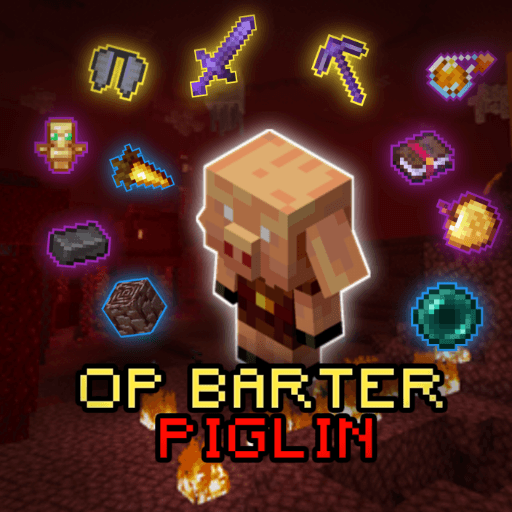
Barter Gold for God-tier items and enchants! Achievements Friendly.
Written by Bosya.
Are you tired of tossing your valuable Gold Ingots to Piglins only to receive gravel, soul sand, and useless nether bricks?
OP Piglin Barter completely overhauls the Nether bartering mechanics! Every single Gold Ingot you trade now guarantees high-tier survival essentials, god-tier gear, and rare enchantments.
🏆 Achievement Friendly: Play with your achievements ON! No experiments or Beta APIs required.
Ancient Debris (2–4x) — 10.53%
Ender Pearl (8–16x) — 10.53%
Golden Carrot (16–32x) — 10.53%
Netherite Ingot (1–2x) — 7.89%
Enchanted Golden Apple (1–2x) — 7.89%
Totem of Undying (1x) — 7.89%
Enchanted Book: Mending — 7.89%
Enchanted Book: Soul Speed III — 7.89%
Enchanted Book: Random Lv.30 — 7.89%
Splash Potion of Fire Resistance — 7.89%
Enchanted Book: Swift Sneak III — 5.26%
Elytra (1x) — 2.63%
Netherite Sword (Lv.30 Enchants) — 2.63%
Netherite Pickaxe (Lv.30 Enchants) — 2.63%
Gravel
Blackstone & Nether Bricks
Soul Sand
Leather & String
Normal Arrows
Iron Nuggets
Water Bottles
━━━━━━━━━━━━━━━━━━━━━━━━━━━━━━━━━━━━━━━━
🌐 CurseForge: bosya's Projects • 📥 MCPEDL: bosya's Profile
💬 Telegram: @bosya_craft Group • ☕ Support: Donate on Ko-fi
━━━━━━━━━━━━━━━━━━━━━━━━━━━━━━━━━━━━━━━━
Advertisement
by Zacek el Serpentín




