Skip to content
All add-ons

Parkour Add-On (by S7D)

BedrockAdd-onSurvival

by SE7ENDAYS.Studio

Parkour Add-On (by S7D) screenshot 1 of 8

About this add-on

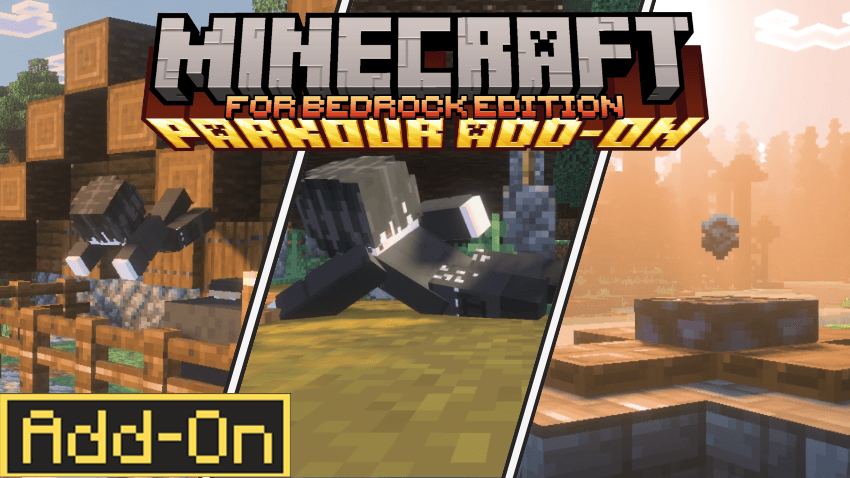
The Parkour Add-on by S7D adds smooth, stylish moves to Minecraft, letting players perform tricks like dropkicks, slides, rolls, and crawls. It's easy to use, fun to master, and...

Read the author’s full description (151 words)

Written by SE7ENDAYS.Studio for the MCPEDL post, shown as published.


Experience greater freedom of movement in Minecraft with this parkour add-on!

Designed for smooth and dynamic gameplay, it introduces drop kicks, slides, rolls, and more, letting you move through the world with speed and agility. Whether you're dodging enemies, racing through obstacles, or exploring in style, this add-on keeps parkour fun and intuitive without overcomplicating things.

Parkour Controls

  • Dropkick – Press Jump twice within 2 seconds. (Only works with Parkour plus plus)
  • Dodge – Tap left or right, then press and release Sneak within 0.3 seconds (Coming soon to  Parkour plus plus)
  • Roll – Press Jump just before hitting the ground (when falling from a height that causes damage).
  • Slide – Hold Sprint Sneak while moving.
  • Crawl – Sneak while moving forward towards 1 block gap.
  • Vault – While sprinting, get close to a block and press Jump.
  • Wallrun – Sprint into a wall sideways, at least 1.5 blocks above the ground.

Exclusive for Patreon members Parkour : https://www.patreon.com/c/se7endays/membership

What’s new in the latest update

The author’s notes for the file uploaded .

  • more optimized
  • fixed the naming issue

Video

The video the creator embedded in this add-on's MCPEDL post. SE7ENDAYS.Studio on YouTube

How to install

  1. Download the file below. On iOS or Android, open it from your Downloads with Minecraft; on Windows, double-click it.
  2. Minecraft imports the pack automatically. Enable it in your world’s settings under Behavior Packs or Resource Packs; an add-on usually needs both.
  3. Playing on a Realm or server? Everyone needs the same packs, and the host has to enable them.
  4. Starting a new world? Choose its seed first: the Seed Map shows villages, structures and biomes near spawn for any Bedrock seed.