
Add-ons
SERP Pokédrock (Pokémon Addon) || v1.34.13 New Pokémon & interactions Update
by Zacek el Serpentín
- Downloads
- 7.6M
- Rating
- 4.2
by BlockPlay
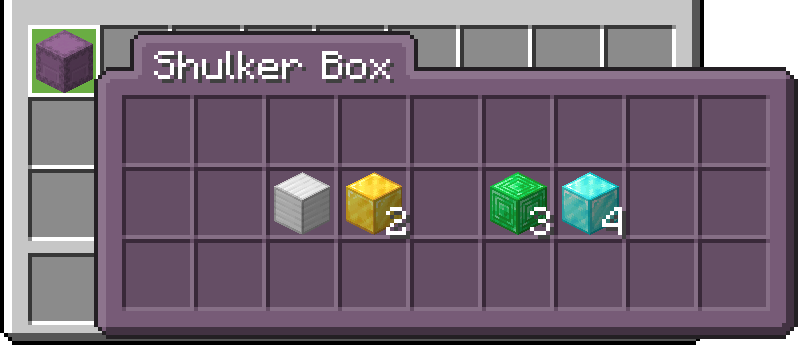
Shulker Preview enhances your vanilla Minecraft Bedrock experience by letting you hover over Shulker Boxes in the inventory UI to preview the items stored inside. It’s a conveni...
Written by BlockPlay for the MCPEDL post, shown as published.
Preview the contents of your Shulker Boxes directly from your inventory.
This addon adds a tooltip displaying the items stored inside each Shulker Box.
It works out of the box!
No setup or toggles required. However, Both the resource and behavior pack has to be applied to a given world for the addon to work.
The tooltip of the items appears as soon as you hover over the shulker!
To color shulkers interact with them while holding a dye!
Custom name!
Multiple preview colors!
Colors can be changed by renaming the shulker in the anvil.
start the name with these to change the color
§0 §1 §n §3 §8 §2 §9 §a §5 §6 §d §u §4 §7 §f §e
The author’s notes for the file uploaded .
Advertisement
by Zacek el Serpentín




