
Add-ons
SERP Pokédrock (Pokémon Addon) || v1.34.15 Altars & Type-Charts Update
by Zacek el Serpentín
- Downloads
- 7.7M
- Rating
- 4.2
by BebuPlayz
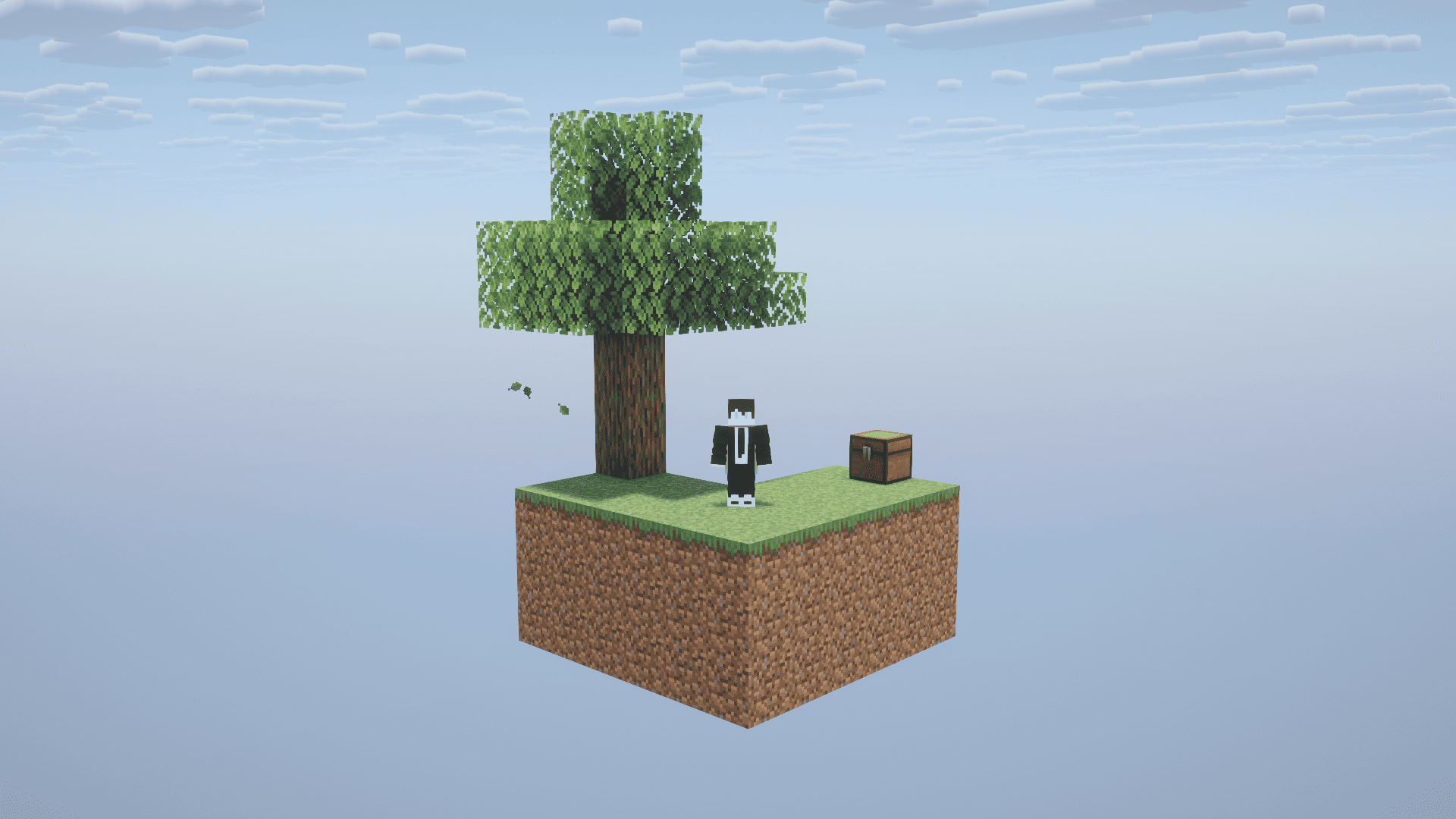
Skyblock: Basic - Start on a tiny floating island, survive with limited resources, and explore the Overworld, Nether, and End to discover structures and progress through Minecraft!
Written by BebuPlayz.
Welcome to Skyblock: Basic by Bebu! Experience Minecraft survival like never before, starting with almost nothing and turning a tiny island into your own world.
START WITH THE BASICS
Begin your adventure on a small grass island with a tree and a chest containing essential starter resources. Every block matters, and how you use your limited supplies will determine whether you survive.
EXPLORE NEARBY ISLANDS
Discover a separate sand island containing valuable resources, including obsidian, melon seeds, pumpkin seeds, and a cactus. Make the most of these limited supplies to expand your possibilities and build your survival base.
SURVIVE THE NETHER
Entering the Nether brings a different challenge. Arrive at a small glowstone platform with its own chest of essential resources, mushrooms, and items to help you continue your journey.
DISCOVER MINECRAFT STRUCTURES
The adventure doesn't end with your starting island. Explore farther from spawn to discover structures across different dimensions, including:
Structures are placed as you explore, giving you destinations to search for and valuable opportunities to progress.
FIND THE END PORTAL
Use Eyes of Ender to track down a Stronghold and prepare for the ultimate challenge. The addon includes a custom purple particle trail to help guide you toward the End Portal area.
YOUR SKYBLOCK ADVENTURE BEGINS
Start small, manage your resources carefully, explore every dimension, and see how far you can progress from a tiny floating island to defeating the Ender Dragon.
Can you survive Minecraft Skyblock?
Advertisement
by Zacek el Serpentín




