
Add-ons
SERP Pokédrock (Pokémon Addon) || v1.34.15 Altars & Type-Charts Update
by Zacek el Serpentín
- Downloads
- 7.7M
- Rating
- 4.2
by TryzzMC
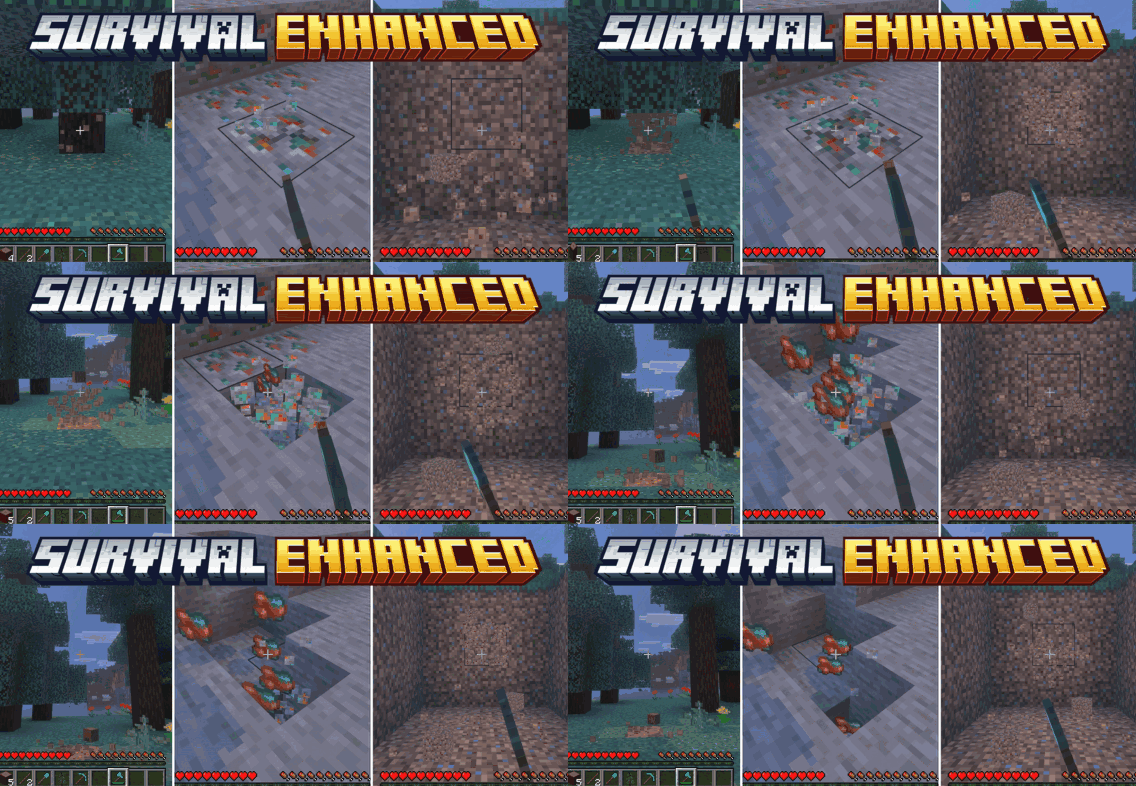
Enhance your survival gameplay with sneak-activated vein mining, area digging, and tree felling for pickaxes, shovels, and axes — full tool-tier, enchantment, and durability sup...
Written by TryzzMC.
Enhance your survival gameplay with sneak-activated vein mining, area digging, and tree felling for pickaxes, shovels, and axes — full tool-tier, enchantment, and durability support!
This AddOn respects tool durability, and normal single-block mining still works exactly as before when you're not sneaking.
You can earn achievements with this AddOn!
ATTENTION: Achievements have been disabled since the Minecraft 26.50 update. I'm working on a solution.
Sneak while mine one ore and the whole connected vein comes with it!
Sneak while shoveling to clear a 3x3 patch of dirt, sand, gravel, clay and more!
Sneak while chopping to fell an entire tree, trunk and canopy, without touching the tree next to it.
NEW v1.2 - Dynamic Lightning Update!
The author’s notes for the file uploaded .
Update v1.5
Fixed: Dynamic Light no longer leaves invisible light blocks behind after /reload, crashes, rejoining, teleporting or changing dimensions.
Fixed: Fortune now matches vanilla. Redstone and Lapis were far too strong before.
Fixed: Unbreaking now applies to Vein Mining, Area Digging, Tree Felling and Spawner Mining.
Added: Vein Mining drops vanilla XP (not with Silk Touch), so Mending works with it.
Fixed: In Creative mode, tools no longer lose durability and no extra drops or XP are created.
Advertisement
by Zacek el Serpentín




