All add-ons
TC Xray + Find biome
BedrockAdd-onUtilityby ToanCao
About this add-on
A powerful and highly customizable X-Ray add-on featuring pulsing block highlights, granular ore filtering, and multiple activation modes.
Read the author’s full description (1,728 words)
Written by ToanCao for the MCPEDL post, shown as published.
TC X-Ray
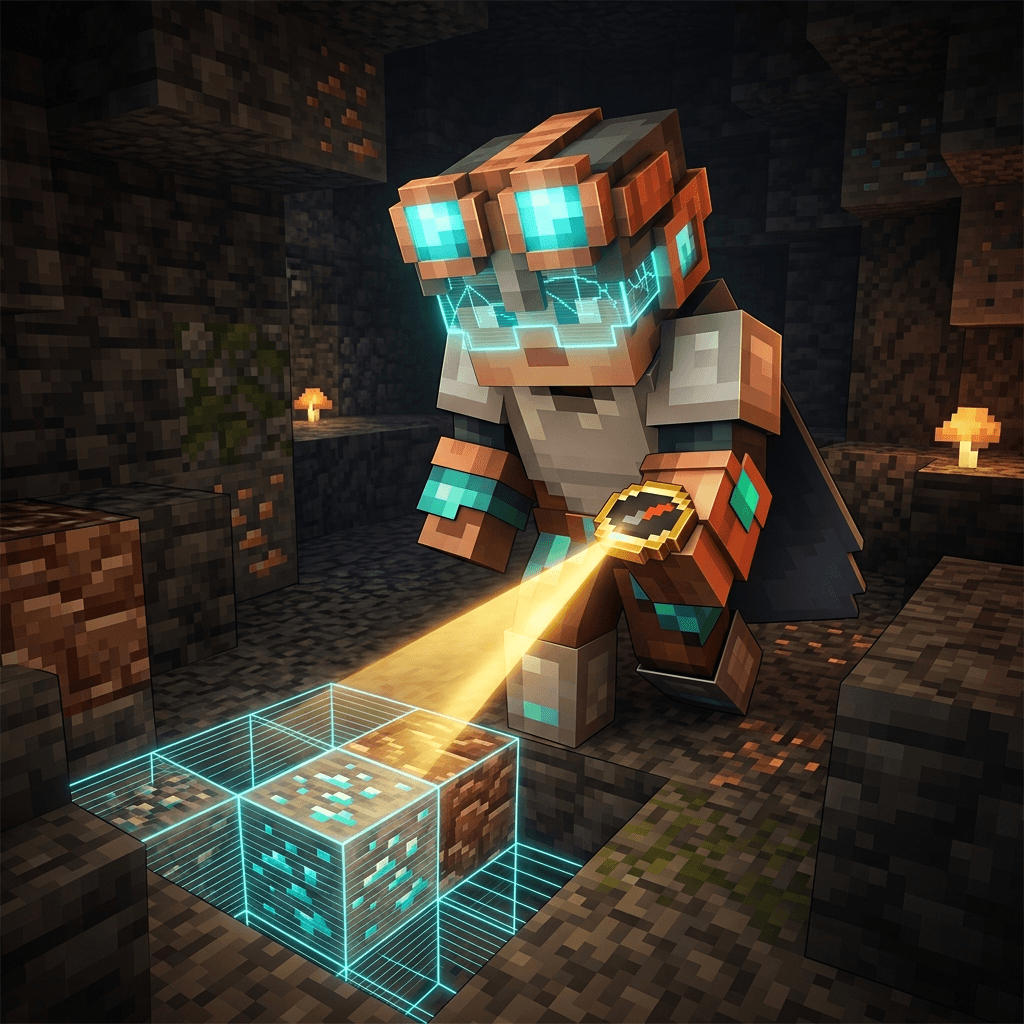
TC X-Ray is an advanced survival-friendly X-Ray vision radar addon for Minecraft Bedrock Edition. It reveals concealed ores, hidden dungeons, monster spawners, trial chambers, and buried treasure vaults through solid terrain using customizable 3D highlight wireframes, directional laser beams, and distance holograms.
Video Showcase and Preview
Watch the showcase video:
Crafting Recipes and Items
1. Basic X-Ray Glasses
A lightweight early-game visor that highlights a single connected ore vein cluster through walls.
Crafting Grid (3x3):
Top Left Top Center Top Right Copper Ingot (Empty) Copper Ingot Amethyst Shard Copper Ingot Amethyst Shard (Empty) (Empty) (Empty)How to Use:
- Right-click (or tap interact on mobile) while holding the item to equip it onto your head.
- While equipped on your head, press [Sneak Jump] to open the Ore Sacrifice Menu.
- Sacrifice 1 target ore to reveal and highlight that nearest ore vein cluster for 5 minutes.
2. Ore Compass
An intelligent directional locator projecting a 3D laser guide beam through solid blocks directly to hidden ores.
Crafting Grid (3x3):
Top Left Top Center Top Right (Empty) Copper Ingot (Empty) Amethyst Shard Compass Amethyst Shard (Empty) Copper Ingot (Empty)How to Use:
- Right-click (or tap interact on mobile) while holding the Ore Compass to open its tracking dashboard.
- Sacrifice 1 target ore to begin a 5-minute tracking session.
- A luminous laser beam connects from the hidden ore directly to your feet, staying active even while you mine with your pickaxe.
- Synchronized Targeting: When using both the Ore Compass and Basic Glasses on the same ore type, both tools automatically synchronize and guide you to the exact same vein.
3. Endgame X-Ray Glasses
The ultimate mining headset with full 360-degree multi-ore radar, customizable filters, and anti-lag culling.
Crafting Grid (3x3):
Top Left Top Center Top Right Diamond Echo Shard Diamond (Empty) Basic X-Ray Glasses (Empty) (Empty) Nether Star (Empty)How to Use:
- Right-click (or tap interact on mobile) while holding the item to equip it onto your head.
- While equipped on your head, press [Sneak Jump] to open the full X-Ray Configuration Dashboard.
- Toggle X-Ray vision ON or OFF directly via the main menu toggle button.
4. Mob Tracker
An advanced bio-locator instrument projecting a real-time 3D laser guide beam directly through terrain to any designated mob.
Crafting Grid (3x3):
Top Left Top Center Top Right (Empty) Ender Eye (Empty) Diamond Compass Diamond (Empty) Gold Ingot (Empty)How to Use:
- Right-click (or tap interact on mobile) while holding the Mob Tracker to open the search modal.
- Enter any mob name/ID in the text box or choose quickly from over 75 categorized Minecraft mobs.
- Consumes 1 Diamond only when a matching mob is successfully located in your render distance (1024 blocks). If no matching mob is found, your Diamond is preserved.
- Projects a real-time laser beam tracking the mob's exact location through solid blocks for 10 minutes.
- Auto-Retargeting: When the targeted mob is eliminated or despawns, the tracker automatically locks onto the next nearest mob of the same type.
- Hand-Free Navigation: Keeps tracking actively even when switching items to weapons or tools.
5. Biome Radar
A green biome locator that points you to the closest instance of any biome in the world, with compass direction, distance and exact coordinates.
Crafting Grid (3x3):
Top Left Top Center Top Right (Empty) Netherite Ingot (Empty) (Empty) Basic X-Ray Glasses (Empty) (Empty) Compass (Empty)How to Use:
- Right-click (or tap interact on mobile) while holding the Biome Radar to open the biome list.
- Pick one of 27 biomes (Pale Garden, Deep Dark, Mushroom Island, Desert, Badlands, Jungle, Bamboo Jungle, Savanna, Old Growth Taiga, Cherry Grove, Flower Forest, Grove, Dark Forest, Swamp, Warm Ocean, Deep Ocean, Snowy Plains, Jagged Peaks, Sulfur Caves, Lush Caves, Dripstone Caves, Nether Wastes, Soul Sand Valley, Crimson Forest, Warped Forest, Basalt Deltas, The End).
- Pick a search range: 1,000 blocks, 4,000 blocks, 10,000 blocks, 20,000 blocks or 50,000 blocks.
- Each search costs Diamond Blocks (2 / 4 / 6 / 8 / 10 depending on the range). Diamond Blocks are only consumed when a biome is actually found, so a failed search costs nothing.
- Find Another: repeat the same search to skip the previous result and get pointed at a different instance of the same biome.
- No world entity is spawned: the answer is printed in chat and on the action bar.
How to Access the Menu and Controls
You can open the configuration dashboard and choose your scanning profiles in two different ways:
Method 1: Using In-Game Items (No Chat Required)
- Basic Glasses: Equip on head, then press [Sneak Jump].
- Ore Compass: Right-click / interact while holding the item.
- Endgame Glasses: Equip on head, then press [Sneak Jump].
- Mob Tracker: Right-click / interact while holding the item.
- Biome Radar: Right-click / interact while holding the item.
Method 2: Using Commands
Type the custom command in chat:
- /tc:xray: Opens the main settings dashboard.
- /tc:xray toggle: Quickly toggles the radar ON or OFF without opening the menu.
- /tc:xray unequip: Instantly unequips the glasses and returns them to your inventory.
- /tc:xray reset: Restores radar settings to default configurations.
How to Take Off or Swap Glasses
- Quick Helmet Swap: Hold any armor helmet (Netherite, Diamond, Iron, etc.) in your hand and right-click (or tap interact) to automatically equip the helmet and move the X-Ray Glasses back to your inventory.
- Take Off via Menu: Open the X-Ray Settings or Basic Glasses menu and click the [Take off Glasses] button.
- Command Shortcut: Run /tc:xray unequip to take off the glasses instantly.
Key Features
- Pulsing Highlight Outlines: Smooth glowing 3D wireframe boxes around detected blocks through walls with adjustable opacity (10% to 100%).
- 3D Laser Tracer Beams: Directional colored laser lines projecting from your line of sight directly to ore veins and loot containers.
- Floating Distance Holograms: 3D floating markers displaying target name, exact distance in meters, and vein cluster size (e.g. Diamond: 4.2m [3 blocks]).
- No Highlight Cap: Every target found inside the scan radius is outlined, the radius is the only limit.
- Cluster Representatives: Each connected ore vein keeps a closest-block representative, so the beam and the label always point at the nearest block of the vein. Break it and the radar immediately looks for a replacement.
- Instant Cleanup: Clusters whose representative drifts beyond the scan radius are removed together with their outline, label and tracer, the moment you break a block.
- Search by Block Name: An in-game text search modal allowing you to filter for any specific block keyword (e.g. diamond, spawner, debris, chest, vault, gold).
- Real-Time Held Item Tracking (Hand Mode): Hold any ore or block in your hand to instantly restrict radar tracking to that specific block type.
- Fast Scan Engine: Inside a 24 block radius the game engine answers a single bulk block query instead of checking every position, which keeps the scan smooth while you move.
- Anti-Lag Performance Engine: Built-in 180 FOV Culling, 2-Phase Sparse BFS scanning, and budget time-slicing to maintain a locked 20.0 TPS and smooth frame rates even at 64m radius.
In-Game Menu Navigation
The main dashboard provides access to 7 dedicated modules:
[ TC X-RAY MAIN DASHBOARD ] |-- 1. [Toggle Radar] -------- Turn X-Ray scanning ON / OFF |-- 2. [Scan Presets] -------- Select from 7 intelligent filtering modes |-- 3. [Display Settings] ---- Adjust Radius, Opacity, Lasers, Tags & Audio |-- 4. [Anti-Lag Suite] ------ Configure 180 FOV & 2-Phase BFS optimization |-- 5. [Language] ------------ Switch the menu language |-- 6. [Take off Glasses] ---- Move the glasses back to your inventory \-- 7. [Reset Settings] ------ Restore all options to default values1. Scan Profile Presets
Select your scanning profile with a single click:
- All Targets (Default): Scans all standard ores, mineral blocks, amethyst geodes, and underground structures.
- Held Item (Hand): Automatically locks radar onto whichever ore or block you hold in your main hand.
- Search by Name: Enter any search keyword (diamond, debris, spawner, chest, vault, gold) to isolate specific targets.
- Miner Mode: Targets essential Overworld mining resources (Diamond, Ancient Debris, Gold, Iron, Copper, Coal).
- Nether Mode: Focuses specifically on Ancient Debris, Nether Gold, and Nether Quartz.
- Explorer Mode: Targets Spawners, Trial Spawners, Vaults, Chests, Barrels, and End Portals.
- Custom Filter: Manually toggle individual block categories ON or OFF according to your preference.
2. Display and Visual Settings
- Scan Radius: Slider adjustment from 8 blocks up to 64 blocks.
- Outline Opacity: Transparency slider from 10% to 100%.
- Highlight Outlines: Toggle 3D wireframe boxes.
- Laser Tracer Beams: Toggle directional tracer lines.
- Distance Holograms: Toggle 3D floating text markers showing distance and vein block count.
- Sound Effects: Toggle audio feedback for radar activations and menu navigation.
3. Anti-Lag Performance Settings
- 180 Field of View (FOV) Culling:
- ON: Only renders outlines and text tags within your forward 180 view cone. Blocks behind your back are culled to maximize framerate.
- OFF: Full 360 sphere rendering around the player.
- 2-Phase Sparse BFS Scanning:
- ON: Step-2 subsampling scan with 6-direction BFS vein expansion, reducing engine queries by up to 87.5% for high framerates at maximum radius.
- OFF: Dense 1x1x1 exhaustive scan.
Block Color Classifications
Standard Ores and Minerals
Block Name Glow Color Diamond Ore / Deepslate Diamond Cyan / Light Blue Ancient Debris (Netherite) Orange-Brown Gold Ore / Deepslate Gold / Nether Gold Golden Yellow Iron Ore / Deepslate Iron / Raw Iron Rust Orange Copper Ore / Deepslate Copper Turquoise Green Emerald Ore / Deepslate Emerald Dark Green Lapis Lazuli Ore Deep Royal Blue Redstone Ore / Deepslate Redstone Bright Crimson Red Coal Ore / Deepslate Coal Dark Charcoal Gray Nether Quartz Ore Purple-WhiteStructures, Geodes and Containers
Block Name Category Glow Color Monster Spawner Dungeon Purple Trial Spawner Trial Chamber Bronze Orange Ominous / Standard Vault Trial Chamber Steel Blue Amethyst Cluster and Buds Geode Magenta Purple Chest / Trapped Chest / Barrel Storage Warm Wood Brown Ender Chest Special Storage Dark Purple End Portal Frame Stronghold Turquoise Green Beacon / Conduit Utility Wonder Light Aqua Lodestone / Respawn Anchor Navigation Violet and Gold Gilded Blackstone Bastion Deep Gold Mineral Blocks (Diamond / Netherite / Gold / Iron) Storage Block Pure Material TintInstallation and Requirements
- Download the addon package file.
- Open the file to import the pack into Minecraft Bedrock Edition.
- Apply the Behavior Pack and Resource Pack to your world.
Important Notes
- Requires Minecraft 1.26.44 or newer (the pack uses the @minecraft/server 2.10.0 and @minecraft/server-ui 2.2.0 script APIs).
- No Experimental Toggles Required: This addon operates completely on official stable Bedrock Script APIs. You do not need to enable Beta APIs or any experimental switches.
- Achievement / Trophy Friendly: Cheats are not required and will remain enabled.
Support and Links
- Ko-fi: https://ko-fi.com/toancao
- YouTube: https://www.youtube.com/@toancaomc
- Discord: https://discord.gg/9rch87H9yM
- CurseForge: https://www.curseforge.com/members/toancao/projects